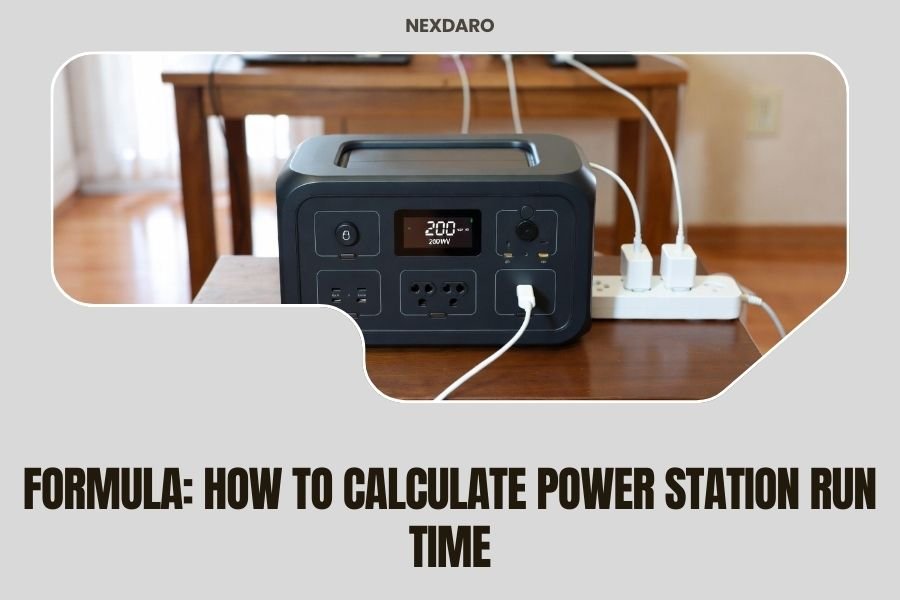
To calculate power station run time, divide the battery capacity (in watt-hours) by your device’s power consumption (in watts). For example, a 500Wh power station running a 100W device will last about 5 hours.
This formula gives you a baseline estimate, but real-world run times depend on efficiency losses, temperature, and battery age. Most power stations operate at 85-90% efficiency under normal conditions.
The Basic Power Station Run Time Formula
Here’s the simple math you need:
Run Time (hours) = Battery Capacity (Wh) ÷ Device Power Consumption (W) × Efficiency Factor (0.85-0.90)
Let me break this down step by step. You’ll need three numbers to get an accurate estimate.
Finding Your Power Station’s Battery Capacity
Your power station’s capacity is usually printed right on the device. Look for a number followed by “Wh” (watt-hours).
Common capacities include 300Wh, 500Wh, 1000Wh, or larger. This tells you how much energy your battery can store.
Checking Your Device’s Power Draw
Every device you plug in consumes a different amount of power. You can find this information in several ways:
- Check the device label or manual for wattage
- Use a power meter to measure actual consumption
- Look up typical power draws online for your device type
Remember, some devices don’t run at constant power. A laptop might use 65W while charging but only 25W during light use.
Understanding Efficiency Losses
No power station is 100% efficient. Energy gets lost as heat during conversion from DC battery power to AC outlet power.
Most quality power stations operate between 85-90% efficiency. I found that lithium-based units typically perform better than older battery technologies.
Real-World Calculation Examples
Let’s work through some practical examples you might face during camping or power outages.
Example 1: Charging Your Laptop
You have a 1000Wh power station and want to charge a laptop that uses 60W.
Calculation: 1000Wh ÷ 60W × 0.87 (efficiency) = 14.5 hours
Your laptop could run for about 14.5 hours on a full charge.
Example 2: Running a Mini Fridge
Your camping fridge uses 45W and you have a 500Wh power station.
Calculation: 500Wh ÷ 45W × 0.87 = 9.7 hours
You’ll get roughly 10 hours of refrigeration time.
Example 3: Multiple Device Setup
Running a phone charger (18W), LED light (12W), and small fan (25W) simultaneously:
Total power draw: 18W + 12W + 25W = 55W
With 750Wh capacity: 750Wh ÷ 55W × 0.87 = 11.8 hours
Factors That Affect Your Actual Run Time
The basic formula gives you a starting point. But several factors can change your real-world results.
Temperature Impact on Battery Performance
Cold weather reduces battery capacity significantly. I found research showing lithium batteries can lose 20-30% capacity in freezing temperatures.
Hot weather also affects performance, though usually less dramatically than cold.
Battery Age and Cycle Count
Older batteries hold less charge than when they were new. After 500-1000 charge cycles, you might see 10-20% capacity reduction.
This is normal battery aging, not a defect.
Inverter Efficiency Variations
Different power stations have different inverter quality. Cheaper units might only achieve 75-80% efficiency.
Pure sine wave inverters typically perform better than modified sine wave versions.
Load-Dependent Efficiency
Your power station runs most efficiently at moderate loads (30-70% of capacity). Very light or very heavy loads reduce efficiency.
Advanced Run Time Calculations
Want more precision? Here are some advanced techniques I learned from power system experts.
Accounting for Standby Power Draw
Many power stations consume 5-15W just staying on, even with no devices connected.
For long-duration calculations, add this standby consumption to your device power draw.
Variable Load Calculations
Some devices don’t run at constant power. Refrigerators cycle on and off. Laptops vary based on usage.
For cycling devices, calculate using average power consumption rather than peak power.
Surge Power Considerations
Some devices need extra power when starting up. Motors, compressors, and some electronics have surge requirements.
Make sure your power station can handle both the surge and continuous power needs.
Common Power Consumption Reference
Here’s a quick reference for typical device power consumption:
| Device | Typical Power Draw |
|---|---|
| Smartphone charging | 5-18W |
| Laptop computer | 25-85W |
| LED light bulb | 5-15W |
| Small fan | 15-35W |
| Mini fridge | 35-60W |
| Coffee maker | 600-1200W |
| Electric blanket | 50-200W |
High-Power Device Warnings
Be careful with heating devices like coffee makers, hair dryers, or space heaters. These can drain even large power stations in 1-2 hours.
They also require power stations with high wattage inverters to function properly.
Maximizing Your Power Station Run Time
Want to squeeze more hours from your battery? Try these strategies.
Choose Energy-Efficient Devices
LED lights use 75% less power than incandescent bulbs. Energy Star appliances consume less power than standard versions.
Small changes in device selection make big differences in run time.
Optimize Your Usage Patterns
Turn off devices when not needed. Use power-saving modes on laptops and electronics.
Charge devices during the day with solar panels if you have them connected.
Smart Power Management
Some power stations have eco-modes that automatically shut off AC outlets when not in use. This saves standby power consumption.
Temperature Management Tips
Keep your power station in moderate temperatures when possible. Avoid leaving it in hot cars or freezing conditions.
If you must use it in extreme temperatures, expect reduced run times and plan accordingly.
Monitoring and Testing Your Actual Results
The best way to know your real-world run times is through testing and monitoring.
Using Built-in Battery Monitors
Most modern power stations show remaining battery percentage and estimated run time on their displays.
These estimates get more accurate as the device learns your usage patterns.
Third-Party Power Meters
Kill-a-watt meters and similar devices let you measure exact power consumption of your devices.
This gives you precise numbers for your calculations rather than guessing.
Smartphone Apps for Monitoring
Some power stations connect to smartphone apps that track usage history and provide detailed power analytics.
Planning for Different Scenarios
Different situations need different approaches to run time calculation.
Emergency Backup Power
For power outages, focus on essential devices only. Prioritize communication, lighting, and medical devices.
Calculate run times for your most important needs first.
Camping and Outdoor Adventures
Plan for longer periods without recharging. Bring backup batteries or solar charging if possible.
Factor in weather conditions that might affect battery performance.
RV and Van Life Applications
Consider daily power cycles and recharging opportunities through alternators or solar systems.
Calculate both peak usage periods and average daily consumption.
Troubleshooting Run Time Issues
Getting shorter run times than expected? Here’s what to check.
Battery Health Assessment
Older batteries naturally hold less charge. If your power station is several years old, reduced capacity is normal.
Some units have battery health indicators in their settings menus.
Hidden Power Drains
Check for devices in standby mode that still consume power. Phone chargers, for example, often draw power even when not charging.
The power station itself consumes energy to run its display and internal systems.
Inverter Efficiency Problems
If efficiency seems very low, your inverter might have issues. This usually requires professional repair or replacement.
Conclusion
Calculating power station run time doesn’t have to be complicated. Start with the basic formula: divide battery capacity by device power consumption, then multiply by efficiency factor. This gives you a solid estimate for planning purposes.
Remember that real-world conditions affect your actual run time. Temperature, battery age, and device efficiency all play roles. Test your setup before you really need it, and always plan for slightly less run time than your calculations suggest.
With practice, you’ll get better at estimating your power needs and maximizing your battery life. The key is understanding both the math and the practical factors that influence performance.
How accurate are power station run time calculations?
Basic calculations are typically within 10-15% of actual performance under normal conditions. Accuracy improves when you account for temperature, battery age, and actual device power consumption rather than rated specifications.
Why does my power station run shorter than calculated?
Common causes include battery aging, cold temperatures, inefficient inverters, standby power consumption, and devices that use more power than their ratings suggest. Parasitic loads from always-on features also reduce run time.
Can I improve my power station’s run time without buying a bigger battery?
Yes, by using more efficient devices, turning off unused equipment, avoiding high-power heating appliances, and maintaining optimal operating temperatures. LED lights and Energy Star devices can significantly extend run times.
Do power stations lose capacity when not used for long periods?
Lithium batteries self-discharge slowly, losing about 2-5% capacity per month when stored. For best longevity, store them at 50-80% charge in cool, dry conditions and recharge every 3-6 months.
How do I calculate run time for devices that cycle on and off?
Use average power consumption rather than peak power. For example, a refrigerator rated at 60W might only run 30% of the time, averaging 18W. Monitor actual usage with a power meter for the most accurate calculations.