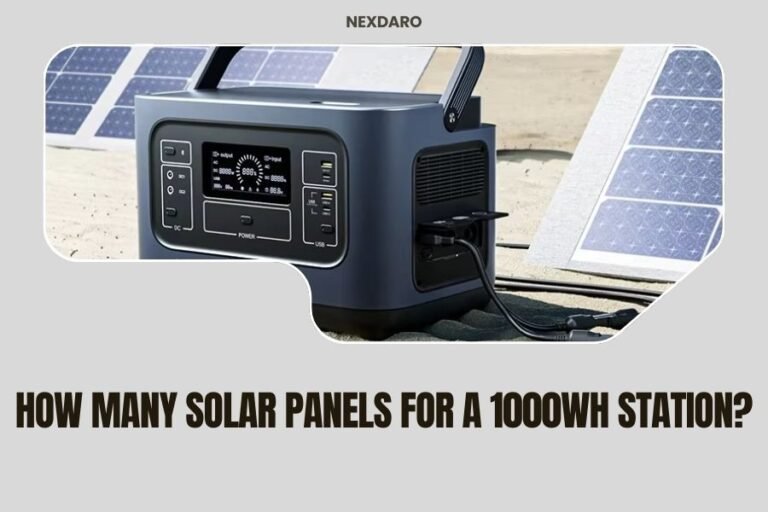
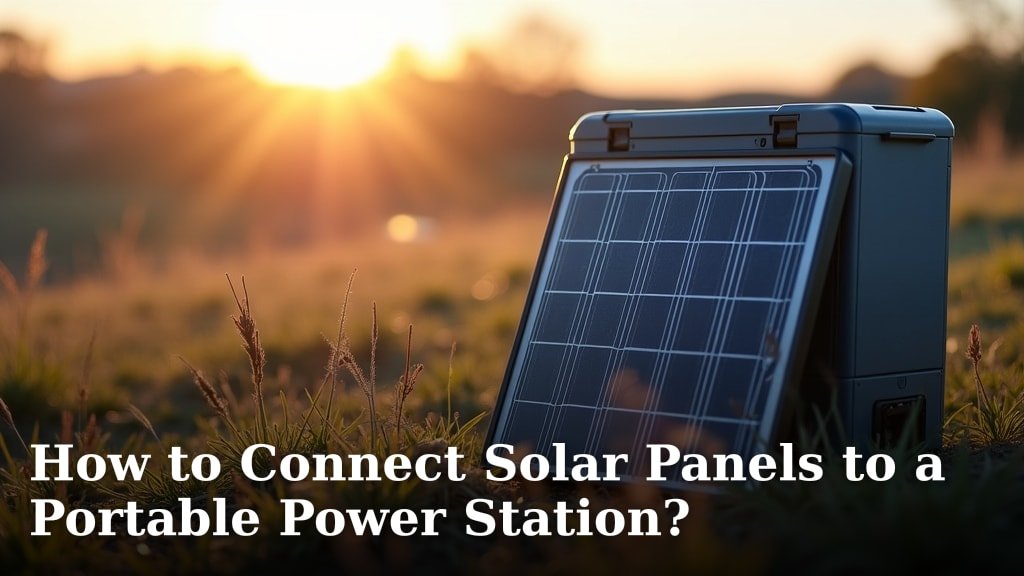
Connecting solar panels to a portable power station is surprisingly straightforward. You can generally do this by plugging your solar panels directly into the power station’s solar input port. We found that most modern power stations are designed for easy solar integration, making it simple to connect solar panels to a portable power station for charging.
You want to keep your devices charged while off-grid, right? We get it. Many people are looking for reliable off-grid power solutions. Using solar panels with a portable power station lets you harness the sun’s energy, providing clean, renewable power wherever you are. It’s a smart way to stay powered up when outlets are nowhere in sight.
- Choose compatible solar panels.
- Select the correct adapter cable.
- Connect panels to the power station.
- Optimize panel placement for sun.
- Monitor charging progress.
Let’s walk through exactly how this works step by step, so you can confidently set up your solar charging system.
Setting Up Your Solar Charging System
Connecting your solar panels to a portable power station is a smart way to generate power on the go. You’ll need to gather a few things and follow some simple steps. It’s much like plugging in a lamp, but with a bit more sunlight involved!
We found that most setups are quite intuitive. The goal is to get electricity from your solar panels into your power station’s battery. Let’s break down exactly what you’ll need and how to do it.
Understanding Your Portable Power Station
Before you even think about panels, you need to know your power station. What kind of inputs does it have? What’s its maximum solar input voltage and wattage?
Look at the specifications in your power station’s manual or on its website. This information is critical for choosing the right solar panels and avoiding damage. Many models have a dedicated “solar input” port (Renogy, Jackery, Goal Zero often include these).
Checking Input Specifications
Your power station will list specific ranges for voltage (V) and wattage (W). For example, it might say “12-28V, 200W Max.” This means your solar panel (or panels) should produce voltage within that range and not exceed the maximum wattage.
Exceeding the voltage can permanently damage your power station’s charge controller. Going over the wattage might just mean the extra power isn’t used, but it’s still best to stay within limits.
Common Solar Input Port Types
You’ll typically see a few common types of solar input ports on portable power stations. The most frequent are Anderson Powerpole (APP), DC7909 (or DC8020), and sometimes MC4 directly.
- Anderson Powerpole (APP): A square, genderless connector often used for higher power applications. Many portable power stations use this for a robust connection.
- DC7909 (or DC8020): A circular DC barrel connector. This looks like a larger version of what might charge your laptop. Often comes with a yellow tip.
- MC4: These are standard connectors for solar panels themselves. Some power stations have MC4 inputs, but more commonly, you’ll use an adapter.
Knowing your port type helps you get the right adapter cable. We found that forgetting this step is a common pitfall!
Choosing the Right Solar Panels
This is where the sun’s magic happens! You need solar panels that are compatible with your power station. This means matching voltage and wattage.
Do you need foldable panels for portability, or rigid panels for a more permanent setup? Your use case will guide your choice.
Matching Panel Voltage and Wattage
Let’s say your power station accepts “12-28V, 200W Max.” You’ll want panels that, when connected, produce voltage within 12-28V. A 100W panel might produce around 18-22V. Two 100W panels in parallel would still produce 18-22V but deliver up to 200W.
If you connect two 100W panels in series, their voltages add up (e.g., 20V + 20V = 40V), which would be too high for our example power station. This is why understanding series vs. parallel connections is vital (we’ll cover that soon).
Types of Solar Panels for Power Stations
You generally have two main choices: portable folding panels or rigid panels. Portable panels are great for camping or RVs because they fold up small.
Rigid panels are usually more efficient per square foot and can be cheaper per watt. They’re good for home backup or more stationary setups. We found that for most portable power station users, foldable panels are the top choice due to their convenience.
Selecting the Correct Adapter Cables
You have your power station and your solar panels. Now, how do they talk to each other? Through the right cables, of course! This is like making sure your phone charger has the right plug.
Many solar panels come with MC4 connectors as standard. Your power station might have a different input. This is where an adapter cable comes in handy.
Common Adapter Cable Configurations
The most common adapter cable you’ll need is an MC4 to whatever-your-power-station-needs. For example, an “MC4 to Anderson Powerpole” cable or an “MC4 to DC7909” cable.
These cables are usually clearly labeled. Make sure the polarity is correct (+ to + and – to -). Most pre-made cables are designed correctly, but it’s always good to double-check.
Here’s a quick look at some common adapter needs:
| Solar Panel Connector | Power Station Input | Required Adapter Cable |
|---|---|---|
| MC4 | Anderson Powerpole | MC4 to Anderson Powerpole |
| MC4 | DC7909/DC8020 | MC4 to DC7909/DC8020 |
| Proprietary (e.g., specific brand) | Proprietary (same brand) | Often included with panel, or direct connection |
Sometimes, if you buy panels from the same brand as your power station, the connection might be direct, without a separate adapter cable needed. This simplifies things considerably!
Understanding Series and Parallel Connections
What if you have multiple solar panels? You can connect them in series or parallel. This affects the overall voltage and current. Think of it like connecting batteries in a flashlight.
- Series: Connects positive of one panel to negative of the next. Voltage adds up, current stays the same. Good for higher voltage needs, but too much voltage can damage your power station.
- Parallel: Connects positive to positive, and negative to negative. Current adds up, voltage stays the same. This is often safer for portable power stations as it keeps the voltage within range. You’ll need branch connectors for this.
Most portable power stations prefer panels connected in parallel to stay within their voltage input limits. Always check your power station’s manual for its recommended configuration!
Step-by-Step Connection Guide
Alright, you’ve got your gear. Time to put it all together! This process is usually quick and easy once you know the steps.
The Simple Connection Checklist
Follow these steps to connect your solar panels safely:
- Place your solar panels in direct sunlight, facing south (in the Northern Hemisphere) for optimal exposure.
- Connect the MC4 connectors from your solar panels to your adapter cable. Ensure they click firmly.
- Plug the other end of the adapter cable (e.g., Anderson Powerpole or DC7909) into your portable power station’s solar input port.
- Turn on your power station and check its display. It should show a “solar input” indicator or the wattage it’s receiving.
- Adjust panel angle if needed to maximize charge rate.
- Monitor your charging progress to ensure everything is working correctly.
It’s generally recommended to connect the panels to the adapter cable first, then to the power station. And always make sure the power station is off or in “solar input ready” mode before connecting.
Maximizing Your Solar Charging Efficiency
Just plugging in isn’t always enough. You want to get the most power from your panels, right? A little bit of effort here can make a big difference.
Optimal Panel Placement and Angle
Sunlight is your fuel. You want your panels to soak up as much of it as possible. Angle your panels directly towards the sun. In the Northern Hemisphere, this usually means facing south.
As the sun moves throughout the day, you might need to reposition your panels every few hours. Think of it like a sunflower tracking the sun. Even a slight angle adjustment can increase your wattage output.
Also, avoid shadows! Even a small shadow from a tree branch or tent pole can drastically reduce your panel’s output (NC State University Extension). This is because panels are often wired in series internally, and a shaded cell can block the flow for the whole panel.
Monitoring Your Power Station’s Display
Your portable power station is your best friend for monitoring. Most modern units have a display that shows the incoming solar wattage. Watch this number.
If it’s low, try adjusting the panel angle or moving it out of any shade. If it’s zero, double-check all your connections. Is everything clicked in firmly? Is the adapter cable correct?
Many units also show the estimated time to full charge, which is a great indicator of how well your panels are performing.
Troubleshooting Common Connection Issues
Sometimes, things don’t go perfectly. Don’t worry, most solar charging problems are easy to fix. We’ve all been there!
“No Charging” or Low Wattage Output
Is your power station not charging, or is the wattage surprisingly low? First, check for direct sunlight. Are the panels completely free of shadows?
Next, ensure all cable connections are secure. A loose MC4 connector or a partially unplugged DC cable can stop the flow of power. You’d be surprised how often a simple wiggle fixes it!
Finally, confirm your panels’ voltage and wattage are within your power station’s limits. If your panels are too small, they might not generate enough power to trigger charging. If the voltage is too high, the power station’s safety features might shut down the input.
Polarity Reversal
This is less common with pre-made cables but important to note if you’re building your own. Connecting positive to negative where it shouldn’t be (reverse polarity) can damage some equipment, though most modern power stations have protection against this.
If your power station isn’t charging and you’ve checked everything else, and especially if you made your own cables, verify the polarity. Positive usually goes to the center pin on DC barrel connectors and is marked with a “+” on MC4s. When in doubt, consult your manuals!
Conclusion
Connecting solar panels to your portable power station truly puts the power in your hands. You’ve learned how to check compatibility, choose the right panels and cables, and set everything up for optimal charging. We found that with a little understanding, you can reliably generate your own electricity anywhere the sun shines.
Now, take what you’ve learned, gather your gear, and confidently set up your off-grid power system. Go enjoy the freedom of portable, renewable energy!
Frequently Asked Questions
Can I overcharge my portable power station with solar panels?
No, you generally cannot overcharge your portable power station with solar panels. Most modern power stations have built-in charge controllers that automatically regulate the incoming power. Once the battery is full, the controller will stop accepting charge from the solar panels.
How long does it take to charge a portable power station with solar panels?
The charging time depends on several factors, including the size of your power station’s battery, the wattage of your solar panels, and the intensity of the sunlight. A 100W panel in ideal conditions might charge a 500Wh power station in about 5-10 hours, but this can vary significantly.
Do solar panels still charge on cloudy days?
Yes, solar panels can still generate some power on cloudy days, but their efficiency will be significantly reduced. Thick clouds can block much of the direct sunlight, resulting in a much lower wattage output compared to a clear, sunny day.
Can I use solar panels from different brands together?
You can often use solar panels from different brands together, as long as their voltage and wattage are compatible with your power station. You’ll need to ensure you have the correct adapter cables and that you’re connecting them in a way (series or parallel) that matches your power station’s input specifications.
What maintenance do solar panels need?
Portable solar panels require very little maintenance. You should periodically wipe them clean with a soft, damp cloth to remove any dust, dirt, or debris that might be blocking sunlight. Ensure the connectors are kept dry and free of corrosion.