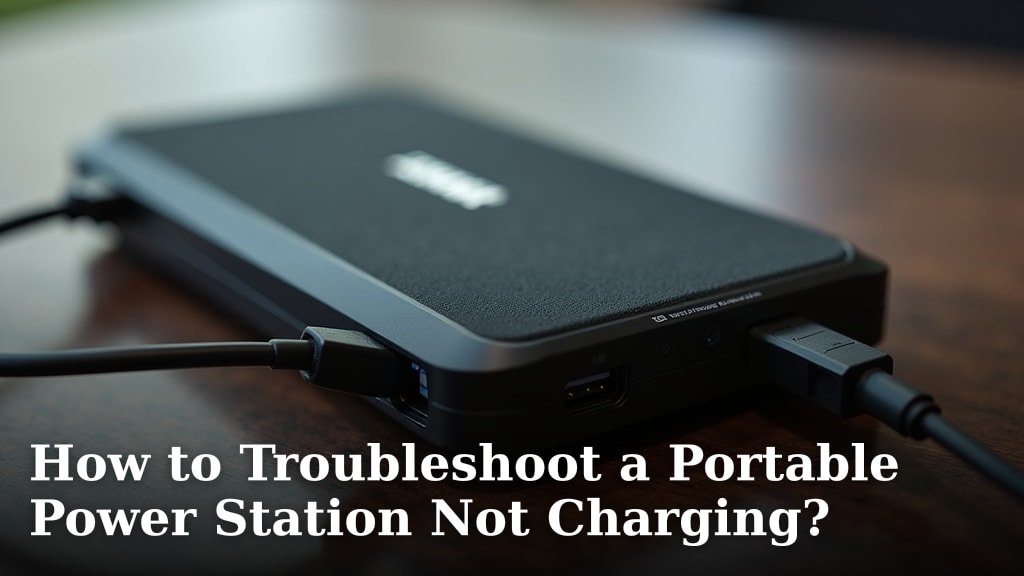
To troubleshoot a portable power station not charging, start by checking the charging cable and power source. Often, the issue is a simple connection problem or a faulty wall outlet. We found that most charging problems are easily fixed with a quick check of your setup.
Having your portable power station suddenly stop charging can be frustrating, especially when you depend on it for power on the go. Is it a problem with the unit itself, or something else? We help you figure out what’s going on and get your device back to full power.
- Check your cables and connections first.
- Verify your power source is working.
- Look for error messages on the power station.
- Try different charging methods.
- Contact customer support if issues persist.
Let’s walk through some common problems and solutions to get your portable power station charging like new again. You’ve got this!
Getting Your Portable Power Station Back to Full Charge
When your portable power station isn’t charging, it can feel like a small crisis, especially when you’re relying on it. Let’s break down the common culprits and get you back to powering your devices with confidence. We found that most charging problems are often simple to fix, and you can usually resolve them yourself.
Initial Checks: The Foundation of Troubleshooting
Before diving into complex diagnostics, always start with the basics. Think of it like checking your car’s fuel level before calling a mechanic about engine trouble. These steps often resolve the issue quickly and easily.
Examine Your Charging Cables and Connectors
A damaged cable is a very common reason for charging failures. We recommend a careful visual inspection first. Are there any visible kinks, cuts, or frayed wires? Sometimes, the problem is right before your eyes. Check both ends of the cable where it plugs into the power station and the wall.
- Look for physical damage: Bend the cable gently to see if any internal wires are exposed.
- Inspect the connectors: Are the metal pins clean and straight? Bends or corrosion can prevent a good connection.
- Try a different cable: If you have a spare cable, especially one from the same manufacturer, try using it. This helps rule out the cable as the problem source.
We often overlook these small details, but they can make all the difference. Many users report that a simple cable swap fixed their issue (Consumer Reports).
Verify Your Power Source
Is the power outlet or charging port you’re using actually working? It sounds obvious, but it’s a step many people skip. You need to confirm that electricity is flowing properly from the source to your power station.
- Test the wall outlet: Plug in another small appliance, like a lamp or a phone charger. If it works, your outlet is likely fine. If not, try a different wall outlet.
- Check car charging ports: If you’re using a 12V car adapter, ensure your car’s engine is running. Some vehicles only supply power to these ports when the ignition is on. Also, check your car’s fuse box; a blown fuse can disable the port.
- Evaluate solar panels: For solar charging, make sure your panels are clean and positioned correctly to receive direct sunlight. Clouds or shade will significantly reduce their output.
Sometimes, the “problem” isn’t with your power station at all, but with the power supply you’re trying to use. It’s like having a healthy phone but a dead wall charger.
Understanding Your Power Station’s Display and Indicators
Your portable power station is designed to give you feedback. Pay attention to what it’s trying to tell you through its screen or indicator lights. These often provide clues about what’s going wrong.
Interpreting Error Messages and Codes
Many modern power stations have digital displays that show error codes or specific messages. Don’t ignore these! They are your first line of diagnostic information.
- Consult your user manual: This is where you’ll find a detailed explanation of what each error code means and recommended troubleshooting steps.
- Look for common indicators: Does it flash a specific light sequence? Is there a message like “Overload,” “Low Voltage,” or “Temperature Alert”?
For example, a “Low Voltage” error might mean your charging source isn’t providing enough power, while an “Overload” indicates too many devices are plugged in (Battery University).
Checking Charging Status Lights
Even without a digital screen, most power stations have LED indicator lights. These lights usually signal charging status, battery level, or potential issues.
What do the lights tell you?
| Light Behavior | Possible Meaning | Action to Take |
|---|---|---|
| Solid Green/Blue | Charging normally | No action needed, it’s working! |
| Flashing Green/Blue | Charging, but not full yet | Could be slow charging; check cable/source. |
| Solid Red/Orange | Error or fault detected | Refer to manual for specific error. |
| No Lights | No power or unit is off | Check power button, main power source. |
If you see unusual light patterns, it’s your power station’s way of saying, “Hey, something’s not right here!”
Exploring Different Charging Methods and Environments
Sometimes, the issue isn’t a faulty component but how you’re trying to charge the device. Portable power stations often support multiple charging inputs. Trying a different method can help isolate the problem.
Switching Input Methods
If you’re trying to charge via a wall outlet and it’s not working, try a different approach. This helps you determine if the problem is with the AC input port, the DC input port, or a specific charging method.
- Try car charging (DC input): If your power station supports it, connect it to your car’s 12V cigarette lighter port. See if it starts charging.
- Experiment with solar charging: If you have solar panels, connect them. Ensure they are in direct sunlight and the connection is secure.
- Use a different AC adapter: If your power station uses a separate AC adapter, try borrowing one from a friend (if compatible) or purchasing a replacement.
Many power stations are designed to be versatile. Using these different input options helps you pinpoint exactly where the fault lies. We often find that one charging method might fail while another works perfectly fine.
Consider Environmental Factors
Extreme temperatures can affect battery charging performance. Batteries are sensitive to heat and cold, and your power station has built-in protections for this reason.
- Temperature protection: Most power stations won’t charge if they are too hot or too cold. Bring the unit to room temperature (typically between 50°F and 95°F or 10°C and 35°C).
- Ventilation: Ensure the power station’s vents are clear and not blocked. Overheating can prevent charging.
Think of it like us humans; we don’t perform our best in extreme conditions. Your power station is similar.
Resetting and Advanced Troubleshooting Steps
If the simpler checks haven’t worked, it’s time for some slightly more advanced steps. Don’t worry, these are still things you can do at home.
Perform a Hard Reset
Just like your phone or computer, sometimes a power station benefits from a fresh start. A hard reset can clear temporary software glitches that might be preventing charging.
- Power cycle: Turn the power station completely off, unplug all cables, wait a few minutes, then plug in the charging cable first and turn it back on.
- Specific reset button: Some models have a small reset button that you might need a paperclip to press. Check your manual for its location and instructions.
This is often the “magic trick” that fixes a surprising number of electronic device problems. It’s worth a shot before giving up.
Check the Firmware
While less common for charging issues, outdated firmware can sometimes cause unexpected behavior. Some advanced power stations allow for firmware updates.
How to check firmware:
- Consult your power station’s user manual or manufacturer’s website.
- Look for a companion app; some brands let you update firmware through a smartphone app.
If there’s an update available, follow the instructions carefully. Make sure the unit has some charge before starting a firmware update to prevent bricking it.
When to Seek Professional Help
You’ve done your due diligence, tried all the troubleshooting steps, and your power station is still not charging. What now? It might be time to call in the experts.
Contacting Customer Support
This is your next logical step if you can’t resolve the issue. Be prepared with all the information you’ve gathered during your troubleshooting.
- Gather details: Have your model number, serial number, purchase date, and a clear description of the problem ready.
- Explain what you’ve tried: This saves time and shows them you’ve already done the basic troubleshooting.
- Inquire about warranty: If your unit is still under warranty, you might be eligible for a repair or replacement at no cost.
The customer support team has specialized knowledge about their products. They can often provide specific diagnostics or authorize a repair.
Considering Repair or Replacement
If your power station is out of warranty, you’ll need to weigh the cost of repair against the cost of a new unit. Sometimes, repairing an older device can be more expensive than simply buying a newer, more efficient model.
Your Troubleshooting Checklist:
- Did you inspect all charging cables for damage?
- Have you tested the power source (wall outlet, car port, solar panel)?
- Did you check the power station’s display for error messages?
- Have you tried charging using a different input method (AC, DC, solar)?
- Was a hard reset performed on the power station?
- Did you contact customer support with your detailed findings?
Remember, your portable power station is an investment. Taking the time to properly troubleshoot ensures you get the most out of it. You’re doing great, and we’re here to help you get it back up and running!
Conclusion
You’ve seen that most portable power station charging issues are often simple to diagnose and fix. By systematically checking your cables, power sources, and the unit’s display, you can usually identify the problem. Remember to explore different charging methods and consider environmental factors. If all else fails, don’t hesitate to reach out to customer support. You now have the knowledge to confidently troubleshoot and get your power station back to peak performance.
Frequently Asked Questions
Why would my portable power station suddenly stop charging?
Sudden charging issues often stem from a loose or damaged charging cable, a faulty wall outlet, or an internal safety mechanism triggering due to extreme temperatures. It’s also possible a simple software glitch is preventing the charge.
Can a dirty charging port cause charging problems?
Yes, dust, dirt, or debris inside the charging port can obstruct the connection, preventing your power station from receiving power. Carefully inspect the port and gently clean it with compressed air or a non-conductive tool.
How do I know if my charging cable is the problem?
The best way to check if your cable is faulty is to try a different, known-working cable. If the power station charges with the new cable, your original cable is likely damaged. Also, look for visible signs of wear or bent pins.
My power station displays an error code. What should I do?
When you see an error code, your first step should be to consult your power station’s user manual. The manual will explain what the code means and guide you through specific troubleshooting steps for that particular error.
Is it normal for a power station to charge slower in cold weather?
Yes, batteries are less efficient in cold temperatures. Most power stations have built-in protection that will either slow down or stop charging in extremely cold conditions to prevent battery damage. Bring the unit to a warmer environment for optimal charging.