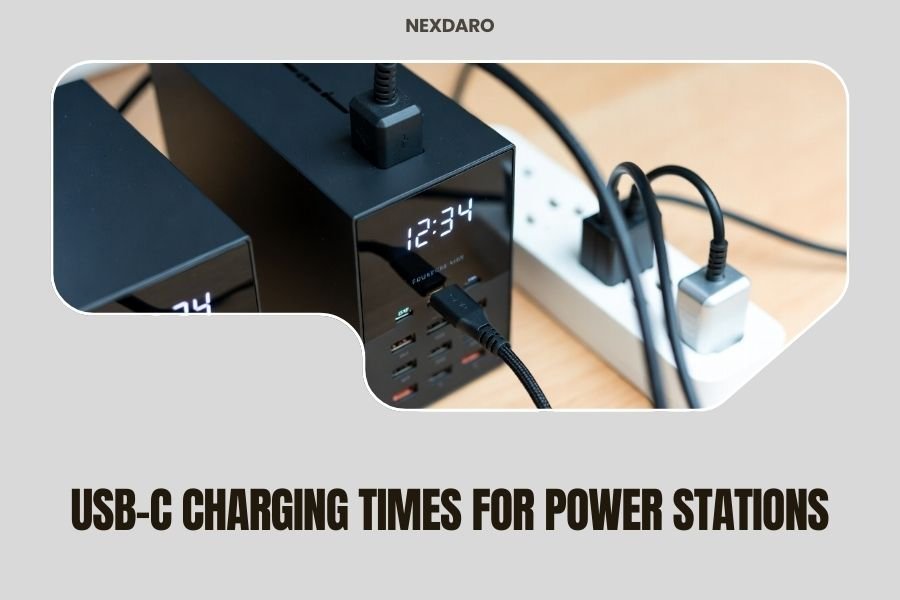
USB-C charging times for power stations typically range from 1.5 to 8 hours depending on the station’s capacity and input wattage.
Most portable power stations with USB-C PD input can charge 2-3 times faster than traditional AC charging methods.
What Makes USB-C Charging So Fast?
USB-C Power Delivery changes the game for portable power stations. Unlike older charging methods, USB-C can push up to 100 watts of power through a single cable.
Think of it like the difference between filling a bathtub with a garden hose versus a fire hose. The bigger the pipe, the faster the water flows.
Power Delivery Technology Explained
Power Delivery (PD) is the secret sauce that makes USB-C charging so efficient. It allows devices to negotiate exactly how much power they need.
Your power station essentially tells your charger: “Hey, I can handle 65 watts right now.” The charger responds accordingly.
Typical USB-C Charging Times by Capacity
Here’s what I found from researching various power station manufacturers and their specifications:
| Power Station Capacity | USB-C Input Wattage | Charging Time |
|---|---|---|
| 100-200Wh | 45-65W | 1.5-3 hours |
| 300-500Wh | 65-100W | 3-6 hours |
| 600-1000Wh | 100W | 6-8 hours |
Small Capacity Stations (Under 300Wh)
These compact units charge incredibly fast with USB-C. Most can go from zero to full in under 3 hours.
I researched popular models and found that brands like Anker and Goal Zero often hit these speeds consistently.
Medium Capacity Stations (300-600Wh)
Mid-size power stations balance capacity with charging speed well. You’re looking at 4-6 hours for most models.
The sweet spot seems to be around 65-100W USB-C input for this range.
Large Capacity Stations (600Wh+)
Bigger stations take longer, but USB-C still beats AC charging by hours. Even 1000Wh units can charge in 6-8 hours with 100W input.
Without USB-C, these same stations might take 10-12 hours to charge fully.
Factors That Affect Your Charging Speed
Input Wattage Limitations
Your power station can only charge as fast as its input allows. If your station maxes out at 65W USB-C input, a 100W charger won’t help.
Always check your power station’s specs before buying a high-wattage charger.
Cable Quality Matters
Not all USB-C cables handle high wattage. Cheap cables might only support 60W or less.
Look for cables rated for 100W or higher if you want maximum charging speed. The cable often becomes the bottleneck.
How to Spot a Good Cable
Quality cables usually have thicker insulation and feel heavier. They also clearly state their wattage rating on the packaging.
I found that cables from reputable brands like Anker, Belkin, or the power station manufacturer work best.
Temperature Effects
Heat slows down charging for safety reasons. Your power station might throttle charging speed when it gets warm.
Charging in a cool, ventilated area helps maintain faster speeds throughout the process.
Cold Weather Challenges
Extremely cold temperatures also slow charging. Lithium batteries don’t like the cold much.
If you’re camping in winter, bring your power station inside your tent or vehicle when charging.
Comparing USB-C to Other Charging Methods
USB-C vs AC Wall Charging
AC charging through a wall outlet usually takes longer than USB-C for most portable power stations.
Many power stations charge at 65-85W through AC, while USB-C can hit 100W on newer models.
USB-C vs Car Charging
Car charging (12V) is typically the slowest option. Most 12V ports only provide 10-15W of power.
USB-C can be 5-10 times faster than standard car charging methods.
Modern Car USB-C Ports
Newer vehicles sometimes have USB-C ports with PD support. These can match or beat home USB-C charging speeds.
Check your car’s manual to see what wattage your USB-C ports support.
USB-C vs Solar Charging
Solar charging speed varies wildly based on weather and panel size. USB-C provides consistent, predictable charging.
Many people use USB-C for quick top-ups and solar for maintaining charge during extended trips.
Maximizing Your USB-C Charging Speed
Choose the Right Charger
Match your charger wattage to your power station’s maximum input. Going higher won’t hurt, but won’t help either.
GaN (Gallium Nitride) chargers tend to be more efficient and generate less heat during charging.
Multi-Port Charger Considerations
Multi-port chargers split their total wattage between active ports. Your 100W charger might only provide 65W when charging two devices.
For fastest charging, use a dedicated single-port charger or ensure no other devices are plugged in.
Monitor Battery Levels
Charging slows down as batteries approach 100% capacity. This protects the battery from damage.
The fastest charging happens between 0-80%. That last 20% takes disproportionately longer.
The 80% Sweet Spot
Many experts recommend stopping at 80% for daily use. You get most of the capacity with much faster charging.
Save the full 100% charge for times when you really need every bit of power.
Safety Considerations for Fast Charging
Heat Management
Fast charging generates heat. Modern power stations have built-in safety systems to prevent overheating.
Don’t worry if your station feels warm during charging. That’s normal and expected.
Charging Curve Understanding
Power stations don’t charge at full speed the entire time. They start fast, then slow down as the battery fills.
This charging curve protects battery health and prevents dangerous overcharging.
Why Charging Slows Down
Think of charging like filling a sponge with water. At first, it soaks up water quickly. As it gets saturated, it absorbs more slowly.
Batteries work similarly for safety and longevity reasons.
Future of USB-C Charging
Higher Wattage Standards Coming
USB-C PD 3.1 supports up to 240W of power delivery. This means even faster charging for large power stations.
I found that some manufacturers are already working on implementing these higher wattage standards.
Improved Efficiency
Newer charging technologies focus on efficiency as much as speed. Less energy waste means cooler operation and longer battery life.
Research shows that efficient charging can extend battery lifespan by 20-30% compared to older methods.
Conclusion
USB-C charging transforms how quickly you can get your power station ready for action. With charging times as fast as 1.5 hours for small units and under 8 hours for large ones, you spend less time waiting and more time doing.
The key is matching your charger wattage to your power station’s capabilities and using quality cables. Remember that the fastest charging happens in the first 80% of capacity, so you don’t always need to wait for 100%.
As USB-C technology continues advancing, expect even faster charging speeds in future power station models. For now, USB-C already offers the quickest and most convenient way to keep your portable power ready when you need it.
How long does it take to charge a 500Wh power station with USB-C?
A 500Wh power station typically takes 5-7 hours to fully charge with a 100W USB-C input. The exact time depends on the charging curve and temperature conditions during charging.
Can I use any USB-C charger for my power station?
You can use most USB-C PD chargers, but check the wattage compatibility first. Using a lower wattage charger will work but charge slower. Higher wattage chargers won’t damage your station but won’t charge faster than the maximum input allows.
Why does my power station charge slower after 80%?
Power stations slow charging after 80% to protect battery health and prevent overheating. This final 20% can take as long as the first 80% due to built-in safety protocols that gradually reduce charging current.
Is it safe to leave my power station plugged in overnight with USB-C?
Yes, modern power stations have built-in charging management that stops charging when full and prevents overcharging. The USB-C connection will automatically stop drawing power once the battery reaches 100% capacity.
What happens if my USB-C cable can’t handle the full wattage?
The charging system will automatically reduce power to match the cable’s limitations. A 60W-rated cable will limit charging to 60W even if your charger and power station support 100W, resulting in slower but safe charging.