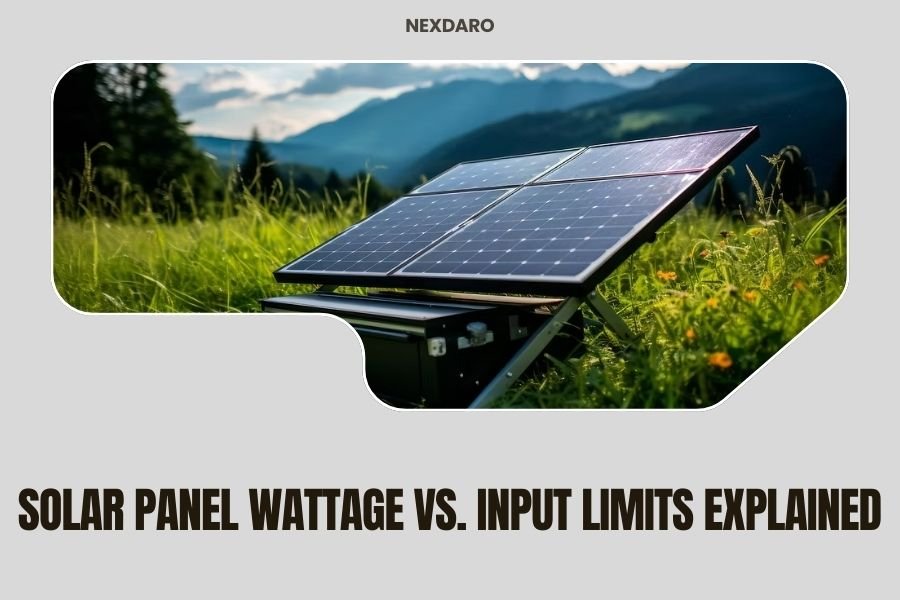
Solar panel wattage indicates the maximum power output panels can produce under ideal conditions, while input limits refer to the maximum solar charging capacity your portable power station can handle.
Understanding the difference between solar panel wattage and input limits helps you avoid overloading your system and ensures you get optimal charging performance from your setup.
What Solar Panel Wattage Really Means
Solar panel wattage represents peak power output under perfect laboratory conditions. You’ll see this number prominently displayed on every solar panel.
Think of it like a car’s horsepower rating. Just as your car rarely uses maximum horsepower during normal driving, your solar panels rarely hit their peak wattage in real-world conditions.
Standard Test Conditions vs Reality
Manufacturers test panels under Standard Test Conditions (STC). These include 1,000 watts per square meter of sunlight, 25°C temperature, and perfect air clarity.
You’ll rarely see these perfect conditions outdoors. Clouds, dust, heat, and angle variations all reduce actual output.
Common Solar Panel Wattage Ratings
Portable solar panels typically range from 50 to 400 watts. Here’s what you’ll find:
- 50-100W: Small foldable panels for basic device charging
- 100-200W: Mid-size panels for moderate power needs
- 200-400W: Large panels or panel arrays for heavy usage
Understanding Power Station Input Limits
Input limits define how much solar power your power station can accept and process. This acts as a bottleneck in your charging system.
Your power station’s solar input limit appears in the specifications as “Max Solar Input” or “Solar Charging Input.”
Why Input Limits Exist
Power stations use charge controllers to regulate incoming power. These controllers protect the battery from damage caused by voltage spikes or excessive current.
The charge controller determines your maximum solar input. A 200W input limit means your station can’t use more than 200W, even if your panels produce more.
Common Input Limit Ranges
Power station input limits vary widely by size and price:
- Small stations (200-500Wh): 60-120W input limits
- Medium stations (500-1000Wh): 120-200W input limits
- Large stations (1000Wh+): 200-400W+ input limits
The Critical Relationship Between Wattage and Input
Your charging speed depends on whichever is lower: your panel wattage or your power station’s input limit.
This creates three possible scenarios you need to understand.
Scenario 1: Panel Wattage Exceeds Input Limit
You connect 300W of solar panels to a power station with a 200W input limit. Your charging speed maxes out at 200W.
The extra 100W of panel capacity goes unused. Your panels could produce more power, but your station can’t accept it.
When This Setup Makes Sense
Extra panel capacity helps during poor weather conditions. When clouds reduce panel output by 40%, you still get close to your station’s maximum input.
Many experts recommend 20-30% extra panel capacity for consistent charging performance.
Scenario 2: Input Limit Exceeds Panel Wattage
You connect 100W of panels to a station with a 200W input limit. Your charging speed depends entirely on panel output and conditions.
Your station could accept more power, but your panels can’t provide it. This leaves charging capacity unused.
Room for Expansion
This setup gives you room to add more panels later. You can gradually build up to your station’s full input capacity.
Scenario 3: Balanced Setup
Your panel wattage closely matches your input limit. A 200W panel array connected to a 200W input station creates perfect balance.
This works best in areas with consistent, strong sunlight. You get maximum efficiency without wasted capacity.
Factors That Affect Real-World Performance
Several factors influence how much power actually flows from your panels to your power station.
Weather and Environmental Conditions
Cloud cover reduces panel output by 10-90% depending on thickness. Partial shade on even one panel can dramatically reduce total array output.
High temperatures actually decrease panel efficiency. Panels lose about 0.4% efficiency per degree above 25°C.
Panel Angle and Positioning
Optimal panel angle equals your latitude for fixed installations. Portable setups benefit from periodic repositioning throughout the day.
Even small deviations from optimal angle can reduce output by 10-20%.
Tracking the Sun
Moving your panels to follow the sun increases daily energy capture by 25-35%. This requires manual adjustment every few hours.
System Losses and Efficiency
Energy conversion losses occur throughout your charging system. Expect 10-20% total system losses from panels to battery.
These losses include charge controller efficiency, cable resistance, and battery charging efficiency.
Choosing the Right Panel-to-Station Ratio
The ideal ratio depends on your usage patterns and local climate conditions.
Conservative Approach: Match Your Input Limit
Buy panels that equal your power station’s input limit. This minimizes cost while providing adequate charging in good conditions.
Best for: Budget-conscious users in sunny climates with predictable weather.
Balanced Approach: 120-130% Panel Capacity
Choose panels rated 20-30% above your input limit. This accounts for real-world losses while avoiding excessive overcapacity.
Best for: Most users seeking reliable charging in varied conditions.
Maximum Performance: 150-200% Panel Capacity
Install panels rated 50-100% above your input limit. This ensures maximum charging speed even in poor conditions.
Best for: Users in frequently cloudy areas or those needing maximum reliability.
Voltage and Current Considerations
Solar charging involves both voltage and current limits. Both must stay within your power station’s specifications.
Voltage Compatibility
Your panels must match your power station’s voltage range. Common ranges include 12-30V, 11-50V, or 12-60V.
Exceeding voltage limits can damage your power station permanently. Always verify compatibility before connecting panels.
Series vs Parallel Panel Connections
Series connections add voltages together while keeping current the same. Parallel connections add currents while keeping voltage the same.
Most portable setups use series connections for higher voltage and reduced cable losses.
When to Use Each Connection Type
Use series when your power station accepts higher voltages. Use parallel when voltage limits are low but current capacity is high.
Practical Planning Tips
Planning your solar setup requires balancing performance, cost, and portability needs.
Calculate Your Daily Energy Needs
List your devices and daily usage hours. Multiply watts by hours to get watt-hours (Wh) for each device.
Add 20% extra capacity for system inefficiencies and unexpected usage.
Consider Panel Portability
Higher wattage often means larger, heavier panels. Balance charging speed against portability for your specific use case.
Foldable panels offer good power-to-weight ratios but cost more than rigid panels.
Modular Panel Systems
Some manufacturers offer modular panels that connect together. Start small and add capacity as needed.
Common Mistakes to Avoid
Several mistakes can reduce performance or damage your equipment.
Ignoring Voltage Limits
Connecting panels with excessive voltage can destroy your power station’s charge controller. Always verify voltage compatibility first.
Undersized Cables
Thin cables create resistance that wastes power and generates heat. Use appropriately sized cables for your current levels.
Mixing Different Panel Types
Combining panels with different voltages or capacities reduces overall system efficiency. Use matching panels when possible.
Future-Proofing Your Solar Setup
Consider how your needs might change when selecting equipment.
Expandability Options
Choose power stations with higher input limits if you might add panels later. This provides upgrade flexibility.
Technology Improvements
Solar panel efficiency continues improving. Buying stations with higher input limits accommodates future panel upgrades.
Conclusion
Solar panel wattage and input limits work together to determine your charging performance. Panel wattage shows maximum potential output, while input limits define what your power station can actually use. The key is finding the right balance for your specific needs and conditions.
Start by matching your panel capacity to your station’s input limit, then add 20-30% extra for real-world conditions. This approach gives you reliable charging without unnecessary cost or complexity. Remember that perfect conditions rarely exist, so some overcapacity helps maintain consistent performance.
Your solar setup should match your actual usage patterns and local climate. Take time to calculate your real energy needs and research typical weather conditions in your area. This planning ensures you build a system that actually meets your requirements rather than just looking good on paper.
Can I damage my power station by connecting too many solar panels?
You can damage your power station if you exceed voltage limits, but exceeding wattage limits typically just wastes the extra capacity. Always check voltage compatibility first, then verify that total panel wattage doesn’t create unsafe current levels.
Why doesn’t my 200W panel charge my power station at 200W?
Real-world conditions rarely match laboratory test conditions used for panel ratings. Clouds, heat, angle, and system losses typically reduce actual output to 60-80% of rated capacity during peak sun hours.
Should I buy a power station with much higher input limits than my current panels?
Higher input limits provide upgrade flexibility and often indicate better overall build quality. The small extra cost is usually worth it if you might expand your solar array later or want maximum charging speed.
What happens if my panels produce more power than my station’s input limit?
Your power station’s charge controller automatically limits incoming power to safe levels. The excess capacity goes unused but doesn’t harm your equipment. This situation actually provides more consistent charging during poor weather.
How do I calculate the right panel size for cloudy weather conditions?
Research your area’s average solar irradiance and expect 30-70% of rated panel output during cloudy periods. Size your panel array to produce your needed power even when operating at reduced efficiency.