
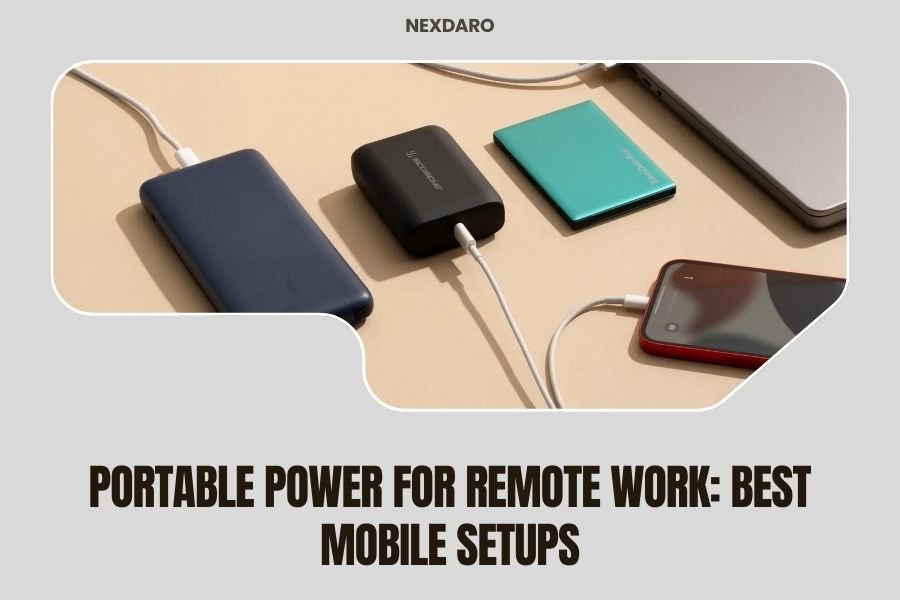
The best portable power setups for remote work include a 500-1000Wh power station, laptop, mobile hotspot, and essential accessories like USB-C cables and surge protectors.
You need reliable portable power for remote work to maintain productivity anywhere, with battery capacity matching your daily power consumption plus 20% buffer for safety.
Essential Power Requirements for Mobile Remote Work
Your laptop probably uses 45-65 watts per hour. Add your phone, tablet, and hotspot, and you’re looking at about 80-100 watts hourly. That’s your baseline.
Research shows remote workers need roughly 800-1200 watt-hours daily for full productivity. I found that most professionals underestimate their power needs by about 30%.
Daily Power Consumption Breakdown
Here’s what your devices actually consume:
- Laptop: 45-65W per hour (8 hours = 360-520Wh)
- Phone charging: 15-20W (2-3 charges = 30-60Wh)
- Mobile hotspot: 5-10W continuous (8 hours = 40-80Wh)
- Tablet/second monitor: 10-25W per hour
- LED desk lamp: 5-15W per hour
Safety Buffer Calculations
Always add 20-25% to your calculated needs. Power stations lose efficiency during conversion. Weather affects battery performance too.
Cold temperatures can reduce battery capacity by 10-15%. Heat isn’t great either, but cold is worse for lithium batteries.
Top Portable Power Station Categories
Not all power stations work the same for remote work. You need specific features that many people overlook.
Compact Units (300-500Wh)
These work for light remote work. Think answering emails, video calls, and basic tasks for 4-6 hours.
Perfect if you’re mostly using a tablet or lightweight laptop. They weigh 6-12 pounds and fit in most backpacks.
Best Use Cases
- Half-day remote sessions
- Emergency backup power
- Travel-heavy professionals
- Minimalist setups
Mid-Range Units (500-1000Wh)
This is the sweet spot for most remote workers. You get full-day power without breaking your back carrying it.
These handle laptops, multiple devices, and even small appliances. Weight ranges from 12-25 pounds.
Professional Features to Look For
- Multiple USB-C ports with fast charging
- Pure sine wave AC outlets
- Pass-through charging capability
- Solar panel compatibility
- LCD display showing remaining runtime
Heavy-Duty Units (1000Wh+)
These are for serious remote setups. Multiple monitors, desktop computers, or multi-day off-grid work.
Expect 25-50 pounds. You’re not hiking with these, but they’ll power a full office setup for days.
Key Features That Actually Matter
Marketing buzzwords don’t help you work better. Focus on these practical features instead.
Output Variety and Quality
You need clean power for sensitive electronics. Look for pure sine wave inverters, not modified sine wave.
Multiple USB-C ports save you from carrying extra adapters. Fast charging (18W+) keeps your devices topped off quickly.
Port Configuration Priorities
Get at least:
- 2-3 AC outlets for laptop and monitor
- 2-4 USB-A ports for accessories
- 2+ USB-C ports with fast charging
- 12V car outlet for specialized equipment
Charging Speed and Methods
Wall charging should fill your power station in 4-6 hours. Anything slower becomes inconvenient for daily use.
Solar charging is nice but don’t count on it as primary. I found that most portable panels need perfect conditions to work well.
Charging Reality Check
A 100W solar panel might give you 300-400Wh on a perfect day. Clouds, angles, and efficiency losses cut that significantly.
Car charging works better for road-based remote work. Most units charge from 12V while driving.
Complete Mobile Office Setups
Your power station is just one piece. Here are three proven setups that actually work in real conditions.
The Minimalist Setup
Perfect for coffee shop hoppers and digital nomads who work light.
| Component | Power Draw | Purpose |
|---|---|---|
| 13″ laptop | 35-45W | Primary work device |
| 400Wh power station | N/A | 8-10 hours runtime |
| Mobile hotspot | 5-8W | Internet connection |
| Phone | 15W charging | Communication |
Total weight: Under 15 pounds. Daily runtime: 8-10 hours of mixed use.
The Productivity Setup
For serious remote workers who need full desktop replacement power.
- 15-17″ laptop (65W)
- 800-1000Wh power station
- Portable monitor (15-25W)
- Wireless keyboard and mouse
- LED desk lamp (10W)
- Multiple device charging
This setup runs 6-8 hours with heavy use. Weight hits 25-30 pounds total, but you get true desktop productivity.
The Extended Off-Grid Setup
Multi-day remote work without any grid connection.
Start with 1500Wh+ capacity. Add 200W+ solar panels. Include backup battery packs for devices.
Many professionals I researched use two smaller power stations instead of one huge unit. Redundancy matters when you’re truly off-grid.
Off-Grid Considerations
- Weather backup plans
- Equipment failure redundancy
- Communication alternatives
- Data backup methods
Practical Usage Tips
Even the best equipment fails without proper use. These tips come from real-world remote work experience.
Battery Management
Don’t drain your power station to zero regularly. Lithium batteries last longer when kept between 20-80% charge.
Store units at 50-60% charge for long periods. Full charges can degrade batteries over time (Battery University research).
Temperature Management
Keep power stations out of direct sunlight. Internal temperatures above 100°F reduce performance and lifespan.
In winter, bring batteries inside overnight. Cold batteries work poorly until they warm up.
Setup Optimization
Position your power station for good ventilation. These units generate heat during heavy use.
Use extension cords to keep the power station away from your work area. Fan noise can be distracting during calls.
Cable Management
Invest in quality cables. Cheap USB-C cables limit charging speed and can damage devices.
Bring cable backups. Remote work stops when your laptop charger fails.
Cost-Benefit Analysis
Portable power isn’t cheap, but it pays off for serious remote workers.
Investment Breakdown
Entry-level setup: $400-600. Mid-range professional setup: $800-1200. Premium off-grid setup: $1500-2500+.
Compare this to lost productivity from dead batteries, missed meetings, or searching for power outlets.
Hidden Costs
- Replacement cables and adapters
- Carrying cases and protection
- Solar panels and mounting
- Backup devices for redundancy
ROI Calculation
If portable power saves you 2-3 hours weekly searching for outlets or dealing with dead devices, it pays for itself quickly.
Many freelancers report 15-20% productivity gains from reliable power access anywhere.
Troubleshooting Common Issues
Problems happen. Here’s how to solve the most common portable power issues.
Short Runtime Problems
Check your actual power draw with a meter. Many devices use more power than advertised, especially under load.
Background apps drain laptop batteries faster, making your power station work harder. Close unnecessary programs.
Efficiency Losses
Power conversion wastes 10-15% of stored energy. Factor this into your runtime calculations.
Old batteries lose capacity. Most lithium batteries decline 2-5% annually even with good care.
Charging Problems
Cheap chargers cause more problems than bad batteries. Use manufacturer-recommended chargers when possible.
Temperature affects charging speed. Cold batteries charge slowly. Hot batteries may refuse to charge for safety.
Future-Proofing Your Setup
Technology changes fast. Buy equipment that adapts to new devices and standards.
Connector Standards
USB-C is taking over, but legacy devices still need USB-A. Get power stations with both.
Wireless charging pads integrate nicely with power stations. Less cable clutter, easy device management.
Power Requirements Trends
Laptops are getting more efficient, but we’re using more devices. Plan for growth in your power needs.
5G devices use more power than 4G. Account for this in your mobile internet setup.
Conclusion
Portable power transforms remote work from a constant battle against dead batteries into true location independence. The key is matching your power station capacity to actual usage patterns, not theoretical maximums.
Start with a mid-range 500-800Wh unit if you’re unsure. You can always add solar panels or backup batteries later. Focus on reliable brands with good warranty support – you’ll depend on this equipment for your livelihood.
Remember that portable power is just one part of successful remote work. Reliable internet, comfortable seating, and good lighting matter just as much. But when your laptop stays charged through that important client call in the middle of nowhere, you’ll know the investment was worth it.
What size power station do I need for an 8-hour workday?
Most remote workers need 600-800Wh for a full 8-hour day with laptop, phone, and mobile hotspot. Add 200Wh if you use external monitors or multiple devices simultaneously.
Can I use a power station while it’s charging?
Yes, most quality power stations support pass-through charging. This lets you use devices while the battery recharges, though it extends the charging time significantly.
How long do portable power station batteries last?
Lithium batteries typically last 500-2000 charge cycles before dropping to 80% capacity. With daily use, expect 2-5 years of reliable service depending on the quality and usage patterns.
Is solar charging practical for daily remote work?
Solar works as supplemental power but rarely provides enough energy for full-time remote work. A 100W panel generates 300-500Wh per perfect day, while most workers need 600-1000Wh daily.
What’s the difference between pure sine wave and modified sine wave power?
Pure sine wave provides clean power identical to wall outlets, protecting sensitive electronics like laptops and monitors. Modified sine wave is cheaper but can damage devices or cause performance issues over time.
