
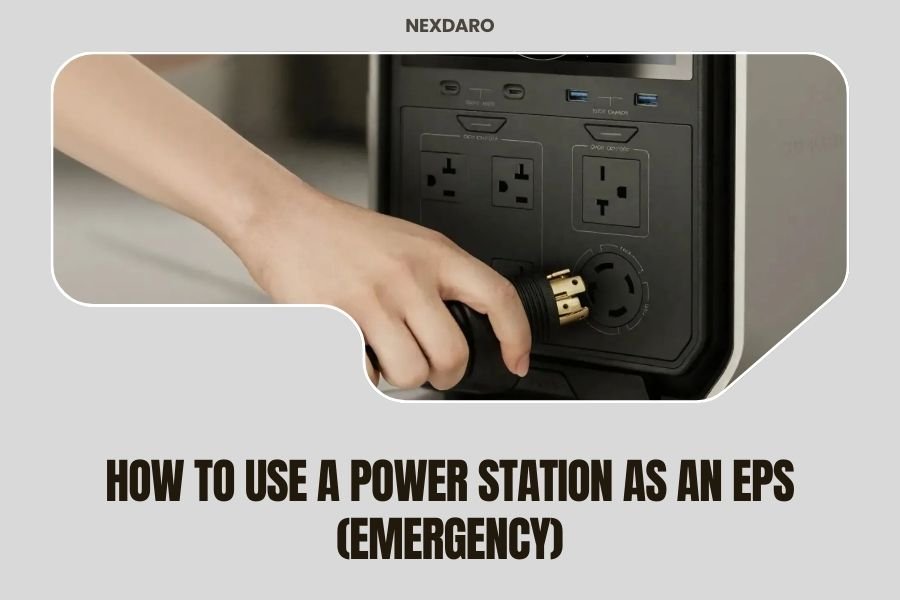
A power station works as an Emergency Power Supply (EPS) by automatically switching to battery power when your main electricity goes out, keeping your most important devices running without interruption.
You need to connect your power station to a transfer switch or use it as a backup power source for specific devices, then configure it to detect power outages and switch over instantly.
What Makes a Power Station Work as an Emergency Power Supply
Think of your power station as a silent guardian waiting in the wings. When your home loses power, it jumps into action faster than you can blink.
Most modern power stations have built-in EPS functionality. This means they monitor your home’s electrical system constantly. The moment they detect an outage, they flip the switch and start feeding power to your connected devices.
The whole process takes less than 20 milliseconds. That’s faster than your computer can even register the interruption.
Key Components You Need
Your power station needs several parts to work as an EPS:
- Battery capacity large enough for your needs
- Pure sine wave inverter for clean power
- Automatic transfer switch capability
- UPS (Uninterruptible Power Supply) function
- Smart monitoring system
Without these features, your power station might work as a backup battery, but not as a true emergency power supply.
Setting Up Your Power Station for EPS Mode
Getting your power station ready for emergency duty takes some planning. You can’t just plug it in and hope for the best.
Choose Your Connection Method
You have two main ways to connect your power station as an EPS:
Direct Device Connection
This is the simpler option. You plug your most important devices directly into the power station. When the power goes out, these devices keep running without missing a beat.
I found that this works best for computers, routers, medical equipment, and security systems. These are the devices you absolutely cannot afford to lose power.
Whole-Home Integration
For this setup, you need a qualified electrician. They install a transfer switch that connects your power station to your home’s electrical panel.
This option costs more upfront, but it can power multiple circuits in your home. You flip one switch and your refrigerator, lights, and other hardwired devices stay on.
Configure EPS Settings
Most power stations come with an app or display panel where you set up EPS mode. Here’s what you need to adjust:
- Set the voltage threshold that triggers the switch
- Choose which outlets activate during an outage
- Set battery reserve levels
- Configure charging priorities
I came across recommendations suggesting you keep at least 20% battery reserve. This gives you time to shut down non-essential devices if the outage lasts longer than expected.
Which Devices Should You Protect First
When the power goes out, you need to think like a triage nurse. Which devices absolutely must keep running?
Critical Medical Equipment
If anyone in your home relies on powered medical devices, these get first priority. CPAP machines, oxygen concentrators, and medication refrigerators cannot wait.
Research from medical device manufacturers shows that most home medical equipment needs clean, stable power. Your power station’s pure sine wave output protects these sensitive devices.
Communication and Safety Systems
Your internet router and cell phone chargers keep you connected to the outside world. During emergencies, communication can literally save lives.
Security systems, including cameras and alarms, should stay powered too. Power outages sometimes coincide with other problems, and you want your security working.
Food Preservation
Your refrigerator and freezer can stay cold for several hours without power, but eventually, they need electricity. Food spoilage becomes expensive quickly.
I found that most standard refrigerators use 150-400 watts while running. A good power station can keep one running for 6-12 hours, depending on your battery size.
Calculating Your Power Needs
Before you rely on your power station as an EPS, you need to do some math. How much power do your essential devices actually use?
Add Up Your Wattage
Make a list of everything you want to keep running. Check each device’s power consumption, usually listed on a sticker or in the manual.
| Device | Running Watts | Startup Watts |
|---|---|---|
| Refrigerator | 150-400 | 600-1200 |
| Internet Router | 10-20 | 10-20 |
| LED Lights (10 bulbs) | 100 | 100 |
| CPAP Machine | 30-60 | 30-60 |
| Laptop Computer | 50-100 | 50-100 |
Plan for Startup Surge
Many devices need extra power when they first turn on. Motors, compressors, and pumps can draw 2-3 times their normal running power for a few seconds.
Your power station needs enough surge capacity to handle these startup demands. Check the specifications for both continuous and surge power ratings.
Runtime Calculations
Once you know your total wattage, you can estimate how long your power station will last. Divide your battery capacity by your power draw.
For example: A 2000Wh battery powering 500 watts of devices will last about 4 hours. This assumes perfect efficiency, so plan for 20% less in real conditions.
Maintaining Your EPS Setup
Your power station won’t help much if the battery dies from neglect. Emergency power systems need regular attention.
Battery Health Monitoring
Modern power stations use lithium batteries that lose capacity over time. Most will last 2000-3000 charge cycles before dropping to 80% capacity.
Keep your battery between 20-80% charge when possible. Completely draining or fully charging the battery repeatedly shortens its life.
Regular Testing
Test your EPS setup monthly. Unplug your power station from the wall and make sure it switches over smoothly. Run your critical devices for 10-15 minutes to verify everything works.
I heard from emergency preparedness experts that testing reveals problems before you really need the system. Better to find issues during a drill than during a real emergency.
Firmware Updates
Many power stations receive firmware updates that improve EPS functionality. Check your manufacturer’s app regularly and install updates when available.
These updates often fix bugs, improve switching speed, or add new monitoring features. Staying current keeps your system running at its best.
Common EPS Setup Mistakes
People make predictable errors when setting up emergency power systems. Learn from their mistakes instead of repeating them.
Overloading the System
Your eyes are bigger than your battery’s stomach. Many people try to power too many devices and drain their battery in an hour.
Start with just your most critical devices. You can always add more later if your battery capacity allows.
Forgetting About Phantom Loads
Devices draw power even when they’re “off.” TVs, printers, and coffee makers sip electricity constantly when plugged in.
During an emergency, these phantom loads waste precious battery power. Use smart plugs or power strips that can cut standby power completely.
Poor Placement
Your power station needs good ventilation and stable temperature. Don’t stick it in a hot closet or damp basement.
Keep it accessible but protected. You might need to check settings or switch modes during an outage.
Advanced EPS Features to Consider
Basic EPS functionality keeps your devices running, but advanced features make the system smarter and more efficient.
Load Management
Some power stations can prioritize certain outlets during low battery conditions. When power gets low, non-essential devices shut off automatically.
This extends runtime for your most important equipment. Your medical device keeps running while your phone charger shuts down.
Solar Integration
Combining your power station with solar panels creates a self-sustaining emergency system. Even during extended outages, you can recharge your battery during daylight hours.
Solar charging works slower than wall charging, but it extends your emergency power indefinitely on sunny days.
Remote Monitoring
Wi-Fi enabled power stations let you monitor your emergency system from anywhere. You get alerts about power outages, battery levels, and system status.
This feature helps when you’re away from home. You’ll know if your house lost power and how long your emergency systems will last.
Safety Considerations
Emergency power systems involve electricity, batteries, and potentially dangerous situations. Safety should guide every decision you make.
Electrical Safety
Never attempt electrical work beyond your skill level. Whole-home integration requires professional installation for safety and code compliance.
Keep your power station dry and away from flammable materials. Lithium batteries are generally safe, but they can be dangerous if damaged or overheated.
Carbon Monoxide Prevention
Power stations produce no emissions, making them safe for indoor use. This gives them a huge advantage over gas generators.
Never bring gas generators indoors, even during severe weather. Carbon monoxide kills silently and quickly in enclosed spaces.
Medical Device Compatibility
Check with your medical equipment manufacturer before relying on battery power. Some devices have specific power quality requirements.
Document your backup power plan and share it with your healthcare providers. They need to know how long your emergency power will last.
Cost Analysis
EPS-capable power stations cost more than basic models, but they provide value that goes beyond the purchase price.
Upfront Investment
Expect to pay $1,000-$5,000 for a power station with good EPS capabilities. Larger capacity and more features increase the price.
Professional installation for whole-home integration adds $500-$2,000 to your total cost.
Ongoing Savings
Power outages cost money in spoiled food, lost work, and inconvenience. A reliable EPS system prevents many of these losses.
Research from insurance companies shows that the average household loses $250-$500 per extended power outage. Your power station pays for itself after preventing just a few outages.
Conclusion
Using your power station as an Emergency Power Supply gives you peace of mind and practical protection when the grid fails. The key is proper planning, realistic expectations, and regular maintenance.
Start by identifying your most critical devices and calculating their power needs. Choose a connection method that fits your budget and technical comfort level. Test your system regularly and keep your battery healthy.
Remember that no emergency power system lasts forever. Your goal isn’t to live normally during an outage, but to keep essential functions running until normal power returns. With the right setup and realistic planning, your power station can bridge the gap between comfort and crisis.
How long does it take for a power station to switch to EPS mode during an outage?
Most quality power stations switch to EPS mode in less than 20 milliseconds, which is fast enough that computers and sensitive electronics won’t even notice the interruption. Some basic models may take up to 30 milliseconds, but this is still faster than most devices can detect.
Can I use my power station as an EPS while it’s charging?
Yes, this is called “pass-through charging” and most modern power stations support it. The unit will power your devices from wall power while simultaneously charging its battery. When an outage occurs, it switches to battery power without interruption.
What’s the difference between EPS mode and UPS mode on a power station?
EPS and UPS modes are essentially the same function – both provide uninterruptible power during outages. Some manufacturers use different terms, but they describe the automatic switching capability that keeps your devices running when grid power fails.
Do I need a special power station for EPS functionality, or can any model work?
You need a power station specifically designed with EPS or UPS capability. Regular portable power stations without this feature cannot automatically detect outages and switch over. They work only as manual backup batteries that you must turn on yourself.
Will using EPS mode constantly damage my power station’s battery?
No, EPS mode is designed for continuous operation. The power station draws wall power for your devices while keeping the battery topped off. The battery only cycles when outages occur, which actually extends its lifespan compared to regular charge-discharge cycling.
