
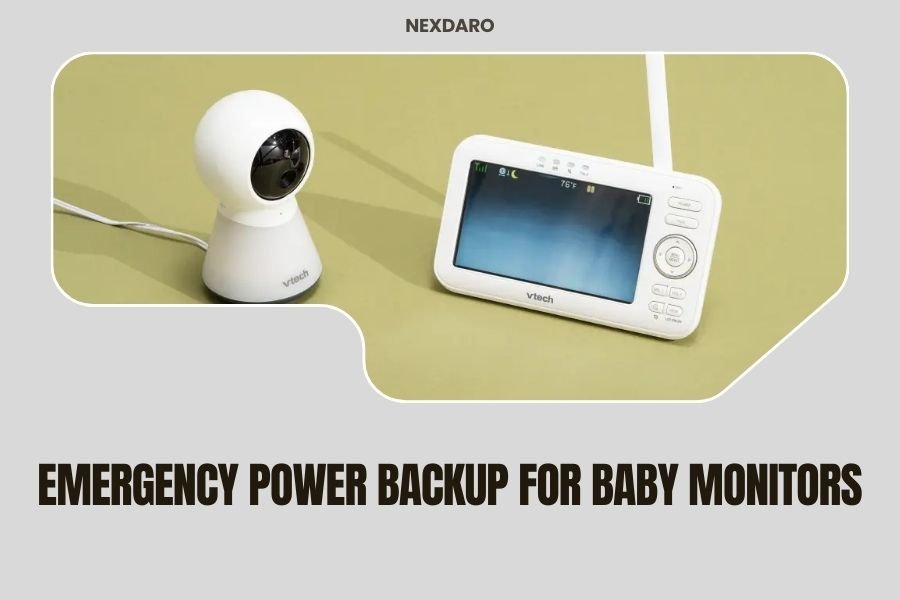
Emergency power backup for baby monitors requires a portable power station with at least 100Wh capacity and multiple charging ports to ensure continuous monitoring during outages.
Most baby monitors consume 5-15 watts per hour, meaning a 300Wh power station can keep your monitor running for 20-60 hours depending on the model and features used.
Your baby monitor goes dark during a power outage. Your heart skips a beat. Is your little one okay? You can’t see or hear what’s happening in the nursery.
This exact scenario happens to thousands of parents every year. Power outages don’t care if you have a newborn who needs constant monitoring.
Let me walk you through everything you need to know about keeping your baby monitor powered up when the lights go out.
Why Baby Monitors Need Backup Power
Baby monitors are your eyes and ears when you can’t be in the room. They help you sleep better knowing you’ll hear if something’s wrong.
But most baby monitors plug into the wall. No power means no monitoring. That leaves you checking on your baby every few minutes, which defeats the whole purpose.
Power outages happen more often than you think. The average American home loses power for about 8 hours per year, according to government data. Some areas see much more.
When Parents Need Backup Power Most
You need emergency power backup during these situations:
- Storm-related outages that can last days
- Rolling blackouts during heat waves
- Equipment failures by your utility company
- Construction work affecting power lines
- Ice storms knocking down power lines
How Much Power Baby Monitors Actually Use
I researched power consumption for popular baby monitor brands. The numbers might surprise you.
Most basic audio monitors use just 3-8 watts per hour. Video monitors with streaming features use 10-25 watts per hour. Smart monitors with WiFi and apps can use 15-30 watts per hour.
Power Consumption by Monitor Type
| Monitor Type | Power Usage (Watts/Hour) | Battery Life with 300Wh Station |
|---|---|---|
| Basic Audio Only | 3-8W | 37-100 hours |
| Video Monitor | 10-25W | 12-30 hours |
| Smart WiFi Monitor | 15-30W | 10-20 hours |
| Pan/Tilt/Zoom Monitor | 20-35W | 8-15 hours |
Factors That Affect Power Usage
Your monitor’s power consumption changes based on what features you use.
Night vision mode uses more power than daytime monitoring. Streaming video to your phone uses more power than just recording locally. Two-way audio features also increase power draw.
Screen Brightness Impact
Keeping your monitor’s screen on full brightness can double the power usage. Most monitors let you dim the display or turn it off completely while still recording.
WiFi Connection Drain
Smart monitors that constantly upload to the cloud use more power than local-only models. You can often switch to local-only mode to save battery during outages.
Choosing the Right Portable Power Station
Not all power stations work well for baby monitors. You need specific features to keep monitoring reliable.
I found that parents have the best success with stations between 300-500Wh capacity. This gives you 1-3 days of backup power for most monitors.
Essential Features for Baby Monitor Backup
Look for these must-have features when shopping:
- Pure sine wave output (protects sensitive electronics)
- Multiple AC outlets for monitor and router
- USB ports for charging phones
- Pass-through charging capability
- Quiet operation (under 50dB)
- LED display showing remaining battery
Capacity Guidelines
Here’s how to calculate the right size power station for your needs.
Take your monitor’s wattage and multiply by the hours you want backup power. Add 20% for efficiency losses. That’s your minimum capacity requirement.
Example Calculation
Your video monitor uses 15 watts. You want 24 hours of backup power.
15 watts × 24 hours = 360 watt-hours needed. Add 20% safety margin: 360 × 1.2 = 432Wh minimum capacity.
Recommended Sizes
For most families, these capacity ranges work well:
- 300-500Wh: Good for 1-2 days with basic monitors
- 500-1000Wh: Covers 2-4 days with video monitors
- 1000Wh+: Extended outages or multiple devices
Top Power Station Options for Baby Monitors
I researched the most popular portable power stations that work well for baby monitoring setups.
Budget-Friendly Options (Under $300)
Entry-level stations with 300-400Wh capacity work fine for basic monitoring needs. They typically provide 1-2 days of backup power.
These smaller units weigh 6-10 pounds and fit easily in a closet or under a bed. Many include car charging cables so you can recharge during extended outages.
Mid-Range Choices ($300-$600)
Mid-range stations offer 500-800Wh capacity with better build quality. They include more outlets and faster charging speeds.
These units often have smartphone apps that let you monitor battery levels remotely. Some include solar charging capabilities for really long outages.
Premium Features Worth Considering
Higher-end models include UPS (uninterruptible power supply) mode. This means they automatically switch to battery power within milliseconds when the grid goes down.
Your baby monitor never loses power. No restart required. No missed moments.
Large Capacity Stations ($600+)
These powerhouses provide 1000Wh or more. They can run your baby monitor for a week or more during extended outages.
You can also power other essentials like WiFi routers, phones, and even small refrigerators. They’re heavier (20-30 pounds) but offer true home backup capabilities.
Setting Up Your Emergency Power System
Having the right power station is just the first step. You need to set it up properly for reliable emergency power.
Best Placement for Your Power Station
Keep your power station close to your baby monitor but not in the nursery itself. The slight fan noise might disturb your baby’s sleep.
A nearby closet or hallway works well. Make sure you can easily access the power buttons and outlets during an outage.
What to Connect During Outages
Don’t just think about the baby monitor. You’ll likely need to power other devices too.
- WiFi router (if your monitor uses internet)
- Cell phone for communication
- Small LED lamp for nighttime baby care
- Sound machine or white noise generator
Power Priority System
Baby monitor gets first priority. Everything else is secondary. If your power station starts running low, unplug non-essential items first.
Your phone can survive a few hours without charging. Your baby’s safety monitoring cannot.
Testing Your Setup
Don’t wait for a real outage to test your backup system. Practice switching to battery power during a calm day.
Turn off your home’s circuit breaker and see how long it takes to get everything running on battery power. Time yourself. Make notes about any problems.
Maintaining Your Emergency Power Backup
Portable power stations need regular maintenance to work when you need them most.
Battery Care and Charging
Lithium batteries work best when kept between 20-80% charge. Many experts recommend charging your power station every 3 months if you don’t use it regularly.
Don’t let the battery drain completely. This can damage the cells and reduce overall lifespan.
Storage Tips
Store your power station in a cool, dry place. Extreme temperatures hurt battery performance.
Keep it away from direct sunlight and heating vents. Room temperature storage extends battery life significantly.
Monthly Check Routine
Once a month, check the battery level and top it off if needed. Test all the outlets to make sure they’re working properly.
Clean any dust from the vents and charging ports. Replace any damaged cables before you need them.
Alternative Backup Power Solutions
Portable power stations aren’t your only option for backup power. Let me share some alternatives that might work better for your situation.
Uninterruptible Power Supplies (UPS)
UPS systems are designed specifically for short-term backup power. They switch instantly when power goes out.
Most UPS units provide 30 minutes to 2 hours of backup power. They’re perfect for brief outages but not long-term emergencies.
Battery Banks with Inverters
You can build your own backup system using deep-cycle batteries and a power inverter. This costs less than commercial power stations.
But you need electrical knowledge to set it up safely. The DIY approach isn’t for everyone.
Car Power Inverters
Your car can become a power source during extended outages. Small power inverters plug into your car’s 12V outlet.
You can run your baby monitor for days this way. Just remember to start the car every few hours to recharge the battery.
Solar Charging Options
Solar panels can recharge your power station during long outages. This gives you unlimited backup power as long as the sun shines.
Portable solar panels fold up for easy storage. They connect directly to most power stations with simple cables.
Safety Considerations
Emergency power backup involves electricity and batteries. You need to stay safe while keeping your baby monitor running.
Electrical Safety Rules
Never use damaged power cords or adapters with your backup system. Replace any frayed or bent charging cables immediately.
Keep all electrical connections away from water sources. Even small amounts of moisture can cause dangerous shorts.
Battery Safety
Lithium batteries can overheat if damaged or overcharged. Most quality power stations have built-in protection, but you should still be careful.
Don’t leave batteries charging unattended for extended periods. Unplug them once they reach full charge.
Fire Prevention
Keep a small fire extinguisher near your backup power setup. Make sure it’s rated for electrical fires.
Never cover power stations or battery packs while they’re charging. They need airflow to stay cool.
Cost Analysis and Budgeting
Emergency power backup requires upfront investment, but it pays for itself in peace of mind.
Initial Setup Costs
Budget $200-$800 for a quality power station depending on your needs. Add another $50-$100 for extra cables and accessories.
Solar panels cost $100-$300 extra but give you unlimited charging capability during sunny weather.
Long-Term Value
Good power stations last 5-10 years with proper care. That breaks down to less than $100 per year for reliable backup power.
Compare that to the cost of generators, fuel, and maintenance. Power stations are often more economical for small backup needs.
Insurance Considerations
Some insurance companies offer discounts for homes with backup power systems. Check with your provider about potential savings.
The peace of mind alone makes the investment worthwhile for most parents.
Troubleshooting Common Problems
Even the best backup systems can have issues. Here’s how to solve the most common problems parents face.
Power Station Won’t Start
Check the battery level first. Many power stations shut down completely when the battery gets too low.
Try holding the power button for 10-15 seconds. Some models need a long press to restart after being stored.
Monitor Keeps Shutting Off
This usually means power fluctuations or low battery voltage. Check all cable connections for loose plugs.
Switch to a different outlet on your power station. Sometimes one outlet fails while others work fine.
Shorter Than Expected Battery Life
Cold temperatures reduce battery performance significantly. Bring your power station inside during winter outages.
Also check if your monitor has power-saving modes you can enable during emergencies.
Conclusion
Emergency power backup for baby monitors isn’t optional—it’s essential for peace of mind. A quality portable power station with 300-500Wh capacity will keep your monitor running for 1-3 days during most outages.
Start with a mid-range power station that has pure sine wave output and multiple charging ports. Test your setup regularly and maintain your batteries properly. The small upfront investment pays huge dividends when the lights go out and you need to monitor your little one’s safety.
Don’t wait for an emergency to set up your backup power system. Your baby’s safety is worth the preparation time and cost.
Can I use a regular car battery to power my baby monitor?
Yes, but you’ll need a power inverter to convert 12V DC to 120V AC. This setup is less convenient than a portable power station and requires more electrical knowledge to set up safely.
How often should I test my emergency power backup system?
Test your backup power system monthly by unplugging your baby monitor and running it on battery power for 30 minutes. This ensures everything works properly when you need it most.
Will a power station damage my baby monitor’s electronics?
No, if you choose a power station with pure sine wave output. Avoid modified sine wave inverters, which can damage sensitive electronics like baby monitors and WiFi routers.
Can I charge my power station with solar panels during a winter outage?
Yes, but solar charging is much slower in winter due to shorter days and lower sun angles. You’ll get about 25-50% of the charging capacity compared to summer months.
What happens if my power station runs out of battery while I’m sleeping?
Most quality power stations include low battery alarms that beep when the charge drops below 10%. Some models can send alerts to your smartphone if they’re connected to WiFi.
