
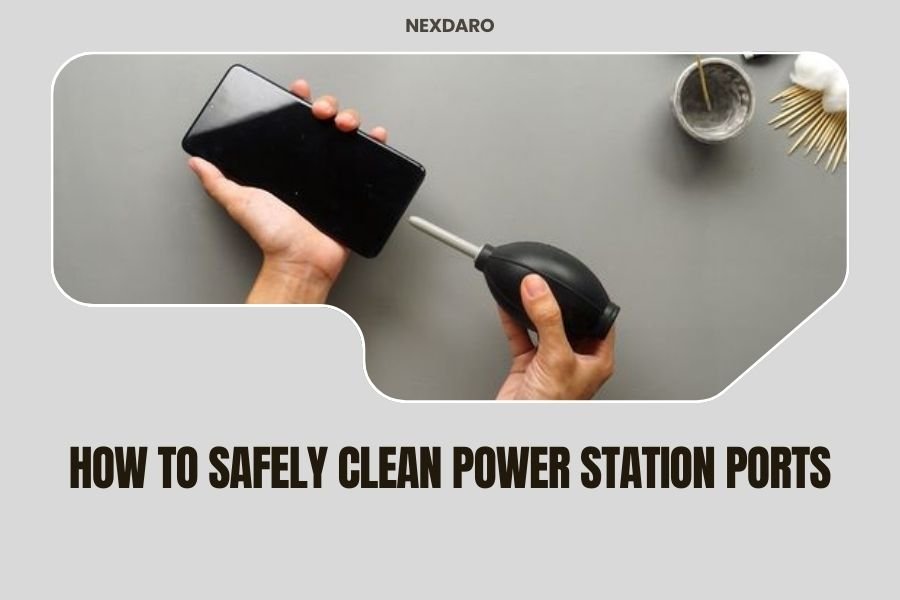
To safely clean power station ports, always turn off the device first and use a dry soft-bristled brush or compressed air to remove debris without moisture.
Never use liquids or wet cloths directly on ports, as moisture can damage internal electronics and create safety hazards.
Why Port Cleaning Matters for Your Power Station
Your portable power station works hard. Dust, sand, and grime love to settle into those charging ports. When ports get dirty, you might notice slower charging speeds or connection problems.
Think of dirty ports like a clogged drain. The power wants to flow, but debris blocks the way. Clean ports mean better connections and longer device life.
Safety First: Power Down Before You Clean
I found that most power station accidents happen when people skip this step. Always turn off your device completely before cleaning any ports.
Unplug all cables and accessories. Wait at least 30 seconds for any residual power to dissipate. This simple step prevents electric shock and protects your device’s circuits.
Check Your Manual First
Different brands have different cleaning rules. Some manufacturers void warranties if you use the wrong cleaning method.
Look for cleaning guidelines in your user manual or on the manufacturer’s website. When in doubt, stick to the gentlest methods.
Essential Tools for Safe Port Cleaning
You don’t need fancy equipment. Most cleaning supplies are already in your home.
Dry Cleaning Tools
- Soft-bristled toothbrush (clean and dry)
- Compressed air canister
- Cotton swabs
- Microfiber cloth
- Plastic toothpicks or port cleaning picks
Tools to Avoid
- Metal objects (paperclips, screwdrivers)
- Wet wipes or damp cloths
- Vacuum cleaners (can create static)
- Sharp tools that might damage ports
Step-by-Step Cleaning Process
Step 1: Visual Inspection
Look closely at each port with good lighting. Can you see dust, lint, or debris? Some dirt hides deep inside the port.
Take a photo with your phone’s flashlight. This helps you see what you’re dealing with and track your progress.
Step 2: Start with Compressed Air
Hold the compressed air can upright. Never shake it or turn it upside down. This prevents liquid propellant from spraying out.
Give short, gentle bursts into each port. Keep the can about 6 inches away. Too close can damage delicate port components.
Compressed Air Safety Tips
- Use only in well-ventilated areas
- Never use near heat sources
- Let the can warm to room temperature before using
- Don’t spray continuously for more than a few seconds
Step 3: Gentle Brushing
Use your soft-bristled brush for stubborn debris. Brush gently in one direction, not back and forth. This prevents pushing dirt deeper into the port.
Work from outside the port toward the center. Think of it like sweeping crumbs off a table – you want them to fall away, not get stuck in corners.
USB Port Cleaning
USB ports are especially delicate. The metal contacts inside can bend or break if you’re too rough.
Use light, downward strokes with your brush. Focus on the outer edges first, then work toward the center connector.
AC Outlet Cleaning
AC outlets need extra caution. These carry high voltage when the unit is on.
Double-check that your power station is completely off. Use only dry methods for AC outlets. A soft brush works best here.
Step 4: Detail Work with Cotton Swabs
Cotton swabs reach into tight spaces that brushes can’t. Use them dry – never add liquid to a cotton swab for port cleaning.
Twist the swab gently as you work. This helps grab debris without pushing it around.
Different Port Types Need Different Approaches
DC Output Ports
These round ports are usually sturdy, but debris can block the connection points. Use compressed air first, then a dry brush if needed.
Car Charger Ports
Also called 12V ports, these often collect the most debris. They’re deeper than other ports, so compressed air works best.
If you see corrosion (white or green buildup), that’s a sign of moisture damage. You might need professional repair.
Wireless Charging Pads
These flat surfaces need gentle care. Use a slightly damp microfiber cloth on the pad surface only – never let moisture reach the edges where electronics hide.
Dry the surface immediately with a clean, dry cloth.
What About Stubborn Debris?
Sometimes compressed air and brushing aren’t enough. Here’s what to try next.
Plastic Picks and Toothpicks
Wooden or plastic toothpicks can dislodge stuck debris. Work very gently – ports are more fragile than they look.
Never use metal tools. They can short-circuit your device or scratch important connections.
When to Stop Cleaning
If debris won’t come out after gentle attempts, don’t force it. You might cause expensive damage.
Contact the manufacturer’s customer service. Many offer cleaning services or can recommend authorized repair centers.
Common Cleaning Mistakes to Avoid
Using Liquids
Water and electronics don’t mix. Even “water-resistant” power stations can have vulnerable ports.
Isopropyl alcohol seems safe, but it can damage plastic components and rubber seals over time.
Cleaning While Plugged In
I came across several stories of people getting shocked while cleaning connected devices. Always unplug everything first.
Using Too Much Force
Port contacts are delicate. Bent pins or damaged connectors often cost more to fix than buying a new power station.
Prevention: Keep Ports Cleaner Longer
Use Port Covers
Many power stations come with rubber port covers. Use them, especially when camping or at the beach.
If your device didn’t come with covers, you can buy generic ones online. They’re much cheaper than repairs.
Store Smart
Keep your power station in a clean, dry place when not in use. A storage bag or case prevents dust buildup.
Regular Quick Cleaning
A quick blast of compressed air every few weeks prevents major buildup. It takes 30 seconds and saves hours later.
Signs Your Ports Need Professional Help
Some problems are beyond DIY cleaning. Watch for these warning signs:
- Visible corrosion or rust
- Bent or broken connector pins
- Ports that spark when connecting cables
- Burning smells during use
- Ports that don’t work even when clean
Seasonal Cleaning Considerations
Summer and Beach Use
Sand is a port’s worst enemy. It’s abrasive and gets everywhere. Clean ports immediately after beach trips.
Salt air can cause corrosion. If you live near the ocean, clean ports more often.
Winter Storage
Before storing your power station for winter, give all ports a thorough cleaning. Trapped debris can cause problems during long storage periods.
Conclusion
Keeping your power station ports clean is simple when you follow the right steps. Remember to always power down first, use dry cleaning methods, and be gentle with delicate components. Regular maintenance prevents bigger problems and keeps your portable power station working reliably for years. Clean ports mean better connections, faster charging, and fewer frustrating moments when you need power most.
How often should I clean my power station ports?
Clean ports every 2-3 months with normal use, or immediately after exposure to sand, dust, or outdoor conditions. If you notice connection problems or slower charging, check and clean ports right away.
Can I use a vacuum cleaner to clean ports?
No, vacuum cleaners can create static electricity that damages electronic components. Stick to compressed air, soft brushes, and cotton swabs for safe cleaning.
What should I do if I accidentally got water in a port?
Turn off the power station immediately and don’t use it for at least 24-48 hours. Place it in a dry, warm area with good air circulation. If possible, use compressed air to blow out moisture, but never turn the device on until you’re certain it’s completely dry.
Is it normal for ports to collect lint and dust quickly?
Yes, ports naturally attract debris due to static electricity and their recessed design. This is especially common with USB ports and happens faster in dusty environments or when carrying the device in bags with fabric.
Can dirty ports damage my charging cables?
Dirty ports can cause poor connections that make cables work harder, potentially leading to overheating and premature wear. Debris can also scratch cable connectors when you insert them, so keeping ports clean protects both your power station and accessories.
