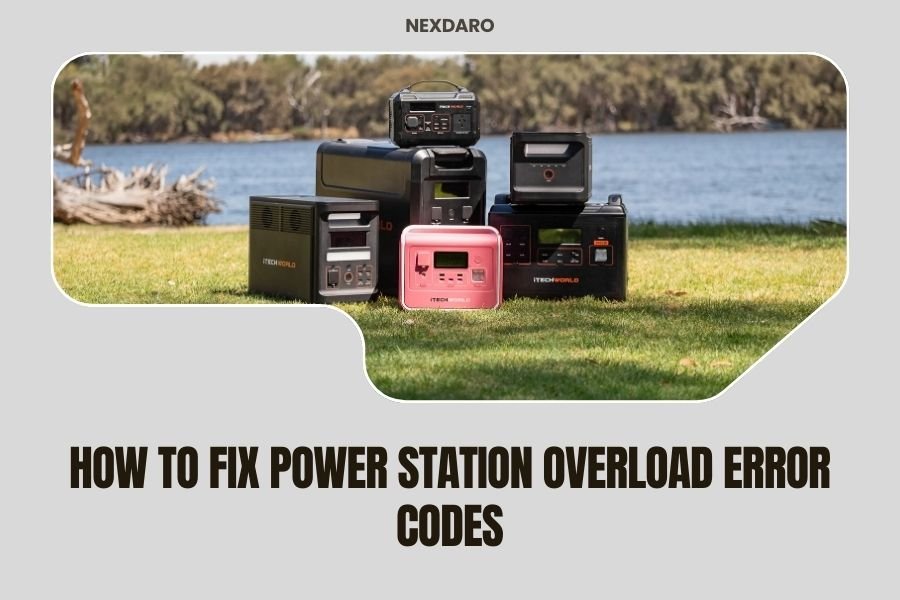
Power station overload error codes appear when your device draws more watts than the station can handle, triggering automatic safety shutdowns to prevent damage.
Most overload errors can be fixed by unplugging devices, checking power ratings, and restarting your power station after the cooling period ends.
What Causes Power Station Overload Errors
Your power station acts like a traffic cop for electricity. When too many cars try to pass through at once, you get a traffic jam. When too many watts try to flow through your station, you get an overload error.
The most common triggers include plugging in devices that need more power than your station can provide. A 1000W power station can’t run a 1200W microwave without throwing an error code.
Device Power Ratings Matter
Every device has two power ratings you need to know. Running watts show how much power the device uses during normal operation. Starting watts show the initial power surge when you first turn it on.
Refrigerators are sneaky power hogs. They might run on 150 watts but need 600 watts to start up. That startup surge can trigger overload errors even when your station seems powerful enough.
Multiple Device Problems
Running several devices at once creates cumulative power draw. Your laptop uses 65 watts, your phone charger uses 18 watts, and your portable fan uses 45 watts. Together, they pull 128 watts from your station.
Add a small cooler at 55 watts, and you’re suddenly at 183 watts total. Keep adding devices, and you’ll hit your station’s limit faster than expected.
Common Error Code Types
Different brands use different error codes, but the meanings stay similar across manufacturers.
Display Error Messages
Most modern stations show clear error messages on their screens. You might see “OVERLOAD,” “OVL,” or “POWER LIMIT EXCEEDED” flashing on the display.
Some stations use numbered codes instead. Code “E01” or “ERR-01” often means overload protection activated.
Audio and Visual Warnings
Many stations beep loudly when overloaded. The beeping pattern varies by brand, but continuous beeping usually means immediate attention needed.
LED indicators also tell the story. Red lights typically signal problems, while green lights mean normal operation.
Brand-Specific Indicators
Goal Zero stations often display “INPUT OVP” for overvoltage protection or “OUTPUT OCP” for overcurrent protection. Jackery units might show “ERROR 002” for AC overload conditions.
EcoFlow stations use more descriptive messages like “AC Overload Protection” directly on their screens.
Step-by-Step Troubleshooting Guide
When your power station throws an overload error, don’t panic. Follow these steps in order, and you’ll likely solve the problem quickly.
Step 1: Immediate Safety Actions
Turn off and unplug all connected devices right away. This stops the overload condition and prevents potential damage to your equipment.
Don’t try to restart the power station yet. Give it time to cool down and reset its internal protection systems.
Step 2: Check All Device Power Ratings
Look at the power labels on every device you had connected. The label usually appears on the back or bottom of the device.
Write down each device’s wattage. Add them up to see your total power draw. Compare this total to your power station’s rated capacity.
Finding Hidden Power Information
Some devices list power in amps instead of watts. To convert, multiply amps by voltage (usually 120V in the US). A device drawing 2 amps uses about 240 watts.
Phone chargers and laptops often show power ratings on their charging bricks rather than the devices themselves.
Step 3: Calculate Your Power Needs
Create a simple power budget for your setup. List essential devices first, then add optional ones if capacity allows.
Remember that efficiency matters too. Power stations typically operate at 85-90% efficiency, so a 1000W station really provides about 850-900W of usable power.
Step 4: Restart Your Power Station
After waiting 5-10 minutes, turn your power station back on. Most units have a cooling-off period before they’ll restart normally.
Check that the display shows normal operation before reconnecting any devices.
Advanced Troubleshooting Techniques
If basic steps don’t solve your overload problem, dig deeper into potential causes.
Temperature-Related Overloads
Hot power stations trigger overload protection more easily. Internal components generate heat during operation, and excessive heat reduces available power output.
Move your station to a cooler, well-ventilated area. Avoid placing it in direct sunlight or enclosed spaces.
Ventilation Requirements
Most power stations need at least 6 inches of clearance around their ventilation ports. Blocked vents cause overheating and false overload errors.
Clean dust from ventilation ports regularly using compressed air or a soft brush.
Faulty Device Detection
Sometimes a malfunctioning device creates power spikes that trigger overload protection. Test devices one at a time to identify problem equipment.
Start with your lowest-power device and work up. If the overload error appears when you connect a specific device, that device likely has internal problems.
Prevention Strategies
Preventing overload errors saves time and extends your power station’s lifespan.
Smart Device Management
Never run your power station at 100% capacity continuously. Aim for 80% maximum load to allow headroom for power fluctuations.
Stagger device startups when possible. Turn on high-power devices one at a time rather than all at once.
Power Monitoring Tools
Many modern power stations include smartphone apps that show real-time power consumption. Use these apps to monitor your usage and avoid overloads.
External power meters can also help with older stations that lack built-in monitoring.
Usage Pattern Optimization
Plan your power usage around peak demand times. Run power-hungry devices during cooler parts of the day when your station operates more efficiently.
Charge devices during low-demand periods, then run them on battery power during high-demand times.
When Professional Help Is Needed
Some overload problems require expert attention or warranty service.
Persistent Error Codes
If overload errors continue even with appropriate power loads, your station may have internal component failures. Contact the manufacturer for diagnostic help.
Document the specific error codes and circumstances when they appear. This information helps technical support diagnose problems faster.
Physical Damage Signs
Stop using your power station immediately if you notice burning smells, unusual heat, or physical damage to the case or outlets.
These symptoms could indicate serious internal problems that create safety risks.
Maintenance Tips for Long-Term Reliability
Regular maintenance prevents many overload issues before they start.
Battery Health Management
Degraded batteries can’t deliver rated power output, leading to premature overload errors. Maintain proper charging cycles and storage conditions.
Research from battery manufacturers shows that keeping lithium batteries between 20-80% charge extends their lifespan and maintains performance.
Regular System Testing
Test your power station monthly with known loads to verify it still delivers rated capacity. Use a space heater or other high-wattage device for testing.
Document any changes in performance or capacity over time.
| Power Station Capacity | Recommended Test Load | Test Duration |
|---|---|---|
| 500-1000W | 400-600W | 30 minutes |
| 1000-2000W | 800-1200W | 45 minutes |
| 2000W+ | 1500-1800W | 60 minutes |
Conclusion
Power station overload errors feel frustrating, but they protect your equipment from damage. Most errors resolve quickly once you identify and address the root cause.
Start with the simple solutions: unplug devices, check power ratings, and restart your station. These steps solve 90% of overload problems.
For persistent issues, look deeper at temperature, ventilation, and device health. Regular maintenance and smart power management prevent future problems.
Remember that your power station is a safety-focused device. When it throws an error code, it’s trying to protect itself and your connected equipment. Work with these protections rather than against them.
What should I do if my power station keeps showing overload errors even with low power devices?
Contact the manufacturer for warranty service. Persistent overload errors with appropriate loads usually indicate internal component failure or calibration problems that require professional repair.
Can I bypass overload protection to run higher wattage devices?
No, never attempt to bypass safety features. Overload protection prevents fires, equipment damage, and potential injury. Instead, upgrade to a higher-capacity power station or reduce your power requirements.
Why does my power station show different available power in hot weather?
Heat reduces power output capacity in lithium battery systems. Internal temperature sensors automatically limit power to prevent overheating. This is normal protection behavior, not a malfunction.
How do I calculate starting watts for devices that only list running watts?
Motor-driven devices typically need 2-3 times their running watts for startup. Resistive loads like heaters usually start at their listed wattage. When in doubt, assume 2x running watts for safety.
Can daisy-chaining extension cords cause overload errors?
Yes, long extension cord runs create voltage drop and increased resistance, which can trigger overload protection. Use the shortest, heaviest gauge extension cords possible, or plug devices directly into the power station.