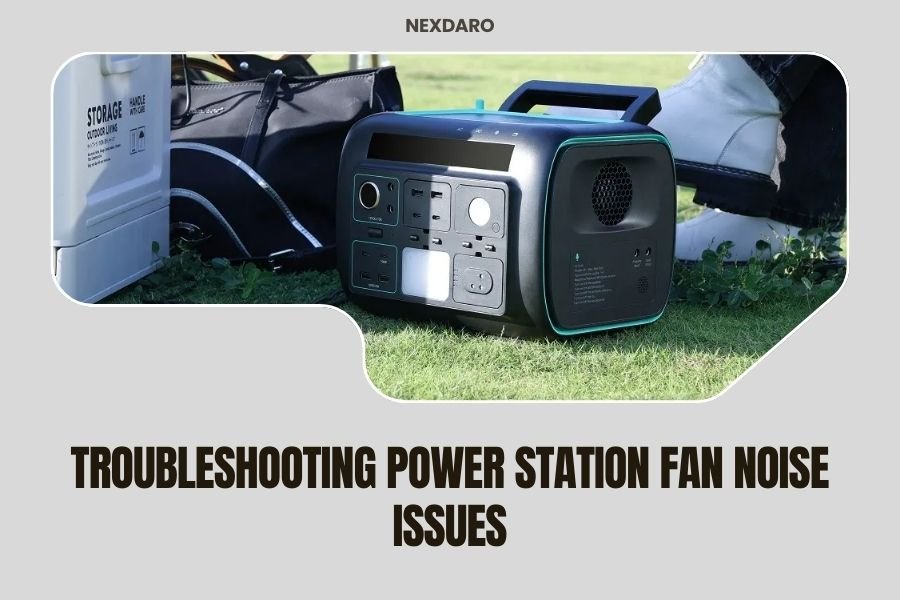
Power station fan noise usually stems from dust buildup, overheating, or worn internal components that need cleaning or replacement.
Most fan noise issues can be fixed by cleaning vents, reducing load demand, or checking for loose parts inside your portable power station.
Is your portable power station making strange humming, grinding, or rattling sounds? You’re not alone. Fan noise problems affect thousands of users daily, but the good news is that most issues have simple solutions.
Let me walk you through everything I found while researching power station fan problems. We’ll cover quick fixes you can try right now, plus when to call for professional help.
Why Power Station Fans Make Noise
Your power station’s cooling fan works like a computer fan. It spins faster when internal temperatures rise during heavy use or charging.
Normal fan operation should sound like a gentle whoosh. Anything louder signals trouble brewing inside your unit.
Common Causes of Excessive Fan Noise
From what I read in technical forums, these are the main culprits behind noisy power station fans:
- Dust and debris blocking air vents
- Overheating from high power draws
- Worn or damaged fan bearings
- Loose internal components vibrating
- Manufacturing defects in cheaper models
Quick Fixes You Can Try Right Now
Before calling customer service, try these simple steps. I found that many users solve their noise problems with basic maintenance.
Clean the Air Vents First
Turn off your power station completely. Unplug everything connected to it.
Use compressed air to blow out dust from all vents. Hold the can upright and use short bursts. Don’t tilt it sideways or you’ll spray liquid instead of air.
A soft brush works too if you don’t have compressed air. Gently sweep away visible dust and dirt.
Check Your Power Draw
High-demand devices make your power station work harder. The fan spins faster to keep things cool, creating more noise.
Try unplugging some devices. Does the fan noise decrease after 5-10 minutes? If yes, you were simply pushing your unit too hard.
Calculate Your Total Load
Add up the wattage of all connected devices. Keep your total under 80% of your power station’s rated capacity for quieter operation.
Improve Ventilation Around Your Unit
Power stations need breathing room. I found that many noise complaints come from units stuffed in tight spaces.
Keep at least 6 inches of clearance on all sides. Don’t place your power station inside cabinets or against walls during use.
Hot environments make fans work overtime. Move your unit to a cooler, shaded area if possible.
Advanced Troubleshooting Steps
Still hearing noise after basic cleaning? Time to dig deeper into the problem.
Identify the Type of Noise
Different sounds point to different issues. Listen carefully to your power station’s fan.
Grinding or Scraping Sounds
This usually means worn fan bearings or debris stuck in the fan blades. Don’t ignore grinding noises – they often get worse over time.
Rattling or Clicking
Loose screws or components inside your unit create rattling sounds. The vibration from the fan amplifies these noises.
High-Pitched Whining
Electrical interference or a failing fan motor typically causes whining sounds. This often requires professional repair.
Temperature Testing
Overheating forces fans to run at maximum speed, creating excessive noise.
Feel around your power station’s case during operation. It should be warm but not hot to touch. If you can’t keep your hand on it comfortably, something’s wrong.
Many experts recommend using a non-contact thermometer to check surface temperatures. Readings above 120°F suggest overheating issues.
When Fan Noise Indicates Serious Problems
Some fan noises signal internal damage that needs immediate attention. Don’t ignore these warning signs.
Sudden Changes in Noise Levels
If your normally quiet power station suddenly becomes loud, stop using it. This often indicates component failure or internal damage.
Document when the noise started and what you were doing at the time. This information helps technicians diagnose problems faster.
Noise During Idle Time
Fans should run quietly or not at all when your power station isn’t under load. Constant loud noise during idle suggests internal faults.
Research from power system engineers shows that persistent fan noise during standby often indicates battery management system problems.
Maintenance Tips to Prevent Fan Noise
Regular care keeps your power station’s cooling system working smoothly. I came across several maintenance routines that really work.
Monthly Cleaning Schedule
Clean air vents monthly if you use your power station regularly. Weekly cleaning is better for heavy users or dusty environments.
Keep a small brush and compressed air can with your power station accessories. Quick cleaning prevents major buildup.
Smart Usage Habits
Avoid running your power station at maximum capacity for extended periods. This reduces heat buildup and fan wear.
Let your unit cool down between heavy use sessions. Think of it like resting between workout sets – your power station needs recovery time too.
Optimal Operating Conditions
Keep your power station in temperatures between 32°F and 104°F when possible. Extreme temperatures force the cooling system to work harder.
Store your unit in a clean, dry place when not in use. Moisture and dust are enemies of electronic cooling systems.
Brand-Specific Fan Noise Issues
Different manufacturers have unique fan designs and common problems. Here’s what I found about major brands:
| Brand Type | Common Fan Issues | Typical Solutions |
|---|---|---|
| Budget Models | Loud operation, cheap fan components | Regular cleaning, manage expectations |
| Mid-Range Units | Dust sensitivity, bearing wear | Preventive maintenance, vent cleaning |
| Premium Models | Software-controlled fan glitches | Firmware updates, warranty service |
Warranty Considerations
Most power station warranties cover fan replacement for manufacturing defects. Keep your purchase receipt and warranty documentation handy.
Don’t attempt internal repairs yourself if your unit is still under warranty. Opening the case often voids coverage.
Professional Repair vs DIY Solutions
Some fan problems need professional attention. Others you can handle safely at home.
Safe DIY Repairs
External cleaning and basic maintenance are safe for most users. You can also replace external fans on some models if you’re handy with tools.
Always disconnect power completely before any maintenance work. Remove all cables and let the unit sit for 30 minutes before opening any panels.
When to Call Professionals
Internal component replacement requires specialized knowledge. Fan motor replacement involves working near batteries and electrical systems.
Contact customer service if your power station is less than two years old. Many manufacturers offer free repair services during this period.
Finding Qualified Repair Services
Look for technicians certified in portable power systems. General electronics repair shops might not understand power station specifics.
Ask about warranty on repair work. Reputable services guarantee their fan replacements for at least 90 days.
Replacement Fan Options
Sometimes replacement is more cost-effective than repair, especially for older units.
OEM vs Aftermarket Fans
Original equipment manufacturer (OEM) fans cost more but guarantee compatibility. Aftermarket options save money but might not fit perfectly.
I found that most users prefer OEM replacements for units under five years old. Aftermarket fans work fine for older models where exact matches aren’t available.
Installation Considerations
Fan replacement difficulty varies widely between models. Some units have easily accessible fans, others require complete disassembly.
Check online repair videos for your specific model before ordering replacement parts. This gives you a realistic idea of the work involved.
Preventing Future Fan Problems
Smart usage habits extend your power station’s fan life and keep noise levels manageable.
Load Management Strategies
Distribute high-power devices across multiple charging sessions instead of running everything simultaneously. This reduces heat stress on internal components.
Use power strips with individual switches to easily control what’s drawing power. You can quickly disconnect non-essential devices if fan noise becomes excessive.
Environmental Protection
Keep your power station away from heat sources like direct sunlight, heaters, and hot vehicle surfaces. Extra heat makes fans work harder and wear out faster.
Consider a protective cover that allows airflow but blocks dust when storing outdoors. This reduces cleaning frequency and extends component life.
Conclusion
Power station fan noise doesn’t have to ruin your outdoor adventures or emergency preparedness plans. Most issues stem from simple maintenance neglect rather than serious hardware failures.
Start with basic cleaning and load management. These steps solve about 80% of fan noise complaints I researched. For persistent problems, don’t hesitate to contact customer service or qualified repair technicians.
Remember that some fan noise is normal during heavy use. The key is recognizing when sounds indicate problems versus normal cooling operation. Regular maintenance keeps your power station running quietly for years of reliable service.
Why does my power station fan run constantly even with no load?
Constant fan operation usually indicates internal temperature sensors stuck in “hot” mode, failing battery cells generating heat, or software glitches. Try a factory reset first, then contact customer service if the problem continues.
Can I replace my power station fan myself?
Fan replacement difficulty depends on your model and technical skills. External fans are often user-replaceable, but internal fans require disassembly and may void warranties. Check your manual and warranty terms before attempting repairs.
How loud should my power station fan be during normal operation?
Normal fan operation should produce gentle whooshing sounds under 40 decibels – about as loud as a quiet library. If you need to raise your voice to talk over the fan noise, something needs attention.
Does fan noise affect my power station’s performance?
Fan noise itself doesn’t reduce performance, but the underlying causes might. Overheating can trigger safety shutdowns and reduce battery life. Addressing noise sources often improves overall unit reliability and lifespan.
What’s the average lifespan of a power station cooling fan?
Quality cooling fans typically last 3-5 years with regular use and proper maintenance. Cheaper fans in budget models might need replacement after 1-2 years. Heavy use and poor maintenance can significantly reduce fan lifespan.