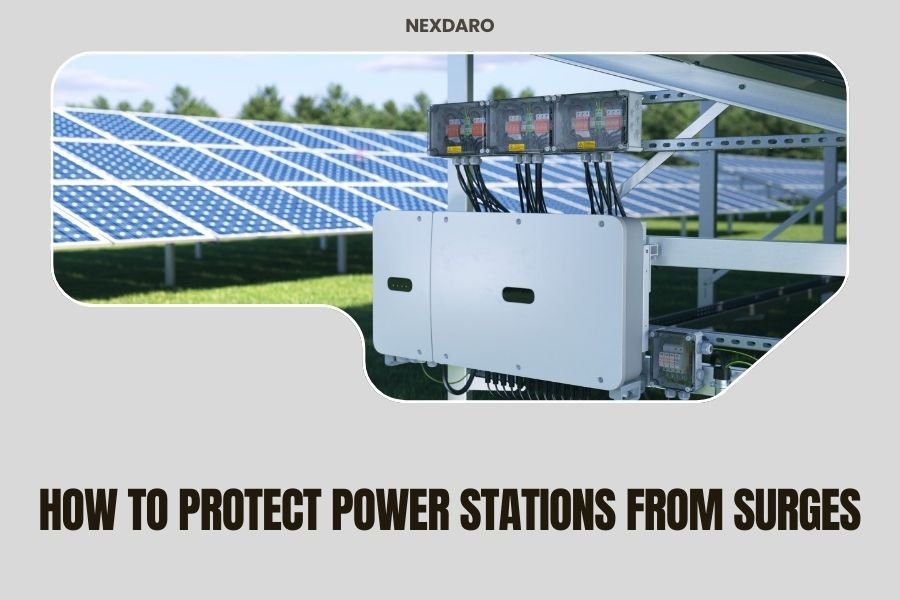
Protect your power station from surges by using a quality surge protector rated for your unit’s wattage and keeping it away from direct lightning strike zones.
The best surge protection combines multiple layers: built-in station protectors, external surge strips, and smart placement away from metal objects during storms.
Why Power Station Surge Protection Matters
Your portable power station cost hundreds or thousands of dollars. One power surge can fry its delicate electronics instantly. I found that surge damage ranks among the top three causes of power station failures.
Think of your power station like a computer. Both have sensitive circuits that hate voltage spikes. When too much electricity flows through, components burn out. Unlike laptops, power stations handle much higher currents, making surge damage even more expensive.
What Causes Power Surges
Power surges come from several sources. Lightning strikes create the biggest surges, but they’re not the only threat.
Lightning Strikes
Direct lightning hits generate millions of volts. Even nearby strikes send surges through power lines and metal objects. Your power station doesn’t need a direct hit to get damaged.
Grid Fluctuations
Power companies sometimes send voltage spikes through their lines. Equipment failures, switching operations, and grid maintenance cause these surges. They’re smaller than lightning but still dangerous.
Large Appliance Cycling
When big motors start or stop, they create voltage spikes. Air conditioners, refrigerators, and power tools all cause mini-surges. These won’t usually destroy your power station, but repeated exposure weakens components.
Built-in Protection Features
Most quality power stations include some surge protection. Research shows that higher-end models typically offer better protection than budget units.
Internal Surge Suppressors
These components absorb small voltage spikes automatically. They work like shock absorbers in your car, smoothing out electrical bumps. But they can’t handle massive surges alone.
Circuit Breakers and Fuses
These safety devices cut power when current gets too high. They protect against overloads but react too slowly for most surges. Think of them as your last line of defense, not your first.
Battery Management Systems
Advanced power stations monitor voltage constantly. If they detect dangerous levels, they shut down automatically. This protects the battery but might not save other components.
External Surge Protection Methods
Adding external protection gives your power station the best chance of surviving electrical storms and grid problems.
Surge Protector Power Strips
High-quality surge strips provide your first defense. Look for units rated at least 2000 joules. The joule rating tells you how much surge energy the device can absorb.
Connect your power station’s charging cable through a surge strip when plugging into wall outlets. Make sure the strip can handle your charger’s amperage. Most power station chargers draw 5-15 amps.
Choosing the Right Surge Strip
I found that the best surge strips have these features:
- Joule rating of 2000 or higher
- Response time under 1 nanosecond
- Clamping voltage of 330V or lower
- EMI/RFI filtering
- Indicator lights showing protection status
Whole-House Surge Protectors
These devices install at your electrical panel. They stop surges before they enter your home’s wiring. Electricians typically charge $300-800 for installation, but they protect everything plugged into your house.
Uninterruptible Power Supplies (UPS)
A UPS combines surge protection with battery backup. When you’re charging your power station, a UPS protects against surges and provides clean, stable power. This double protection works well for expensive units.
Best Practices During Storms
Smart behavior during electrical storms prevents most surge damage. You can’t control the weather, but you can control your power station’s exposure.
Unplug During Storms
Disconnect your power station from wall outlets when lightning threatens. No surge protector offers 100% protection against direct lightning strikes. Unplugging guarantees safety.
When to Unplug
Weather apps show lightning within 10 miles of your location. When storms get that close, unplug your charging cables. Wait 30 minutes after the last lightning flash before reconnecting.
Safe Outdoor Usage
Keep your power station away from tall objects during storms. Lightning seeks the highest point in an area. Trees, poles, and buildings attract strikes more than ground-level spots.
Move your power station at least 30 feet from metal objects like fences, vehicles, and outdoor equipment. Metal conducts electricity and extends lightning’s reach.
Installation and Setup Tips
Proper setup reduces surge risk and improves your power station’s lifespan.
Grounding Considerations
Some power stations benefit from proper grounding. Check your manual to see if your model needs a ground connection. Grounding helps surges flow safely into the earth instead of through your equipment.
Cable Management
Keep charging cables short and neat. Long cables act like antennas, picking up electrical interference. Coiled cables create magnetic fields that can induce voltage spikes.
Proper Cable Routing
Run power cables away from other electronic devices. Separate input and output cables by at least 6 inches when possible. This prevents electrical coupling between circuits.
Testing Your Protection
Surge protection devices wear out over time. Each surge they absorb reduces their capacity. Regular testing ensures your protection still works.
Surge Strip Indicators
Quality surge strips have status lights. Green usually means protection is active. Red or no light means the protection has failed. Replace surge strips immediately when indicators show problems.
Professional Testing
Electricians can test whole-house surge protectors with special meters. Annual testing costs $50-100 but prevents expensive equipment damage. Many electrical service companies include surge protector testing in their maintenance plans.
Cost vs. Benefit Analysis
Surge protection costs much less than replacing a damaged power station. Here’s how the numbers break down:
| Protection Method | Initial Cost | Replacement Cost | Protection Level |
|---|---|---|---|
| Quality Surge Strip | $50-150 | $30-50 every 3-5 years | Good |
| Whole-House Protector | $300-800 | $200-400 every 10 years | Excellent |
| UPS System | $200-600 | $100-200 every 5 years | Superior |
Compare these costs to replacing a damaged power station. Entry-level units cost $300-800. High-capacity models run $1500-4000. The math clearly favors protection.
Common Mistakes to Avoid
I researched the most frequent surge protection errors. Avoiding these mistakes saves money and frustration.
Daisy-Chaining Surge Strips
Never plug one surge strip into another. This creates electrical conflicts and reduces protection. It also violates electrical codes in most areas. Use one high-quality strip instead of multiple cheap ones.
Ignoring Joule Ratings
Cheap surge strips often have joule ratings under 1000. They absorb one moderate surge and then offer no protection. Higher joule ratings cost more upfront but provide better long-term value.
Forgetting Phone and Data Lines
Some power stations have ethernet ports, USB connections, or wireless antennas. Surges can enter through these pathways too. Look for surge protectors that guard communication lines, not just power lines.
Maintenance and Monitoring
Surge protection requires ongoing attention. Set reminders to check your equipment regularly.
Monthly Visual Inspections
Check surge protector indicator lights monthly. Look for burn marks, loose connections, or damaged cables. Replace any protection device that shows wear or damage.
Annual Professional Reviews
Have an electrician inspect your whole-house surge protection yearly. They can spot problems you might miss and ensure everything meets current electrical codes.
Conclusion
Protecting your power station from surges doesn’t require expensive or complicated solutions. Start with a quality surge protector strip rated for your charging needs. Add whole-house protection if you live in a lightning-prone area. Most importantly, unplug during severe storms when possible.
Remember that surge protection devices wear out over time. Check indicator lights monthly and replace worn units promptly. The small cost of good surge protection pays for itself many times over by preventing expensive power station damage. Your investment in portable power deserves this simple but effective protection.
Can I use any surge protector with my power station?
No, you need a surge protector rated for your power station’s charging amperage. Most power station chargers draw 5-15 amps, so choose a protector rated at least 15 amps with a joule rating of 2000 or higher.
Do surge protectors work against lightning strikes?
Surge protectors handle small to moderate surges well but cannot stop direct lightning strikes. The best protection during storms is unplugging your power station completely until the weather clears.
How often should I replace my surge protector?
Replace surge protectors every 3-5 years or immediately when their indicator lights show protection failure. Each surge they absorb reduces their capacity, so frequent storm activity shortens their lifespan.
Will whole-house surge protection eliminate the need for individual surge strips?
Whole-house protectors provide excellent baseline protection but work best when combined with point-of-use surge strips. This layered approach offers the most complete protection for valuable electronics like power stations.
Can power surges damage my power station even when it’s not charging?
Surges primarily threaten power stations during charging when they’re connected to electrical outlets. However, if your power station has any wired connections to other devices during a surge event, damage is possible through those pathways too.