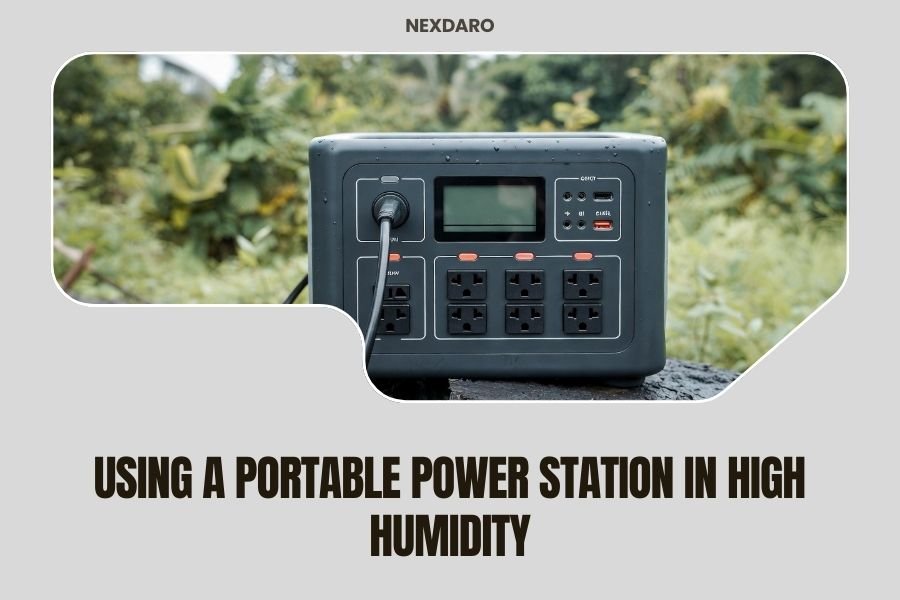
Using a portable power station in high humidity requires special care to protect your device from moisture damage and maintain safe operation.
Keep your portable power station in a dry, well-ventilated area and use moisture-absorbing materials to prevent condensation buildup that could harm internal components.
Understanding How Humidity Affects Portable Power Stations
High humidity creates serious challenges for your portable power station. Moisture in the air can sneak into your device and cause problems you never saw coming.
When humidity levels rise above 60%, condensation becomes your biggest enemy. Water droplets form inside electronic components, leading to short circuits and permanent damage.
Why Electronics Hate Moisture
Your power station contains sensitive circuits that conduct electricity. Add water to the mix, and you get unwanted electrical paths that can fry your investment.
Corrosion starts fast in humid conditions. Metal contacts and connections begin to rust, reducing performance and shortening your device’s lifespan.
Temperature Changes Make Things Worse
Moving your power station from air conditioning to hot, humid outdoor air creates instant condensation. It’s like taking a cold drink outside on a summer day.
This temperature shock forces moisture to condense on and inside your device, creating perfect conditions for electrical problems.
Protecting Your Power Station From Humidity
Smart storage makes all the difference when dealing with high humidity. Your approach should focus on keeping moisture away from sensitive components.
Choose the Right Storage Location
Find the driest spot available in your space. Avoid basements, garages, and areas near water sources like bathrooms or laundry rooms.
Air circulation helps prevent moisture buildup. Pick a location with good airflow, not a cramped closet or sealed container.
Indoor Storage Tips
- Use a closet with ventilation rather than a sealed cabinet
- Keep your power station off the floor using a shelf or table
- Maintain distance from windows where condensation occurs
- Avoid storage near heating vents that create temperature swings
Outdoor Storage Considerations
Sometimes you need to store your power station outdoors during camping or events. A waterproof case becomes essential, but it needs proper ventilation.
Sealed cases can trap moisture inside, making humidity problems worse. Look for cases with one-way moisture vents or breathing valves.
Using Moisture Control Products
Silica gel packets work wonders for humidity control. These little moisture absorbers can save your power station from water damage.
Place several packets around your storage area. Replace them regularly, especially during humid seasons when they work overtime.
Best Moisture Absorbers
| Product Type | Coverage Area | Reusable | Best For |
|---|---|---|---|
| Silica Gel Packets | Small spaces | Some types | Storage boxes |
| DampRid Containers | Medium rooms | Container only | Closets |
| Rechargeable Dehumidifiers | Small to medium | Yes | Electronics storage |
Operating Your Power Station Safely in High Humidity
Running your power station in humid conditions requires extra attention to ventilation and monitoring. Don’t just plug and play.
Ventilation is Your Friend
Your power station generates heat during operation. In humid conditions, this heat can create condensation problems if air doesn’t circulate properly.
Keep intake and exhaust vents clear. Position your device where air can flow freely around all sides.
Proper Positioning Guidelines
- Leave at least 6 inches of clearance on all sides
- Avoid placing devices under tarps or covers while operating
- Position intake vents away from moisture sources
- Use a fan to improve air circulation in enclosed spaces
Monitor Temperature and Performance
High humidity often comes with high temperatures. Your power station works harder and generates more heat, which can trigger safety shutdowns.
Many modern units include temperature monitoring. Watch for warnings and give your device breaks to cool down.
Warning Signs to Watch For
Your power station will tell you when it’s struggling with humidity and heat. Listen to what it’s saying.
- Fans running louder or more frequently than usual
- Reduced power output despite full battery
- Automatic shutdowns during normal use
- Condensation visible on the outside case
Maintenance in Humid Environments
Regular maintenance becomes twice as important when humidity is high. Moisture creates problems that regular cleaning and inspection can prevent.
Cleaning and Inspection Schedule
Check your power station weekly during humid seasons. Look for signs of moisture buildup or corrosion on ports and connections.
Clean exterior surfaces with a slightly damp cloth, then dry immediately. Moisture left on surfaces can find its way inside.
What to Look For During Inspections
- White or green buildup on metal connections
- Moisture around charging ports or outlets
- Unusual sounds from internal fans
- Musty odors that suggest mold growth
Port Protection Strategies
Charging ports and outlets are entry points for moisture. Keep them covered when not in use.
Many power stations come with rubber covers for ports. Use them religiously in humid conditions, even during short breaks.
DIY Port Protection
If your power station lacks port covers, create your own protection. Electrical tape works as a temporary seal for unused ports.
Remove tape carefully to avoid leaving residue that attracts dirt and moisture.
Troubleshooting Humidity-Related Problems
Sometimes humidity gets the better of your power station. Knowing how to respond can save your device from permanent damage.
Dealing with Condensation
Discovered water droplets on or inside your power station? Don’t panic, but act fast.
Turn off the device immediately and unplug all connections. Moving electricity and water don’t play well together.
Safe Drying Procedures
- Move the unit to a dry, warm location with good airflow
- Remove the battery if possible (check your manual)
- Open any access panels that your manual allows
- Wait 24-48 hours before attempting to restart
When to Seek Professional Help
Some moisture problems require expert attention. Don’t try to fix everything yourself.
If you see corrosion on internal components or the device won’t start after drying, contact the manufacturer or a qualified repair service.
Choosing Humidity-Resistant Power Stations
Some power stations handle humidity better than others. If you live in a consistently humid climate, choose wisely.
IP Ratings Explained
IP ratings tell you how well a device resists water and dust. Higher numbers mean better protection.
Look for ratings like IP65 or higher for outdoor use in humid conditions. The second digit shows water resistance level.
Understanding IP Water Ratings
- IPX4: Protected against splashing water
- IPX5: Protected against water jets
- IPX6: Protected against powerful water jets
- IPX7: Protected against temporary water immersion
Features That Help in Humid Conditions
Smart charging controllers prevent overheating during humid weather. Temperature sensors automatically adjust performance to protect components.
Sealed construction keeps moisture out better than vented designs, but may run hotter during operation.
Regional Considerations for High Humidity
Different climates present unique humidity challenges. Your approach should match your local conditions.
Coastal Areas
Salt air adds another layer of problems beyond basic humidity. Salt accelerates corrosion and attracts moisture.
Rinse exterior surfaces with fresh water regularly if you’re near the ocean. Salt buildup creates pathways for electrical problems.
Tropical Climates
Year-round humidity requires constant vigilance. Invest in quality dehumidification for storage areas.
Consider power stations designed specifically for marine or tropical use. They cost more but last longer in challenging conditions.
Seasonal Humidity Management
Even temperate climates have humid seasons. Adjust your care routine when weather patterns change.
Spring and summer often bring the worst humidity. Plan your maintenance schedule around these challenging months.
Conclusion
Successfully using a portable power station in high humidity comes down to smart storage, proper ventilation, and regular maintenance. Keep moisture away from your investment through thoughtful placement and moisture control products. Monitor your device for warning signs and address problems quickly before they become expensive repairs. Choose equipment rated for your climate conditions and follow manufacturer guidelines for humid weather operation. With proper care, your portable power station will provide reliable power even when the air gets thick and sticky.
Can I use my portable power station in the rain?
Most portable power stations are not designed for direct rain exposure unless they have an IP65 or higher rating. Even water-resistant models should be protected from heavy rain and never operated while wet on the exterior.
What humidity level is safe for my power station?
Most portable power stations operate safely in humidity levels up to 80%, but performance and longevity improve when kept below 60% humidity. Storage in areas above 85% humidity can cause condensation problems even when the unit is turned off.
How do I know if moisture has damaged my power station?
Signs of moisture damage include reduced battery capacity, corrosion on metal contacts, unusual odors, frequent safety shutdowns, and visible water spots inside display screens or charging ports. Any of these symptoms require immediate attention.
Should I run a dehumidifier near my power station?
Running a dehumidifier in storage areas helps protect your power station from moisture damage. Keep humidity levels between 40-50% for optimal protection. Avoid placing the dehumidifier too close to prevent airflow interference during operation.
Can condensation form inside my power station even if the outside stays dry?
Yes, internal condensation can occur when you move your power station between different temperature zones, even if the exterior remains dry. This happens when cold internal components meet warm, humid air, creating water droplets inside the device.