
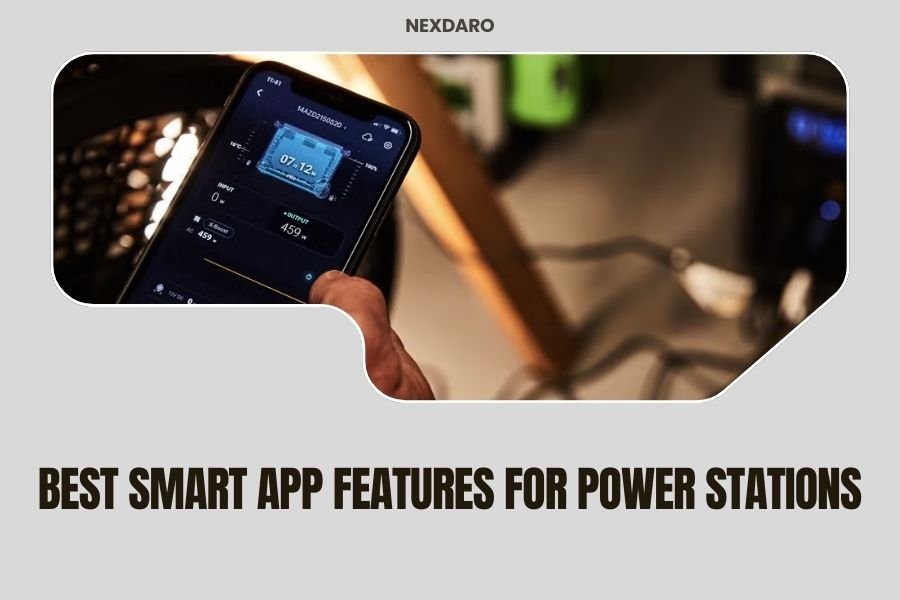
The best smart app features for power stations include real-time battery monitoring, remote power control, usage analytics, and customizable alerts that help you manage your portable power efficiently.
Smart apps transform basic power stations into intelligent energy management systems by providing instant status updates, load balancing, and predictive maintenance notifications through your smartphone.
Why Smart Apps Matter for Your Power Station
Your power station becomes ten times more useful when you can control it from your phone. Think about it – you’re camping and want to check your battery level without leaving your tent. Or you’re running a work site and need to monitor multiple units from one location.
Smart apps bridge that gap between you and your power station. They turn a simple battery pack into a connected device that talks to you. No more guessing games about remaining power or wondering if your solar panels are charging properly.
Essential Real-Time Monitoring Features
Real-time monitoring sits at the heart of every good power station app. You need to see what’s happening right now, not five minutes ago.
Battery Level Tracking
The most basic feature shows your current battery percentage. But the best apps go deeper. They display voltage, current draw, and estimated runtime based on your current load.
Good apps update this information every few seconds. You can watch your battery drain in real-time and plan accordingly.
Input and Output Power Display
You want to see exactly how much power flows in and out of your station. Input monitoring shows solar charging rates or AC charging speed. Output monitoring reveals which devices draw the most power.
This data helps you balance your energy budget. You can spot power-hungry devices and make smart decisions about what to run and when.
Temperature Monitoring
Heat kills batteries faster than anything else. Smart apps monitor internal temperatures and warn you before things get dangerous.
Some apps show multiple temperature sensors – battery temperature, inverter temperature, and ambient temperature. This gives you the full thermal picture of your power station.
Remote Control Capabilities
Why walk over to your power station when you can control it from your chair? Remote control features save time and add convenience to your power management routine.
Output Port Control
The best apps let you turn individual outlets on and off remotely. USB ports, AC outlets, and DC ports can all be controlled independently.
This feature prevents phantom loads from draining your battery. You can shut off unused ports with a tap on your screen.
Power Mode Selection
Many power stations offer different operating modes – eco mode, boost mode, or silent mode. Smart apps let you switch between these modes without touching the unit.
Eco mode extends battery life by reducing standby power. Boost mode provides maximum output for high-demand devices. Silent mode reduces fan noise for quiet environments.
Charging Speed Control
Some apps control how fast your power station charges from AC power or solar panels. Slower charging extends battery life. Faster charging gets you back to full power quickly.
Advanced Analytics and Reporting
Data tells the story of your power usage. Analytics features help you understand patterns and optimize your energy consumption.
Historical Usage Data
Track your power consumption over time. See daily, weekly, and monthly usage patterns. Identify trends and plan better for future adventures.
Some apps store months of historical data. You can compare different trips or work projects to understand your actual power needs.
Device-Specific Consumption Tracking
Advanced apps identify connected devices and track their individual power consumption. Your laptop might use 65 watts while your phone charger only uses 10 watts.
This granular data helps you make informed decisions about which devices to prioritize when battery levels get low.
Efficiency Reports
See how efficiently your power station operates under different conditions. Efficiency drops when running high-power devices or in extreme temperatures.
These reports help you optimize your setup for maximum runtime and battery longevity.
Smart Alerts and Notifications
Your power station should warn you before problems occur. Smart alerts keep you informed without constant monitoring.
Low Battery Warnings
Set custom battery level alerts – maybe 30% for a heads-up and 10% for urgent action needed. You won’t get caught off guard by a dead battery.
Smart apps can even predict remaining runtime based on current usage and send time-based alerts like “2 hours of power remaining.”
Charging Complete Notifications
Get notified when your power station reaches full charge. This prevents overcharging and lets you disconnect from AC power to save on electricity costs.
Overload Protection Alerts
Apps warn you before you exceed your power station’s capacity. Trying to run too many high-power devices simultaneously can damage your unit.
These alerts suggest which devices to disconnect to stay within safe operating limits.
Temperature Warnings
Receive notifications when temperatures get too high or too low. Extreme temperatures damage battery cells and reduce lifespan.
Solar Panel Integration Features
If you use solar panels with your power station, dedicated app features help maximize your solar charging efficiency.
Solar Input Monitoring
Track real-time solar power generation. See how weather conditions, panel angle, and shading affect charging rates.
This information helps you optimize panel placement for maximum energy harvest throughout the day.
Weather-Based Charging Predictions
Some advanced apps integrate weather forecasts to predict solar charging potential. Cloudy days mean less charging, so you can plan accordingly.
Peak Sun Hour Tracking
Monitor when your solar panels produce the most power. This data helps you schedule high-power activities during peak generation hours.
Multi-Device Management
Running multiple power stations? Good apps handle fleet management with ease.
Device Grouping
Group multiple power stations by location or purpose. Monitor your camping setup separately from your emergency backup system.
Synchronized Monitoring
View status information from all your power stations on one screen. Quickly identify which units need attention.
Load Balancing Recommendations
Advanced apps suggest how to distribute power loads across multiple units for optimal efficiency and battery longevity.
User Interface and Experience Features
A great app needs intuitive design and smooth operation. Technical features mean nothing if the app frustrates users.
Customizable Dashboard
Arrange app elements to match your priorities. Put battery level front and center if that’s your main concern. Hide advanced features you don’t use.
Dark Mode Support
Dark themes save your phone’s battery and reduce eye strain during nighttime use. Perfect for camping or emergency situations.
Offline Data Storage
Apps should store recent data locally on your phone. You can review usage information even without internet connectivity.
Security and Privacy Features
Connected devices create potential security risks. Look for apps that take privacy seriously.
Local Network Operation
The best apps connect directly to your power station via WiFi or Bluetooth without sending data to external servers.
Data Encryption
Communication between your phone and power station should be encrypted to prevent unauthorized access.
Guest Access Controls
Some apps allow limited guest access – others can view status information but can’t control your power station remotely.
Firmware Update Management
Power stations need software updates just like your smartphone. Smart apps make this process seamless.
Automatic Update Notifications
Get alerts when new firmware becomes available. Updates often add features, fix bugs, or improve performance.
One-Click Update Installation
Install updates directly through the app without connecting cables or using computer software.
Update History Tracking
See what changed with each firmware update. Some updates add new app features or improve battery management algorithms.
Integration with Smart Home Systems
Advanced power station apps connect with popular smart home platforms for automated energy management.
Voice Assistant Compatibility
Control basic functions through Alexa or Google Assistant. Ask about battery levels or turn outlets on and off with voice commands.
IFTTT Integration
Create custom automation rules – automatically switch to backup power when grid power fails, or send notifications to family members during outages.
Troubleshooting and Diagnostic Tools
When problems occur, diagnostic features help identify issues quickly.
Error Code Explanations
Apps translate cryptic error codes into plain English explanations with suggested solutions.
Performance Testing Features
Run automated tests to check battery health, output accuracy, and charging system performance.
Remote Technical Support
Some manufacturers offer remote diagnostic support through their apps. Technicians can examine your power station’s data to troubleshoot problems.
Popular Power Station Apps Worth Checking Out
From my research, several manufacturers have developed standout mobile apps that set the standard for smart power station features.
EcoFlow’s app consistently receives praise for its clean interface and comprehensive monitoring features. Users report reliable connectivity and useful analytics.
Bluetti’s app offers excellent solar integration features and multi-device management capabilities. The battery health tracking provides detailed insights into long-term performance.
Goal Zero’s app focuses on simplicity and reliability. It may lack some advanced features but delivers rock-solid basic functionality.
What to Look for When Choosing Your Next Power Station
Smart app features should influence your power station buying decision. Not all manufacturers invest equally in software development.
Download apps before buying and test them with demo accounts when available. Read recent app store reviews to gauge user satisfaction and ongoing support quality.
Check update frequency – apps that haven’t been updated in months often indicate abandoned products or limited ongoing support.
Conclusion
Smart app features transform portable power stations from simple battery packs into intelligent energy management systems. The best apps provide real-time monitoring, remote control, predictive analytics, and seamless integration with your digital lifestyle.
When choosing your next power station, evaluate the app experience as carefully as the hardware specifications. A great app makes your power station more useful, more efficient, and more enjoyable to operate. Look for comprehensive monitoring, intuitive controls, and ongoing software support from manufacturers who invest in long-term app development.
What’s the most important smart app feature for power stations?
Real-time battery monitoring with accurate runtime predictions stands out as the most valuable feature. It prevents unexpected shutdowns and helps you manage power consumption effectively during critical situations.
Can I use multiple power station apps on the same phone?
Yes, you can install multiple manufacturer apps on one device. Each app typically manages only that brand’s power stations, so mixed fleets require multiple apps for complete control.
Do smart power station apps work without internet connectivity?
Most apps connect directly to your power station via WiFi or Bluetooth and work fine without internet. However, features like weather integration, firmware updates, and cloud data backup require internet connectivity.
How much battery does running a power station app drain from my phone?
Well-designed power station apps use minimal phone battery – typically less than 2-3% per hour of active use. Background monitoring consumes even less power, similar to other utility apps.
Are there security risks with connected power station apps?
Security risks remain minimal with reputable manufacturers who use local connectivity and data encryption. Avoid apps that require unnecessary permissions or send usage data to unknown servers without clear privacy policies.
