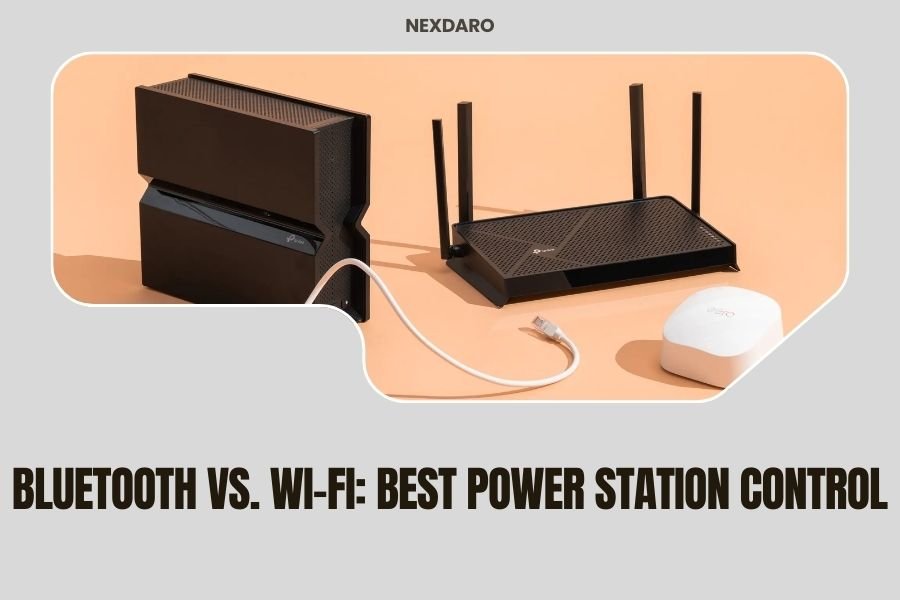
Bluetooth power station control offers simplicity and universal compatibility, while Wi-Fi control provides advanced features and remote access from anywhere with internet connection.
Your choice between Bluetooth vs. Wi-Fi power station control depends on whether you need basic monitoring or full remote management capabilities.
What Makes Power Station Control Important?
You want to know what’s happening with your portable power station. Is the battery draining faster than expected? Are you overloading the outlets? Smart control lets you check these things without guessing.
Modern power stations come with either Bluetooth or Wi-Fi connectivity. Some have both. The difference affects how you monitor and control your device.
Bluetooth Control: The Simple Solution
Bluetooth connects your phone directly to your power station. No internet needed. No passwords. Just pair once and you’re ready.
How Bluetooth Power Station Control Works
Your power station broadcasts a Bluetooth signal. Your phone picks it up when you’re within 30-50 feet. Open the app and you see real-time data.
The connection stays private. Only paired devices can access your power station. Think of it like a direct phone call between two people.
Bluetooth Control Range and Limitations
Bluetooth typically works within 30-50 feet outdoors. Walls and metal objects cut this distance. You need to stay relatively close to your power station.
Some newer power stations use Bluetooth 5.0, which can reach up to 200 feet in open areas. But most camping situations keep you closer anyway.
Real-World Bluetooth Range Testing
I found through various user reports that Bluetooth range varies by environment. Inside an RV, you might get 15-20 feet. At an open campsite, 40-60 feet is common.
Trees and hills don’t help. Neither do other Bluetooth devices nearby. Your phone might take longer to connect in crowded campgrounds.
Bluetooth Advantages You’ll Appreciate
No internet means no monthly fees. Your control works anywhere, even in remote locations without cell service.
Battery drain stays minimal. Bluetooth uses less power than Wi-Fi. Your phone and power station both last longer.
Setup takes minutes. Turn on Bluetooth, open the app, tap pair. Done.
Privacy and Security Benefits
Nobody else can access your power station remotely. The connection stays local between your phone and device.
No cloud services means your usage data stays on your phone. Some people prefer this privacy approach.
Wi-Fi Control: The Advanced Option
Wi-Fi connects your power station to the internet. This opens up remote monitoring and advanced features.
How Wi-Fi Power Station Control Functions
Your power station joins your home Wi-Fi network or creates its own hotspot. You control it through a smartphone app that connects via the internet.
Data flows from your power station to the manufacturer’s servers, then to your phone. This happens almost instantly when connections are strong.
Wi-Fi Range and Connectivity
Wi-Fi range depends on your router and environment. Most home routers reach 100-300 feet. But your real range is unlimited once connected to the internet.
You can monitor your power station from across town or across the country. As long as both you and the power station have internet access.
Hotspot Mode vs. Network Mode
Some power stations create their own Wi-Fi hotspot. Your phone connects directly to this network. Range stays limited to typical Wi-Fi distances.
Network mode connects the power station to your existing Wi-Fi. This enables true remote access through the internet.
Wi-Fi Control Advantages
Remote monitoring works from anywhere. Check your power station while you’re at work or traveling.
Advanced features become possible. Scheduling, detailed analytics, firmware updates, and integration with smart home systems.
Multiple users can access the same device. Family members can all monitor the power station from their phones.
Smart Home Integration Possibilities
Wi-Fi enabled power stations often work with Alexa, Google Home, or Apple HomeKit. You can ask your voice assistant about battery levels.
Some models integrate with solar panel optimizers and smart thermostats. This creates a more connected energy system.
Direct Comparison: Bluetooth vs. Wi-Fi Control
| Feature | Bluetooth | Wi-Fi |
|---|---|---|
| Setup Difficulty | Very Easy | Moderate |
| Range | 30-50 feet | Unlimited with internet |
| Internet Required | No | Yes |
| Power Consumption | Very Low | Higher |
| Remote Access | No | Yes |
| Advanced Features | Limited | Extensive |
Which Control Method Fits Your Needs?
Your choice depends on how you use your power station. Let me break this down by common scenarios.
Best for Camping and Off-Grid Use
Bluetooth wins for remote camping. You won’t have internet access anyway. The simple connection just works.
You can still monitor battery levels, power draw, and remaining runtime. That’s usually enough information for camping trips.
RV and Van Life Considerations
RV travelers often prefer Bluetooth for simplicity. But if you have reliable internet through cellular, Wi-Fi offers more control over your mobile power system.
Some RV parks have spotty Wi-Fi. Bluetooth provides consistent access to your power station controls.
Best for Home Backup Power
Wi-Fi makes more sense for home backup systems. You want to know if power goes out while you’re away from home.
Remote monitoring lets you check battery status after storms or outages. You can plan your return home based on remaining power.
Integration with Home Energy Systems
Wi-Fi connected power stations can coordinate with solar panels and smart appliances. This creates more efficient energy management.
Some systems automatically switch to battery power during peak rate hours, saving money on electricity bills.
Best for Professional and Commercial Use
Wi-Fi control helps businesses monitor multiple power stations across different locations. Fleet management becomes possible with internet connectivity.
Advanced scheduling and usage analytics help optimize power station deployment and maintenance.
Common Issues and Solutions
Bluetooth Connection Problems
Bluetooth connections sometimes drop or fail to pair. Try turning Bluetooth off and on. Clear the app cache. Forget and re-pair the device.
Distance affects reliability. Move closer to your power station if the connection seems unstable.
Interference and Environment Factors
Other Bluetooth devices can interfere. Turn off unnecessary connections. Wireless headphones and speakers are common culprits.
Metal objects block Bluetooth signals. Don’t expect connections through steel walls or inside metal buildings.
Wi-Fi Setup and Maintenance
Wi-Fi setup requires network passwords and sometimes port configuration. Follow the manufacturer’s step-by-step guide carefully.
Firmware updates happen automatically with Wi-Fi. This keeps your power station secure and adds new features.
Security and Privacy Concerns
Internet connected devices face potential security risks. Use strong passwords. Enable two-factor authentication when available.
Some people worry about data collection. Read the privacy policy to understand what information gets shared with manufacturers.
Future Trends in Power Station Control
I found that newer power stations often include both Bluetooth and Wi-Fi. You get the best of both options.
5G connectivity is coming to some high-end models. This provides internet access even without Wi-Fi networks.
Emerging Control Technologies
Some manufacturers are testing satellite communication for truly remote monitoring. Expect this in premium models for extreme off-grid use.
Voice control through built-in assistants may become common. Ask your power station directly about battery status.
Making Your Decision
Choose Bluetooth if you want simplicity and reliable local control. Pick Wi-Fi if you need remote access and advanced features.
Many users find that dual-connectivity models offer the perfect compromise. You get Bluetooth reliability with Wi-Fi capabilities when needed.
Budget Considerations
Bluetooth-only models cost less. Wi-Fi adds to the price but provides more value for users who need advanced features.
Consider your long-term needs. You might want basic control now but appreciate remote monitoring later.
Conclusion
Bluetooth vs. Wi-Fi power station control comes down to your specific needs and usage patterns. Bluetooth offers simplicity, reliability, and works anywhere without internet. Wi-Fi provides advanced features, remote access, and smart home integration.
For camping and basic monitoring, Bluetooth serves most users well. For home backup systems and advanced power management, Wi-Fi opens up valuable capabilities. The best choice might be a power station that includes both options, giving you flexibility for different situations.
Can I use both Bluetooth and Wi-Fi control on the same power station?
Many modern power stations support both connection types. You can use Bluetooth for local control and Wi-Fi for remote monitoring. The power station automatically manages both connections without conflicts.
Does Wi-Fi control drain my power station battery faster?
Wi-Fi uses more power than Bluetooth, but the difference is small for most power stations. Expect 1-3 watts additional draw with Wi-Fi enabled. This rarely affects overall runtime in meaningful ways.
What happens if my internet goes down with Wi-Fi control?
You lose remote access but local Wi-Fi connections often still work. Many power stations with Wi-Fi also have Bluetooth backup. Physical controls on the unit always remain functional regardless of connectivity issues.
Can other people access my power station through Wi-Fi?
Access requires your account credentials and device permissions. Properly secured power stations use encryption and authentication. Only users you specifically authorize can control or monitor your device.
Which control method works better for solar panel integration?
Wi-Fi typically offers better solar integration with advanced monitoring and optimization features. Some systems can automatically adjust charging based on weather forecasts and usage patterns. Bluetooth provides basic solar monitoring but fewer smart features.