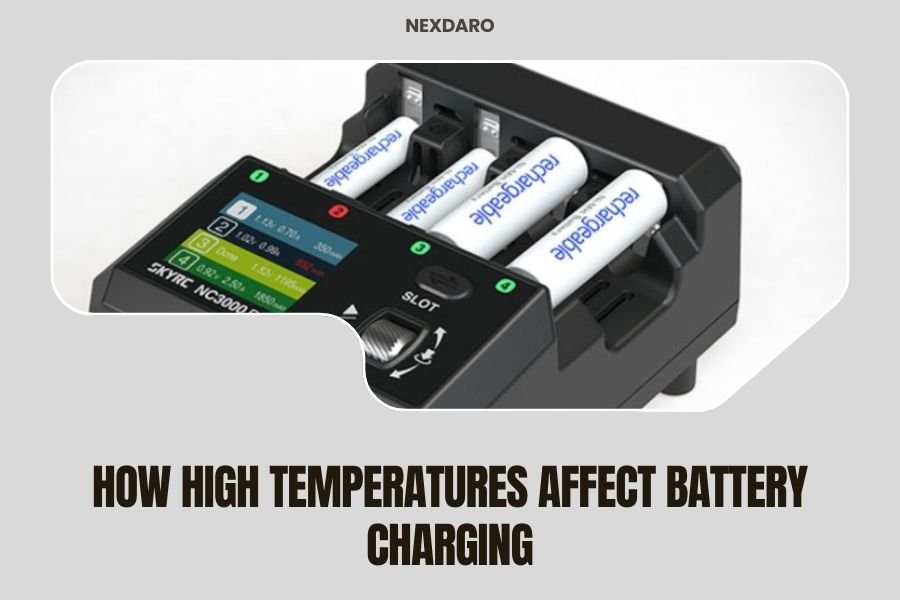
High temperatures affect battery charging by reducing charging efficiency, slowing charge rates, and potentially damaging battery cells through overheating.
Most portable power stations automatically reduce charging speed or stop charging completely when temperatures exceed 104°F (40°C) to protect the battery.
What Happens to Your Battery When It Gets Too Hot
Think of your battery like a person trying to work in extreme heat. Just as you’d slow down and feel sluggish, your battery does the same thing.
When temperatures rise, the chemical reactions inside lithium-ion batteries become unstable. This creates several problems that directly impact how well your power station charges.
Chemical Reactions Go Haywire
Battery cells rely on precise chemical processes to store energy. Heat speeds up these reactions too much, like cooking food at too high a temperature.
Research from the National Renewable Energy Laboratory shows that charging efficiency drops by 10-20% for every 18°F increase above optimal temperatures.
Internal Resistance Increases
Hot batteries fight against themselves. Heat increases internal resistance, making it harder for electricity to flow in and out.
This means your power station works harder to charge, generates more heat, and wastes more energy in the process.
Temperature Ranges That Matter for Charging
You need to know the temperature zones that affect your portable power station’s charging performance.
| Temperature Range | Charging Impact | What Happens |
|---|---|---|
| 32-77°F (0-25°C) | Optimal charging | Full speed, maximum efficiency |
| 77-95°F (25-35°C) | Slight reduction | Minor speed decrease, still safe |
| 95-104°F (35-40°C) | Noticeable slowdown | Charging speed drops 20-30% |
| Above 104°F (40°C) | Protection mode | Charging stops or severely limited |
The Sweet Spot for Fast Charging
Your power station charges fastest between 68-77°F (20-25°C). This is when all the chemical processes work in perfect harmony.
Many experts recommend keeping your charging area within this range for best results.
Signs Your Battery Is Too Hot to Charge Properly
How do you know when heat is affecting your charging? Your power station will give you clues.
Visual and Audio Warnings
Most modern power stations have built-in temperature monitoring. You might see:
- Red warning lights on the display
- Temperature error messages
- Charging indicator flashing or turning off
- Fan running constantly at high speed
Performance Changes You’ll Notice
Even without warning lights, you can spot overheating issues:
- Charging takes much longer than usual
- The unit feels hot to touch
- Charging stops and starts repeatedly
- Battery percentage climbs very slowly
Why Heat Damages Battery Life Long-Term
Heat doesn’t just slow down charging in the moment. It causes permanent damage that adds up over time.
Accelerated Aging Process
High temperatures speed up chemical breakdown inside battery cells. It’s like aging your battery in fast-forward.
Research from Battery University shows that storing batteries at 104°F can reduce their lifespan by 50% compared to room temperature storage.
Capacity Loss Over Time
Each time you charge in high heat, your battery loses a tiny bit of its total capacity. These small losses add up.
After a year of hot charging, you might find your power station only holds 70-80% of its original charge.
Smart Battery Management Systems Fight Heat
Modern portable power stations don’t just sit there and take the heat. They fight back with smart technology.
Temperature Sensors and Monitoring
Quality power stations have multiple temperature sensors throughout the battery pack. These sensors constantly check for hot spots.
When temperatures rise, the system automatically adjusts charging speed to prevent damage.
Active Cooling Systems
Many power stations include built-in fans that kick in during charging. Some higher-end models even have liquid cooling systems.
These cooling systems help maintain safe temperatures even during fast charging sessions.
Thermal Throttling Protection
When your power station gets too hot, it automatically reduces charging speed. This is called thermal throttling.
Think of it like your phone slowing down when it overheats. It’s annoying, but it protects your device.
Practical Tips to Keep Your Power Station Cool While Charging
You can take simple steps to prevent overheating and maintain fast charging speeds.
Choose Your Charging Location Wisely
Location makes a huge difference in charging performance. Here’s what works:
- Charge indoors when possible
- Find shaded areas for outdoor charging
- Avoid car trunks and hot garages
- Keep away from direct sunlight
- Place on hard surfaces, not soft bedding or carpet
Create Better Airflow
Your power station needs breathing room. Don’t trap heat around it.
Leave at least 6 inches of space around all vents. Point a small fan at the unit during long charging sessions.
Time Your Charging Sessions
Charge during cooler parts of the day when possible. Early morning or late evening often work best.
Avoid charging during peak heat hours (11 AM to 4 PM) in hot climates.
Solar Charging in Hot Weather
Solar charging creates a tricky situation. You need sun for power, but sun creates heat.
The Solar Paradox
Solar panels work best in bright sunlight, but that same sunlight heats up your power station. It’s a balancing act.
Many people find that partial shade or indirect sunlight works better for long charging sessions.
Solutions for Hot Solar Charging
You can still solar charge effectively in hot weather:
- Use longer solar cables to keep the power station in shade
- Set up a small umbrella or tarp over the unit
- Charge in shorter bursts with cooling breaks
- Start charging earlier in the morning
Car Charging and Heat Issues
Charging your power station in a hot car creates serious overheating risks.
Why Cars Get So Hot
Cars act like greenhouses, trapping heat from the sun. Interior temperatures can reach 140°F or higher.
Your power station can’t handle these extreme temperatures, even with cooling fans.
Safe Car Charging Practices
If you must charge in your vehicle:
- Run the air conditioning
- Park in shade
- Crack windows for ventilation
- Monitor the power station closely
- Stop charging if it gets too warm
Different Battery Types React Differently to Heat
Not all batteries handle heat the same way. Understanding your power station’s battery type helps you make better decisions.
Lithium Iron Phosphate (LiFePO4)
LiFePO4 batteries tolerate heat better than other lithium types. They can often charge safely up to 113°F (45°C).
Many high-end portable power stations use this chemistry for better heat resistance.
Standard Lithium-Ion (Li-ion)
Regular lithium-ion batteries are more heat-sensitive. They typically start reducing charging speed around 95°F (35°C).
These are common in budget power stations and require more careful temperature management.
Cooling Accessories and Modifications
Some people add external cooling to their power stations for extreme conditions.
External Cooling Fans
Small USB fans can provide extra airflow during charging. Position them to blow across the power station’s vents.
Battery-powered fans work well for off-grid cooling solutions.
Cooling Pads and Stands
Laptop cooling pads work surprisingly well for power stations. They lift the unit off hot surfaces and provide active cooling.
Some outdoor enthusiasts create DIY cooling stands using computer fans and small batteries.
When to Stop Charging and Let Things Cool Down
Sometimes the best solution is patience. Knowing when to take a charging break prevents long-term damage.
Temperature Warning Signs
Stop charging immediately if you notice:
- The unit is too hot to touch comfortably
- Fans running at maximum speed constantly
- Error messages about temperature
- Charging speed drops to very slow rates
- Strange smells or sounds
Cool-Down Strategies
When your power station overheats, help it cool down faster:
- Move it to a cooler, shaded location
- Turn off all outputs and charging inputs
- Point a fan at it if available
- Wait at least 30 minutes before resuming charging
Conclusion
High temperatures significantly impact how well your portable power station charges, reducing efficiency and potentially causing long-term damage. The key is understanding your device’s temperature limits and taking proactive steps to keep it cool. By choosing smart charging locations, timing your sessions during cooler periods, and recognizing warning signs of overheating, you can maintain optimal charging performance and extend your power station’s lifespan. Remember that modern power stations have built-in protections, but your awareness and actions make the biggest difference in hot weather performance.
How hot is too hot for charging my portable power station?
Most portable power stations start reducing charging speed around 95°F (35°C) and may stop charging entirely above 104°F (40°C). Check your specific model’s manual for exact temperature limits, as some LiFePO4 units can handle slightly higher temperatures.
Can I use ice packs or frozen water bottles to cool my power station while charging?
Avoid direct contact between ice packs and your power station, as condensation can damage electronics. If you must use ice cooling, wrap ice packs in towels and place them near (not on) the unit, ensuring no moisture reaches the device.
Why does my power station charge slower on hot days even when it’s in the shade?
Ambient temperature affects internal battery temperature even in shade. High air temperatures make it harder for your power station’s cooling system to dissipate heat, causing the battery management system to reduce charging speed as a safety measure.
Is it better to charge my power station at night during summer to avoid heat issues?
Night charging is often ideal in hot climates because ambient temperatures are typically 10-20°F cooler. This allows your power station to charge at full speed and reduces stress on the battery cells, though you’ll need AC power since solar charging requires daylight.
Will charging my power station in high heat void the warranty?
Operating within manufacturer-specified temperature ranges typically won’t void your warranty, but charging in extreme conditions beyond those limits might. Most warranties cover normal use but exclude damage from environmental extremes, so always stay within your device’s published temperature specifications.