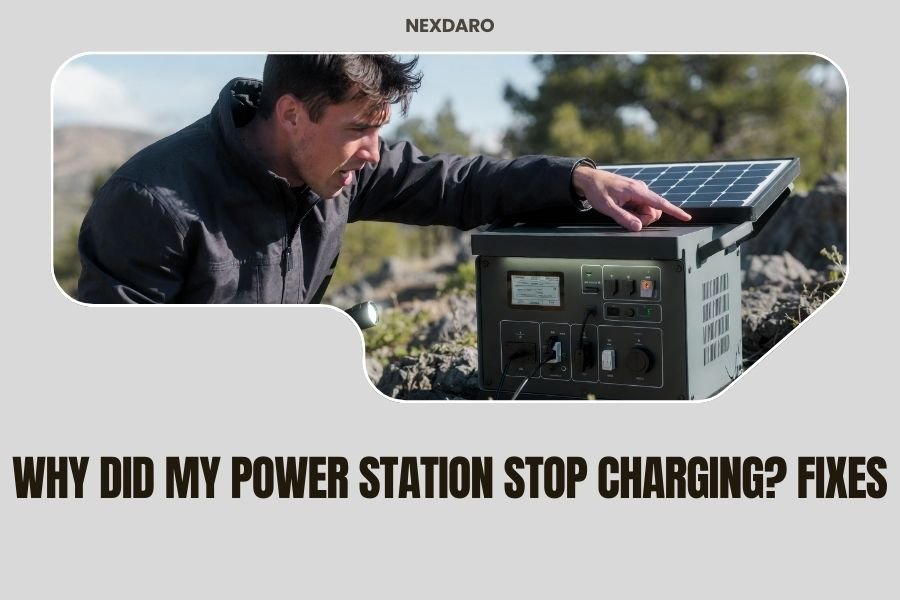
Your power station stops charging due to faulty cables, overheating, battery degradation, or incorrect charging settings.
Most charging issues can be fixed by checking connections, cooling the unit, or resetting the system settings.
Nothing feels worse than finding your power station dead when you need it most. You plug it in, wait, and nothing happens. The charging light stays off.
Don’t panic. I’ve researched the most common reasons why power stations fail to charge. Most problems have simple fixes you can try at home.
Check Your Charging Cable First
Start with the obvious culprit. Your charging cable takes a beating from being packed, unpacked, and twisted around.
Look for visible damage like cracks, bent connectors, or exposed wires. Wiggle the cable gently while it’s plugged in. Does the charging light flicker on and off?
Try a different cable if you have one. Many power stations use standard barrel connectors or USB-C ports. You might already own a compatible cable.
Test Different Wall Outlets
Your wall outlet might be the problem, not your power station. This happens more than you’d think.
Plug something else into the same outlet. Does it work? Try your power station in a different room.
Some outlets have GFCI protection that trips easily. Look for a small reset button on the outlet and press it.
Temperature Problems Stop Charging
Power stations are picky about temperature. Too hot or too cold, and they refuse to charge as a safety measure.
Most units stop charging above 104°F or below 32°F. Your garage in summer or your car in winter might be too extreme.
Let Your Unit Cool Down
Feel the sides of your power station. Is it warm or hot to touch?
Move it to a cool, shaded area with good airflow. Wait 30 minutes before trying to charge again.
Clean the cooling vents with a soft brush. Dust and debris block airflow and cause overheating.
Warm Up Cold Units Gradually
Bring a cold power station inside slowly. Don’t put it next to a heater or in direct sunlight.
Let it reach room temperature naturally. This prevents condensation inside the electronics.
Battery Management System Issues
Your power station has a smart brain called a Battery Management System (BMS). Sometimes this system gets confused and stops charging.
The BMS protects your battery from damage. It monitors voltage, current, and temperature constantly.
Reset the System
Many charging problems disappear with a simple reset. Here’s how:
- Turn off your power station completely
- Unplug all cables and devices
- Hold the power button for 10 seconds
- Wait 5 minutes
- Plug in the charger and turn it back on
This clears any software glitches that might block charging.
Check for Error Codes
Look at your power station’s display screen. Do you see any error messages or blinking lights?
Each brand uses different codes. Check your manual or the manufacturer’s website for what they mean.
Charging Port Problems
The charging port takes abuse from plugging and unplugging cables. Internal connections can loosen or break.
Inspect the Charging Port
Shine a flashlight into the charging port. Look for bent pins, corrosion, or debris.
Use compressed air to blow out dust and dirt. Don’t use metal objects that might damage delicate parts.
Test Multiple Charging Methods
Many power stations have several ways to charge:
- AC wall charger
- 12V car charger
- Solar panel input
- USB-C PD charging
Try a different charging method. If solar doesn’t work but wall charging does, you’ve found your problem.
Battery Age and Degradation
Lithium batteries don’t last forever. They slowly lose capacity and charging ability over time.
Research shows most lithium batteries keep 80% capacity after 500 charge cycles (Battery University). Heavy use might reach this point in 2-3 years.
Signs of Battery Wear
Watch for these warning signs:
- Charging takes much longer than before
- Battery drains quickly during use
- The unit shuts off unexpectedly
- Capacity readings seem wrong
Deep Discharge Recovery
Did you store your power station empty for months? Deep discharge can make batteries appear dead.
Try charging for 24 hours straight, even if nothing seems to happen. Some batteries need this “wake up” period.
Keep the charger connected and be patient. The first signs of life might take hours to appear.
Charger and Adapter Problems
Your charging brick or adapter might have failed internally. They contain sensitive electronics that can break.
Test Your Charger
Check if your charger feels warm when plugged in. A completely cold charger after 30 minutes probably isn’t working.
Look for a status LED on the charger itself. Many show green for normal operation or red for problems.
Voltage and Amperage Mismatch
Using the wrong charger can prevent charging or damage your unit. Check the labels carefully.
Your power station needs specific voltage (like 19V) and minimum amperage (like 3A). A laptop charger might look similar but have different specs.
Firmware and Software Issues
Modern power stations run complex software that sometimes needs updates or develops bugs.
Check for Firmware Updates
Connect your power station to WiFi or the manufacturer’s app. Look for available updates.
Firmware updates often fix charging problems and improve battery management.
Factory Reset Option
Some units allow factory resets that clear all settings and return to defaults.
This should be your last resort before contacting support. You’ll lose any custom settings or stored data.
Environmental and Storage Factors
How and where you store your power station affects its charging ability.
Humidity Damage
High humidity can cause corrosion inside your unit. This is common in basements, garages, or marine environments.
Store your power station in a dry location with good air circulation.
Long-Term Storage Issues
Batteries hate sitting completely full or completely empty for months.
Store your unit at 50-60% charge if you won’t use it for a while. Charge it every 3-4 months to maintain health.
When to Contact Support
You’ve tried everything and your power station still won’t charge. Time to call in the professionals.
Warranty Coverage
Check your warranty status before paying for repairs. Many power stations come with 2-3 year warranties.
Document what you’ve already tried. Support teams appreciate customers who’ve done basic troubleshooting.
Safety Concerns
Stop using your power station immediately if you notice:
- Unusual smells or burning odors
- Excessive heat or hot spots
- Swelling or physical deformation
- Sparks or electrical sounds
These signs indicate serious problems that need professional attention.
Prevention Tips
Keep your power station healthy with good charging habits.
Regular Maintenance Schedule
Clean your unit monthly with a soft cloth. Check cables for wear and tear.
Charge your power station every 3 months, even if you don’t use it.
Proper Storage Conditions
Store between 32-77°F in low humidity. Avoid attics, basements, and car trunks.
Keep your unit at 50% charge for long-term storage.
Use Quality Accessories
Cheap cables and chargers can damage your power station over time.
Stick with manufacturer-approved accessories when possible.
Conclusion
Your power station charging problems usually have simple solutions. Start with the basics: check cables, test different outlets, and make sure temperature isn’t the issue.
Most problems come from damaged cables, overheating, or confused battery management systems. A simple reset fixes many charging issues immediately.
Take care of your power station with regular maintenance and proper storage. This prevents many charging problems before they start. When basic troubleshooting doesn’t work, don’t hesitate to contact manufacturer support for help.
Why won’t my power station charge even with a new cable?
The charging port itself might be damaged, or your battery management system needs a reset. Try holding the power button for 10 seconds while unplugged, then wait 5 minutes before reconnecting.
How long should I wait if my power station was completely dead?
Deep-discharged batteries can take 2-4 hours to show any signs of charging. Leave it plugged in for 24 hours before assuming it’s broken, especially if stored empty for months.
Can extreme cold permanently damage my power station’s charging ability?
Temperatures below 32°F can temporarily disable charging as a safety feature, but rarely cause permanent damage. Bring it to room temperature gradually and wait 30 minutes before trying to charge again.
What does it mean when the charging light blinks instead of staying solid?
Blinking usually indicates a problem like overheating, wrong charger voltage, or internal error. Check your manual for specific blink patterns, as each manufacturer uses different codes.
Is it safe to leave my power station plugged in all the time?
Most modern power stations have built-in charge controllers that prevent overcharging, making it generally safe. But for best battery life, unplug when fully charged and recharge every few months if unused.