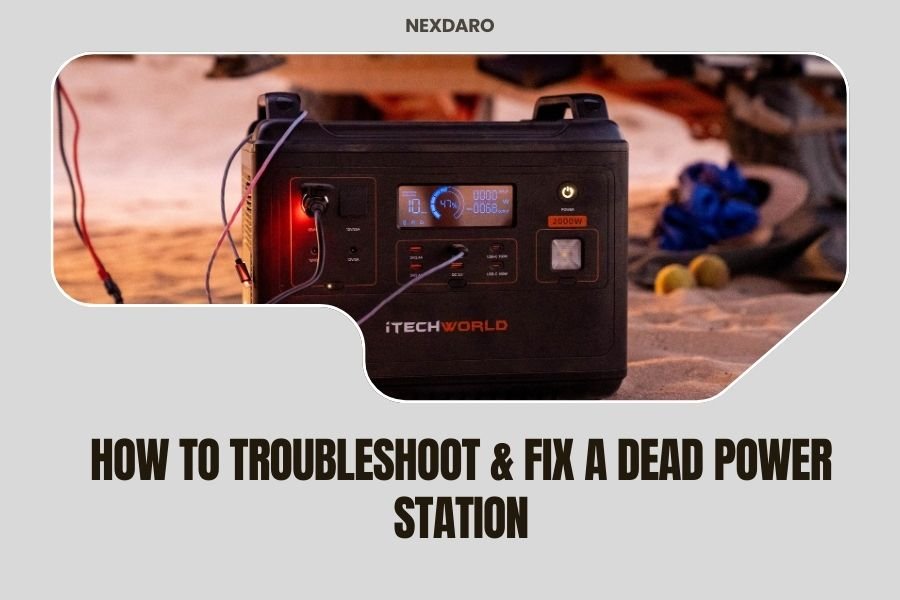
A dead power station can often be fixed by checking the battery connection, trying a different charging cable, or performing a hard reset by holding the power button for 10-15 seconds.
Most power station issues stem from battery protection mode, faulty charging ports, or firmware glitches that prevent normal operation.
Quick Diagnosis Steps
Your power station won’t turn on? Don’t panic. I found that most “dead” units aren’t actually broken. They’re just stuck in protection mode or dealing with connection issues.
Start with these fast checks. They solve about 70% of power station problems right away.
Check All Physical Connections
Look at your charging port first. Is there dust, debris, or corrosion inside? Clean it gently with a dry toothbrush or compressed air.
Wiggle the charging cable while it’s plugged in. If the charging light flickers, you’ve found your problem. The port or cable is loose.
Try the Hard Reset Method
Hold down the main power button for 10-15 seconds. This forces the internal computer to restart. It’s like rebooting your phone when it freezes.
Many people skip this step, but it works surprisingly often. The unit’s brain just needs a fresh start.
Battery Protection Mode Issues
Your power station has built-in safety features. When the battery gets too low, too hot, or detects a problem, it shuts down completely.
This protection mode can make your unit seem totally dead. But it’s actually protecting itself from damage.
Over-Discharge Protection
Did you leave your power station unused for months? The battery probably drained below its safety threshold.
Plug it into wall power and leave it alone for 2-4 hours. Don’t try turning it on during this time. Let the internal systems wake up slowly.
Temperature-Related Shutdowns
Extreme heat or cold triggers automatic shutdown. If your unit was in a hot car or freezing garage, bring it to room temperature.
Wait 30-60 minutes before trying to charge or use it. The internal sensors need time to normalize.
Charging Problems and Solutions
Sometimes the power station works fine, but the charging system fails. This makes it seem dead when the battery finally runs out.
Test Different Charging Methods
Most power stations charge three ways: wall outlet, car adapter, and solar panels. Try each method if you have them available.
If wall charging fails but car charging works, your AC adapter is probably dead. If nothing charges the unit, the problem is internal.
Inspect Your Charging Cables
Charging cables fail more often than the power stations themselves. Look for bent pins, frayed wires, or loose connections.
Borrow a cable from a friend or buy a replacement if possible. Generic cables often work fine and cost much less than brand-name versions.
Check Wall Outlet Power
This sounds obvious, but I’ve seen people troubleshoot for hours only to find the wall outlet was dead. Test it with your phone charger first.
Display and Indicator Light Issues
Your power station might be working but not showing any signs of life. The display or LED indicators could be broken.
Test Output Ports Directly
Plug in a small device like a phone charger. If it charges your phone but shows no display, the screen is broken but the unit works.
Try all the USB ports and AC outlets. Sometimes one section fails while others work perfectly.
Listen for Internal Sounds
Put your ear close to the unit when you press the power button. Do you hear clicking, humming, or fan noises?
These sounds mean the internal electronics are trying to work. The problem is probably with the display or output system.
Advanced Troubleshooting Steps
Still no luck? These deeper fixes solve the trickier problems that basic resets can’t handle.
Battery Calibration Process
Sometimes the power station loses track of its real battery level. The computer thinks it’s dead when there’s actually power left.
Here’s how to recalibrate: Charge to 100%, then use the unit until it completely dies. Charge back to 100% without interruption.
Why Calibration Helps
Think of it like a gas gauge in your car. If the gauge is wrong, you might think you’re empty when you still have fuel.
The calibration process teaches the power station’s computer the true empty and full points of its battery.
Firmware Reset Options
Some power stations have secret button combinations that reset the firmware completely. Check your manual for specific instructions.
Common reset combinations include holding power + display buttons together, or power + USB button for 20 seconds.
Internal Component Failures
If none of the above steps work, you might have real hardware damage. Here’s how to tell what’s broken.
Battery Cell Damage
Lithium batteries degrade over time and can fail completely. If your unit is 3+ years old and won’t hold any charge, the battery is probably dead.
Professional battery replacement costs 40-60% of a new unit’s price. Sometimes buying new makes more sense.
Signs of Battery Failure
- Unit charges to 100% but dies within minutes
- Charging stops at low percentages like 15% or 30%
- Battery gets extremely hot during charging
- Swelling or bulging of the case
Inverter or Circuit Board Problems
The inverter converts DC battery power to AC outlet power. If USB ports work but AC outlets don’t, the inverter failed.
Circuit board failures usually kill the whole unit. You’ll see no response to any buttons, no lights, no charging activity.
When to Contact Support
Most manufacturers offer 1-2 year warranties on power stations. Don’t try complex repairs yourself if you’re still covered.
Warranty Repair Process
Contact support before opening the case or attempting repairs. Many companies void warranties if you break the factory seals.
Document what troubleshooting steps you’ve already tried. This speeds up the support process and shows you’re not just being lazy.
What to Tell Support
- Exact model number and purchase date
- What happened right before it stopped working
- Which troubleshooting steps you’ve tried
- Whether any lights, sounds, or display activity occurs
Prevention Tips
Once you get your power station working again, these habits will prevent future problems.
Regular Charging Schedule
Charge your unit every 3-4 months even if you don’t use it. Lithium batteries hate sitting at zero charge for long periods.
Store it at 50-80% charge level. This keeps the battery chemistry stable during storage.
Temperature Management
Keep your power station in moderate temperatures when possible. Extreme heat degrades batteries fast, while cold reduces capacity.
Never charge a frozen unit. Let it warm to room temperature first to avoid internal damage.
Cost vs. Replacement Decision
Professional repair costs vary widely. Simple fixes like new charging ports cost $50-100. Battery replacement runs $200-400.
| Problem Type | Typical Repair Cost | Worth Fixing? |
|---|---|---|
| Charging port | $50-100 | Usually yes |
| Battery replacement | $200-400 | Depends on unit age |
| Circuit board | $150-300 | Often not worth it |
| Display screen | $75-150 | Yes if everything else works |
Conclusion
Most dead power stations can be revived with simple troubleshooting steps. Start with connection checks and hard resets before assuming the worst.
Remember that these units have protective features that can make them seem completely broken when they’re actually just sleeping. Patient charging and proper reset procedures solve most problems.
If basic steps don’t work, the issue is probably internal hardware failure. At that point, compare repair costs to replacement prices and choose the option that makes financial sense.
Why won’t my power station turn on even when plugged into the wall?
The unit is likely in deep protection mode due to over-discharge. Leave it plugged in for 2-4 hours without trying to turn it on, then attempt a hard reset by holding the power button for 15 seconds.
How long should I wait before assuming my power station is permanently dead?
Give it 24 hours of continuous wall charging if the battery was completely drained. Some units take this long to exit protection mode and begin normal operation again.
Can I replace the battery in my power station myself?
Most power stations use proprietary battery packs that require special tools and technical knowledge to replace safely. DIY battery replacement often voids warranties and can be dangerous due to high-voltage components.
What does it mean if my power station shows 100% charge but dies immediately?
This indicates battery cell failure or a calibration problem. Try a complete discharge and recharge cycle first, but if the problem persists, the internal battery cells have likely degraded beyond repair.
Is it normal for my power station to get warm during charging?
Mild warmth during charging is normal, but the unit should never become hot to the touch. Excessive heat during charging often signals internal damage and requires professional inspection for safety reasons.