
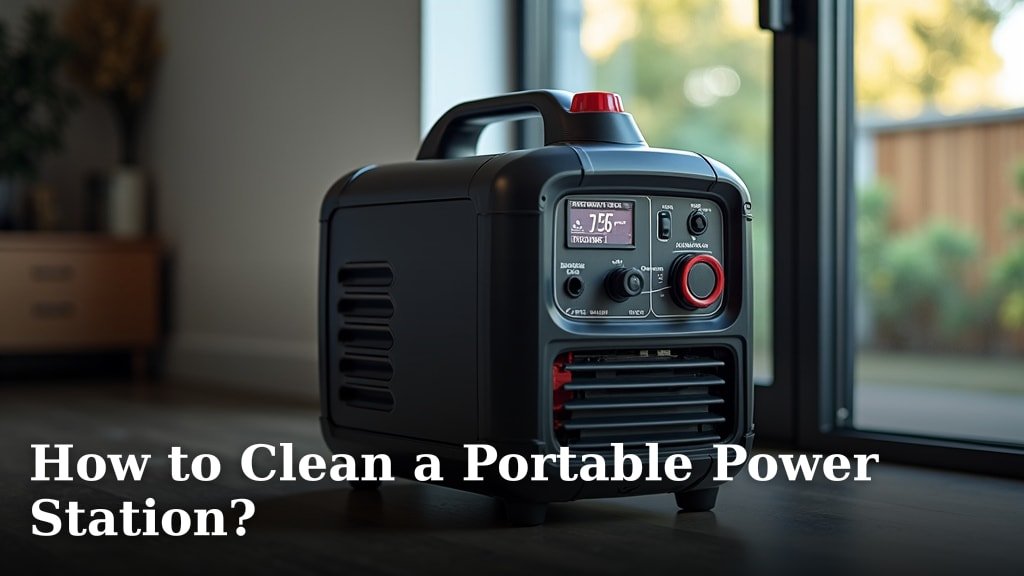
The easiest way to clean a portable power station is with a soft, dry, or slightly damp cloth to wipe down the exterior. For tougher dirt, you can use a mild cleaner, making sure no liquids get inside the unit. Always remember to power it off first for your safety.
Keeping your portable power station clean isn’t just about looks; it’s about making it last. Dust and grime can mess with its cooling system and ports. A little regular care ensures your power bank is always ready when you need it most, whether you’re camping or facing a power outage. We found that simple maintenance goes a long way in extending its lifespan.
- Always turn off your power station before cleaning.
- Use a dry or slightly damp cloth for general cleaning.
- Avoid harsh chemicals or excessive moisture.
- Gently clean ports and vents with compressed air or a soft brush.
- Regular cleaning helps maintain performance and longevity.
Ready to make your portable power station sparkle and run perfectly? Let’s walk through exactly how to clean it step by step, ensuring you protect your investment.
Getting Your Portable Power Station Ready for a Clean
Before you even think about cleaning your portable power station, it’s super important to prepare it properly. This isn’t just about getting it ready for a wipe-down; it’s about keeping you and your device safe. Think of it like prepping a kitchen before you start cooking a big meal – you wouldn’t just dive in, right?
Safety First: Powering Down and Disconnecting
The very first step is always to power off your portable power station completely. We’ve seen many people forget this, and it’s a big no-no. You don’t want any power running through it when you’re cleaning. After it’s off, disconnect any devices or cables plugged into it. This includes charging cables, USB devices, and anything else drawing power. Unplugging everything prevents accidental damage and ensures your safety.
Why is this so critical? Many experts, including those who design electronics, say that even a small amount of moisture or debris getting into a live circuit can cause a short circuit or damage components. It’s like working on an electrical outlet in your home; you always turn off the breaker first. Your power station is no different. For more details on safety, you can learn about how to use a portable power station indoors.
Finding the Right Cleaning Spot
Where you clean your power station matters. You want a clean, dry, and well-lit area. A kitchen counter or a sturdy table works perfectly. Avoid cleaning it on the floor where it might pick up more dust, or in a damp garage. A good workspace helps you see what you’re doing and keeps new dirt from clinging to your freshly cleaned device.
Your Essential Cleaning Toolkit
You don’t need a fancy arsenal of chemicals to clean your portable power station. In fact, simpler is usually better! Gathering your tools before you start makes the process much smoother. It’s like having all your ingredients measured out before you start baking; it just makes sense.
The Bare Necessities: What You’ll Need
Here’s a quick list of what we recommend you have on hand. Most of these items you probably already have around your house. We found that these simple tools are incredibly effective for routine maintenance and deeper cleaning.
- Soft, lint-free cloths: Microfiber cloths are ideal as they trap dust without scratching.
- Cotton swabs or Q-tips: Great for reaching small crevices and ports.
- Compressed air duster: Essential for clearing out vents and hard-to-reach spots.
- Soft-bristled brush (like a toothbrush): Useful for gently dislodging stubborn dirt.
- Mild cleaning solution: A small amount of rubbing alcohol or a very diluted soap solution (dish soap is fine).
- Distilled water: If using a damp cloth, distilled water helps prevent mineral buildup.
What to Avoid: Don’t Use These!
Just as important as knowing what to use is knowing what to avoid. Some cleaning products can be too harsh or even damaging to your power station’s casing or internal components. You wouldn’t use sandpaper to clean your car’s paint, right? It’s the same idea here.
- Abrasive cleaners: They can scratch or dull the surface.
- Harsh chemicals: Ammonia-based cleaners, bleach, or strong solvents can damage plastics and seals.
- Excessive water: Never spray water directly onto the unit. Water and electronics don’t mix!
- Steel wool or rough brushes: These can scratch your device.
Step-by-Step Exterior Cleaning Process
Now that you’re prepared, let’s get into the actual cleaning. The exterior is what you interact with most, so keeping it tidy is important. We’ll start with the general surface cleaning and then move to the more detailed areas.
Wiping Down the Main Casing
For everyday dust and smudges, a soft, dry, lint-free cloth is your best friend. Just gently wipe down all the accessible surfaces. We found this simple step keeps your power station looking good and prevents dust from building up. Think of it as a quick dust-off for your electronics.
For slightly tougher grime, you can use a slightly damp cloth. Damp means barely wet – almost dry to the touch. You might even wring out the cloth thoroughly and then let it air dry for a minute before using it. If you need a cleaning solution, dampen your cloth with a small amount of isopropyl alcohol (rubbing alcohol) or a very diluted solution of mild dish soap and distilled water. Always apply the cleaner to the cloth first, never directly to the power station (NIH).
When wiping, use gentle, circular motions. You don’t need to scrub hard. The goal is to lift the dirt, not push it around or into crevices. After using a damp cloth, follow up with a dry cloth to make sure no moisture is left behind. We can’t stress enough that moisture is the enemy here.
Cleaning Ports, Vents, and Display Screens
These areas need special attention because they are more sensitive and prone to collecting debris. Lint, dust, and crumbs love to hide in these spots, which can affect performance.
Clearing Out Ports and Vents
Your power station’s ports (USB, AC outlets, DC inputs) and cooling vents are vital. If these get clogged, your device might not charge properly or could overheat. Overheating is a big concern for electronics and can shorten their lifespan.
- First, use a can of compressed air. Hold it upright and use short bursts to blow dust out of the ports and vents. Make sure to keep the nozzle a few inches away to avoid forcing moisture or cold air directly into the components.
- For stubborn dirt that compressed air can’t dislodge, a cotton swab or a soft-bristled brush (like a clean, dry toothbrush) works well. Gently brush away any visible debris. Be very careful not to push anything further into the ports.
We’ve found that neglecting these areas is a common mistake. Regular checks of your vents and ports can prevent future problems, saving you time and potentially money on repairs.
Cleaning Display Screens and Buttons
Most portable power stations have a small display screen and various buttons. These can get greasy from fingerprints or collect dust. For the display, use a soft, dry microfiber cloth. If there are smudges, slightly dampen a corner of the microfiber cloth with water (distilled is best) or a screen cleaner designed for electronics. Wipe gently.
For buttons, use a dry cotton swab to get around their edges and remove any dust or grime that might make them sticky or unresponsive. You want those buttons to click nicely when you press them!
Regular Maintenance vs. Deep Cleaning
Understanding the difference between routine upkeep and a more thorough cleaning will help you maintain your power station effectively. It’s like knowing when to do a quick tidy-up versus a spring cleaning of your home.
| Cleaning Type | Frequency | Key Actions | Notes |
|---|---|---|---|
| Regular Maintenance | Weekly/Bi-weekly (or after heavy use) | Wipe exterior with dry/damp cloth, quick compressed air burst in vents. | Prevents dust buildup, keeps it looking new. Quick and easy. |
| Deep Cleaning | Monthly/Quarterly (or when visibly dirty) | All regular actions, plus detailed port/vent cleaning, screen wipe, button cleaning. | Addresses stubborn dirt, ensures optimal performance, extends lifespan. |
A Simple Checklist for Your Portable Power Station
To make it even easier, here’s a quick checklist you can run through whenever you decide it’s time for a clean. This ensures you cover all the bases and don’t miss anything important.
- Turned off and unplugged all cables.
- Wiped down the main casing with a soft cloth.
- Cleaned all ports with compressed air or cotton swabs.
- Dusted out cooling vents using compressed air.
- Wiped the display screen gently.
- Cleaned around buttons for sticky residue.
By following these steps, you’re not just cleaning your portable power station; you’re actively contributing to its longevity and reliability. A little effort now saves you from bigger headaches later. Plus, a clean power station just feels good to use, doesn’t it?
Conclusion
You’ve now got all the knowledge and tools to keep your portable power station in top condition. We’ve seen that a little regular effort, focusing on gentle cleaning and avoiding harsh chemicals, makes a huge difference. By following these straightforward steps, you’re not just cleaning; you’re actively safeguarding your investment and ensuring it performs reliably for years to come. So, grab your microfiber cloth and compressed air, and give your power station the care it deserves today!
Frequently Asked Questions
How often should I clean my portable power station?
For best results, aim for regular maintenance every one to two weeks, especially after heavy use. A deeper clean, targeting ports and vents, is recommended monthly or quarterly to prevent buildup and ensure optimal performance. It really depends on how often you’re using it and in what environments.
Can I use household glass cleaner on the display screen?
We advise against using standard household glass cleaners. Many contain ammonia or other chemicals that can damage the delicate coatings on electronic screens over time. Stick to a soft, dry microfiber cloth or a screen cleaner specifically designed for electronics, applied to the cloth first.
What should I do if my power station gets wet?
Immediately power it off and unplug all cables. Do not try to turn it back on. Wipe away any visible moisture with a dry cloth and allow it to air dry completely for at least 24-48 hours in a dry, well-ventilated area. If you’re concerned about internal damage, contact the manufacturer.
Is it okay to use a vacuum cleaner to clean the vents?
While a vacuum cleaner can remove loose dust, we don’t generally recommend it for delicate electronics. The static electricity generated by some vacuum cleaners can potentially harm internal components. Compressed air is a safer and more effective option for clearing out vents.
Can dust inside the power station really cause problems?
Yes, absolutely. Dust acts like an insulator, trapping heat and making your power station’s cooling system work harder. Over time, this can lead to overheating, reduced efficiency, and even shorten the lifespan of internal components. Keeping vents clear is crucial for proper airflow.
