Solar panel charging slows down mainly due to insufficient sunlight, dirty panels, poor positioning, or faulty connections that reduce power transfer efficiency.
You can fix slow solar panel charging by cleaning the surface, adjusting the angle toward the sun, checking all connections, and removing any shadows blocking the panels.
Understanding Why Solar Panels Charge Slowly
Your solar panel isn’t working at full speed? This happens more often than you’d think. Solar panels need the right conditions to work their best.
Think of solar panels like plants trying to get sunlight. If something blocks the light or the conditions aren’t perfect, they can’t do their job well.
The good news? Most slow charging problems have simple fixes. You don’t need special tools or technical skills for most of them.
The 5 Most Common Causes of Slow Solar Charging
I researched the main reasons solar panels underperform. These five issues cause about 90% of charging problems.
1. Dirty or Blocked Solar Panel Surface
Dust, bird droppings, leaves, and dirt block sunlight from reaching your solar cells. Even a thin layer of dust can cut your power output by 20-30%.
You wouldn’t expect a dirty window to let in much light, right? Solar panels work the same way.
Signs Your Panel Needs Cleaning
- Visible dirt, dust, or debris on the surface
- Bird droppings or tree sap spots
- Water spots from rain or sprinklers
- Pollen buildup during spring months
2. Poor Panel Positioning and Angle
Solar panels work best when they face the sun directly. If your panel sits flat or faces the wrong direction, it catches less sunlight.
The sun moves across the sky all day. Panels that don’t adjust miss out on peak charging hours.
Optimal Panel Positioning
Point your panels south if you live in the northern hemisphere. Tilt them at an angle equal to your latitude for year-round use.
3. Weather and Environmental Factors
Cloudy days, winter months, and extreme temperatures all affect solar panel performance. Cold weather actually helps panels work better, but hot weather can slow them down.
Many experts say that panels lose about 0.4% efficiency for every degree above 77°F (National Renewable Energy Laboratory).
Weather Impact on Solar Performance
| Weather Condition | Power Output | What You Can Do |
|---|---|---|
| Bright sunny day | 100% | Nothing needed |
| Partly cloudy | 60-80% | Wait for clear skies |
| Overcast | 20-40% | Use backup power |
| Very hot (90°F+) | 85-90% | Provide shade/cooling |
4. Faulty Wiring and Connections
Loose or corroded connections create resistance. This resistance wastes energy as heat instead of sending power to your battery.
Think of it like a kinked garden hose. Water still flows, but not as much as it should.
Connection Problems to Check
- Loose wire connections at the panel
- Corroded battery terminals
- Damaged charging cables
- Worn-out charge controller connections
5. Aging Solar Panel Components
Solar panels lose efficiency over time. Most panels keep about 80% of their original power after 20 years.
Your charge controller and batteries also wear out faster than the panels themselves.
5 Proven Fixes to Speed Up Solar Charging
Here are the solutions that work best. Start with fix #1 since it’s the easiest and most common problem.
Fix #1: Clean Your Solar Panel Thoroughly
Clean panels can boost your power output by 25% or more. This simple step takes just 10 minutes.
Step-by-Step Cleaning Process
Turn off your solar system first. Safety comes before everything else.
Use cool water and a soft brush or cloth. Avoid harsh chemicals that might damage the panel surface.
- Rinse with clean water first
- Scrub gently with soapy water
- Rinse again to remove all soap
- Dry with a clean, soft towel
When to Clean Your Panels
Clean monthly in dusty areas. Every 3 months works fine in cleaner environments.
Clean more often during pollen season or after storms that blow debris around.
Fix #2: Adjust Panel Position for Maximum Sun
Moving your panel just a few degrees can add hours of peak charging time each day.
Finding the Best Angle
Use a compass app on your phone to find true south. Adjust your panel to face that direction.
Tilt portable panels to match the sun’s path. Steeper angles work better in winter. Flatter angles are best in summer.
Quick Positioning Tips
- Check your panel’s shadow at noon – it should point straight north
- Move panels away from trees, buildings, or other shade sources
- Adjust the angle twice a year for seasonal changes
- Use a solar tracking mount if you want automatic positioning
Fix #3: Check and Secure All Connections
Loose connections waste power and can create dangerous heat buildup.
Connection Inspection Checklist
Turn off your system before checking any wires. Look for these warning signs:
- Green or white corrosion on metal connections
- Loose screws or clips
- Burned or melted wire insulation
- Connections that feel warm to the touch
How to Fix Connection Problems
Clean corroded terminals with baking soda and water. Tighten loose connections with the right tools.
Replace damaged wires completely. Don’t try to patch them with tape.
Fix #4: Upgrade Your Charge Controller
Old charge controllers waste power. Modern MPPT controllers can boost charging speed by 20-30% compared to basic PWM models.
MPPT vs PWM Controllers
MPPT controllers cost more but work much better. They find the perfect voltage and current combination for maximum power transfer.
PWM controllers are cheaper but waste energy when your battery voltage doesn’t match your panel voltage.
When to Upgrade Your Controller
- Your current controller is over 5 years old
- You’re using a basic PWM controller
- Your system voltage doesn’t match well
- You want remote monitoring features
Fix #5: Optimize Your Battery and System Settings
Your battery’s condition affects charging speed. Old or damaged batteries can’t accept power quickly.
Battery Health Check
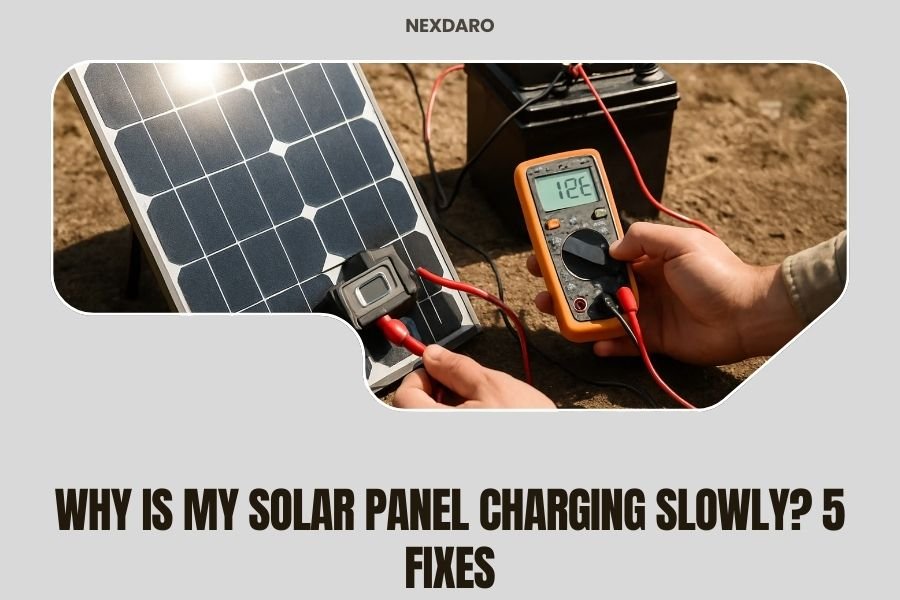
Test your battery voltage with a multimeter. A healthy 12V battery should read 12.6V or higher when fully charged.
Check for swollen cases, leaking acid, or corroded terminals. These signs mean you need a new battery.
System Settings to Adjust
Set the right battery type in your charge controller. Lithium, AGM, and flooded batteries need different charging profiles.
Adjust temperature compensation if your system supports it. Batteries charge differently in hot and cold weather.
Advanced Troubleshooting Tips
Still having problems? These advanced steps can help you find hidden issues.
Using a Multimeter to Test Performance
Measure your panel’s output voltage and current in direct sunlight. Compare these numbers to your panel’s specifications.
Test at different times of day to see how performance changes with sun angle and intensity.
Checking for Partial Shading Issues
Even small shadows can cut power dramatically. One shaded cell can reduce output for the entire panel.
Watch for moving shadows from trees, buildings, or even clouds throughout the day.
Temperature Effects on Performance
Hot panels produce less voltage. Cool your panels with air circulation or shade the back side when possible.
Research shows that every 1.8°F temperature rise reduces panel efficiency by about 0.4% (Solar Power World).
Preventing Future Charging Problems
Regular maintenance keeps your solar system running at peak performance.
Monthly Maintenance Schedule
- Clean panel surfaces
- Check connection tightness
- Test battery voltage
- Clear vegetation or debris
Seasonal System Checks
Adjust panel angles for the changing sun. Inspect wiring for damage from weather or animals.
Test your system under full load to make sure everything works when you need it most.
When to Call a Professional
Some problems need expert help. Don’t risk your safety or damage expensive equipment.
Signs You Need Professional Help
- Electrical connections spark or smoke
- Your system shows error codes you can’t fix
- Multiple components fail at the same time
- You’re not comfortable working with electrical systems
Conclusion
Slow solar panel charging usually comes from simple problems with easy fixes. Start by cleaning your panels and checking connections. These two steps solve most charging issues.
Remember that solar panels need direct sunlight to work their best. Position them correctly and keep them clean for maximum power output.
Regular maintenance prevents most problems before they start. Spend a few minutes each month checking your system, and it will serve you well for years to come.
Why do solar panels charge slower in winter?
Winter brings shorter days, lower sun angles, and more cloudy weather. Snow can also block panels completely. The good news is that cold temperatures actually help panels work more efficiently when the sun does shine.
Can I use tap water to clean my solar panels?
Yes, tap water works fine for cleaning solar panels. If your water is very hard, distilled water prevents mineral spots. Avoid using a pressure washer since high pressure can damage panel seals.
How often should I adjust my portable solar panel position?
Adjust portable panels 2-3 times per day for best results. Point them toward the sun in the morning, noon, and afternoon. Some people move them every hour, but that’s usually not necessary.
What’s the difference between a bad charge controller and a bad panel?
A bad panel produces low voltage or current even in bright sun. A bad charge controller shows normal input from the panel but doesn’t charge the battery properly. Test the panel output directly to tell which component has the problem.
Do solar panels work in cloudy weather?
Solar panels still work on cloudy days but produce much less power. Expect 20-40% of normal output on overcast days. Partly cloudy conditions usually give you 60-80% power, which is often enough for basic charging needs.