Yes, you can overcharge a power station if it lacks proper battery management systems, which may cause overheating, reduced battery life, or safety hazards.
Most modern power stations include built-in protection circuits that automatically stop charging when the battery reaches 100%, preventing overcharge damage.
Understanding Power Station Charging Systems
Your power station works like a giant smartphone battery. It stores energy and releases it when you need it. But just like your phone, what happens when it stays plugged in too long?
I researched how these devices handle charging, and found that quality matters a lot. Cheap power stations might skip important safety features. Better ones include smart charging circuits that know when to stop.
How Battery Management Systems Work
Think of a battery management system as a smart guard. It watches your battery constantly. When the charge hits 100%, it cuts off the power flow.
This system also monitors temperature. If things get too hot, it slows down or stops charging completely. Pretty neat, right?
Voltage Monitoring
The system checks voltage levels every second. When it reaches the safe maximum, charging stops automatically. No guesswork involved.
Current Control
Smart chargers reduce current as the battery fills up. It’s like slowing down as you approach a red light. This prevents sudden stops that could damage the battery.
What Happens When You Overcharge
Overcharging forces too much energy into your battery. The extra energy turns into heat. Heat damages battery cells and shortens their lifespan.
From what I read, lithium batteries are especially sensitive to overcharging. They can swell, leak, or even catch fire in extreme cases.
Battery Degradation Signs
Watch for these warning signs that your power station might be getting overcharged:
- Battery life drops faster than usual
- The unit gets hot during charging
- Charging takes much longer than normal
- Strange smells coming from the device
Physical Changes
Overcharged batteries sometimes swell or bulge. If you notice your power station looking puffy or misshapen, stop using it right away.
Different Battery Types and Overcharge Risk
Not all batteries handle overcharging the same way. Let me break down the common types you’ll find in power stations.
| Battery Type | Overcharge Risk | Safety Features |
|---|---|---|
| Lithium-Ion | Moderate | Built-in protection circuits |
| LiFePO4 | Low | Very stable chemistry |
| Lead-Acid | High | Requires careful monitoring |
Lithium-Ion Power Stations
Most portable power stations use lithium-ion batteries. I found that these batteries include built-in safety circuits. They’re pretty good at preventing overcharge on their own.
Protection Circuit Features
These circuits do three main jobs. They stop charging when full, prevent over-discharge, and cut power if temperatures get dangerous.
LiFePO4 Power Stations
LiFePO4 batteries are the safest option. They handle overcharging better than other types. Many experts recommend them for this reason.
Why LiFePO4 Is Safer
The chemistry is more stable. Even if something goes wrong, these batteries are less likely to overheat or catch fire.
Safety Tips to Prevent Overcharging
Want to keep your power station safe and working well? Here are some simple steps that really work.
Use the Right Charger
Always use the charger that came with your power station. Different chargers output different voltages. The wrong one could bypass safety systems.
I came across cases where people used random chargers and damaged their devices. Don’t risk it.
Check Charger Specifications
Look for voltage and amperage ratings on both your charger and power station. They should match exactly.
Monitor Charging Time
Most power stations charge fully in 6-8 hours. If yours takes much longer, something might be wrong.
Set Charging Reminders
Use your phone to set a timer. Unplug the charger once your power station hits 100%. Simple but effective.
Avoid Charging in Hot Places
Heat and charging don’t mix well. Keep your power station in a cool, dry place while charging. Direct sunlight or hot cars are big no-nos.
Ideal Charging Conditions
Room temperature works best. Between 60-75°F is perfect for most power stations.
Smart Charging Features to Look For
Shopping for a new power station? These features will help prevent overcharging problems.
Automatic Shutoff
This feature stops charging when the battery reaches 100%. It’s like having a smart assistant watching your device.
Pass-Through Charging
Some power stations can charge and power devices at the same time. Good ones manage this without overcharging the internal battery.
Temperature Controls
Look for power stations with built-in temperature sensors. They slow down or stop charging if things get too warm.
Cooling Fans
Internal fans help keep temperatures down during charging. This reduces overcharge risk and extends battery life.
Troubleshooting Charging Problems
Is your power station acting weird during charging? Here’s how to figure out what’s going on.
Won’t Stop Charging
If the charging light stays on even at 100%, unplug it immediately. The automatic shutoff might not be working.
Check the Display
Many power stations show charging status on a screen. If it reads 100% but keeps charging, contact the manufacturer.
Gets Too Hot While Charging
Some warmth is normal, but it shouldn’t be too hot to touch. Move it to a cooler spot and check if that helps.
When to Stop Using It
If your power station gets burning hot, makes strange noises, or smells funny, stop using it right away. These could be signs of serious problems.
Maintenance Tips for Long Battery Life
Taking care of your power station prevents charging problems and keeps it working longer.
Regular Use
Don’t let your power station sit unused for months. Batteries need regular charging and discharging to stay healthy.
Storage Charging Level
Store your power station at about 50% charge if you won’t use it for a while. This keeps the battery in good shape.
Clean the Charging Port
Dust and dirt can cause charging problems. Use compressed air to clean the charging port every few months.
Check for Corrosion
Look for any green or white buildup around charging connections. Clean it off with a dry cloth if you see any.
When to Replace Your Power Station
Even with good care, power stations don’t last forever. Here’s when it might be time for a new one.
Battery Performance Drops
If your power station only holds 50% of its original charge, the battery is wearing out. This usually happens after 3-5 years of regular use.
Charging Issues Increase
Frequent overheating, slow charging, or failure to reach 100% are signs the battery management system is failing.
Conclusion
You can overcharge a power station, but most modern units have safety features that prevent it. The key is choosing a quality device with proper battery management systems and following basic safety practices. Use the right charger, avoid extreme temperatures, and don’t leave it plugged in unnecessarily. With proper care, your power station will serve you safely for years. Remember, when in doubt, unplug it. A little caution goes a long way in preventing overcharge damage and keeping your investment working well.
Can I leave my power station plugged in overnight?
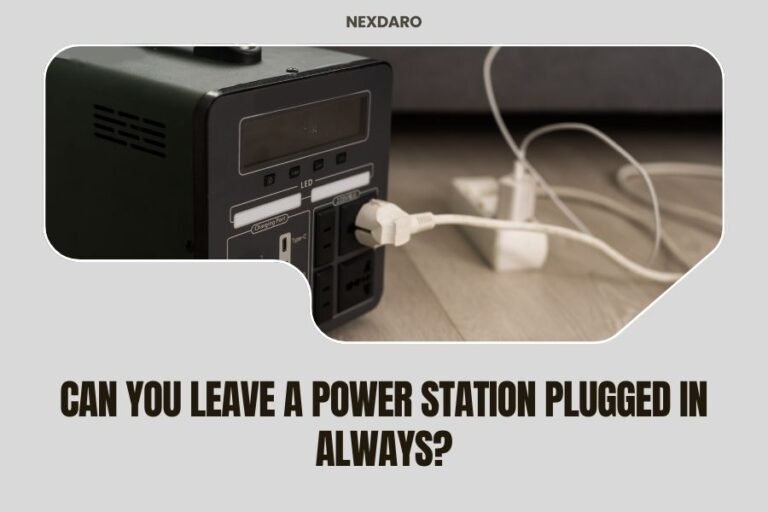
Most quality power stations with automatic shutoff can be left plugged in overnight safely. The built-in protection circuits stop charging when the battery reaches 100%. Just make sure you’re using the original charger and the device isn’t overheating.
How do I know if my power station is overcharging?
Signs include excessive heat during charging, the charging light staying on past 100%, unusual smells, or the device taking much longer to charge than normal. If you notice any of these symptoms, unplug the charger immediately and check your user manual.
What’s the difference between cheap and expensive power station charging systems?
Expensive power stations typically have better battery management systems with multiple safety layers, temperature monitoring, and automatic shutoff features. Cheaper models might skip these protections to cut costs, making them more prone to overcharging problems.
Can overcharging cause my power station to explode?
While extremely rare, severe overcharging can cause lithium batteries to overheat, swell, or in worst cases, catch fire. Modern power stations have multiple safety systems to prevent this, but always stop using any device that gets unusually hot, swells, or makes strange sounds.
Should I charge my power station to 100% every time?
For occasional use, charging to 100% is fine. For daily use, stopping at 80-90% can extend battery life. If storing long-term, keep it at around 50% charge and recharge every 3-6 months to maintain battery health.