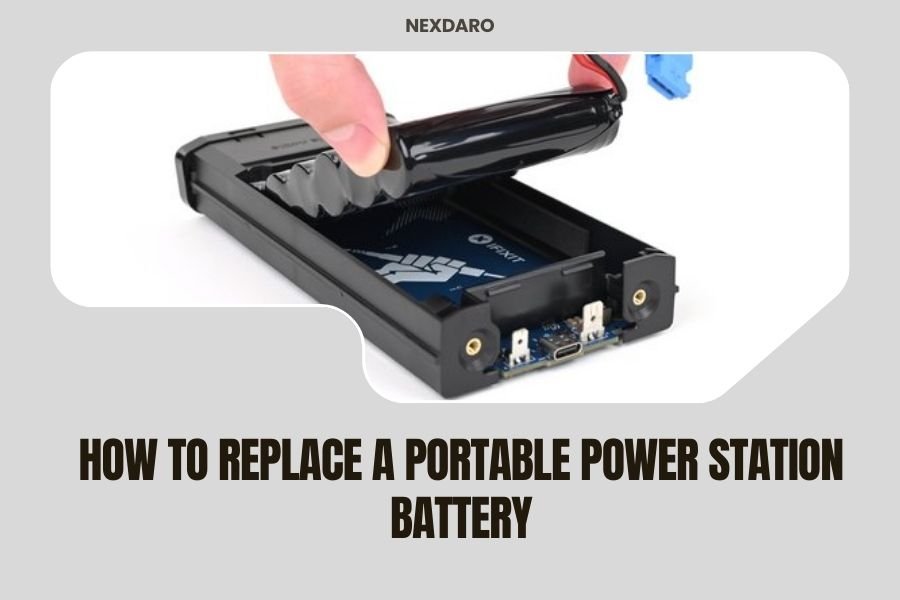
Yes, you can replace a portable power station battery, but the process varies by model and often requires technical skills and specific tools.
Most portable power station batteries are replaceable, though some manufacturers make it easier than others by offering user-replaceable battery packs or clear repair guides.
Why Your Portable Power Station Battery Needs Replacement
Your portable power station battery won’t last forever. Like your phone or laptop battery, it slowly loses capacity over time.
Most lithium batteries handle about 500 to 1,000 charge cycles before dropping to 80% of their original capacity. If you use your power station daily, that’s roughly 2-3 years of solid performance.
Signs Your Battery Is Dying
You’ll notice these warning signs when your battery starts failing:
- Shorter runtime than when new
- Takes much longer to charge fully
- Won’t hold charge when stored
- Display shows reduced capacity
- Unit shuts down unexpectedly
Can All Power Station Batteries Be Replaced?
Not all power stations are created equal. Some brands design their units for easy battery swaps, while others seal everything up tight.
From what I found online, brands like Goal Zero and Jackery offer some models with replaceable battery packs. But many budget brands make replacement nearly impossible without voiding your warranty.
Tools You’ll Need for Battery Replacement
Before you start, gather these essential tools. Having the right equipment makes this job much safer and easier.
Basic Tool Kit
- Screwdriver set (Phillips and flathead)
- Spudger or plastic prying tools
- Multimeter for testing
- Anti-static wrist strap
- Work gloves
- Good lighting or headlamp
Safety Equipment
Safety comes first when dealing with lithium batteries. These power cells pack serious energy and can be dangerous if mishandled.
- Safety glasses
- Fire extinguisher nearby
- Well-ventilated workspace
- Non-conductive work surface
Step-by-Step Battery Replacement Process
Ready to tackle this project? Let’s walk through it step by step. Take your time and don’t rush any part of this process.
Step 1: Power Down and Disconnect Everything
First things first: turn off your power station completely. Unplug all cables and accessories.
Let the unit sit for at least 30 minutes after powering down. This gives internal capacitors time to discharge safely.
Step 2: Remove the Outer Case
Most power stations use standard screws to hold the case together. Look for screws on the bottom or back panel.
Some units have hidden screws under rubber feet or labels. Gently peel back these covers to find all fasteners.
Watch for Different Screw Types
Manufacturers often use different screw sizes in one unit. Keep screws organized in small bowls so you don’t mix them up during reassembly.
Step 3: Locate and Disconnect the Battery
Once inside, you’ll see the battery pack. It’s usually the largest component and connects with thick wires or a connector block.
Take photos before disconnecting anything. These pictures will save you headaches when putting everything back together.
Handle Connections Carefully
Battery connections carry high current. Wiggle connectors gently while pulling straight out. Never yank on the wires themselves.
Step 4: Remove the Old Battery
Some batteries just lift out once disconnected. Others may have mounting brackets or adhesive strips holding them in place.
If your battery uses adhesive, warming it slightly with a hair dryer can soften the glue for easier removal.
Finding the Right Replacement Battery
Getting the wrong battery can damage your power station or create safety hazards. Here’s how to find the perfect match.
Check Your Original Battery Specifications
Look for a label on your old battery showing these key specs:
- Voltage (usually 12V, 24V, or higher)
- Capacity in amp-hours (Ah) or watt-hours (Wh)
- Chemistry type (LiFePO4, Li-ion, etc.)
- Physical dimensions
- Connector type
OEM vs. Third-Party Batteries
Original manufacturer batteries cost more but guarantee compatibility. Third-party options can save money but require more research to ensure they match your specs exactly.
I found that many power station owners successfully use compatible batteries from battery specialty retailers. Just double-check all specifications first.
Where to Buy Replacement Batteries
Check these sources for replacement batteries:
- Manufacturer’s website or customer service
- Electronics repair shops
- Battery specialty stores
- Online marketplaces (with careful spec matching)
Installation Tips for Your New Battery
Installing your new battery is basically the reverse of removal, but these tips will help you avoid common mistakes.
Test Before Final Assembly
Connect your new battery and test basic functions before closing up the case. This saves you from taking everything apart again if something’s wrong.
Check that the display shows proper voltage and capacity readings. Try charging and discharging briefly to confirm everything works.
Secure All Connections
Loose battery connections cause problems ranging from poor performance to dangerous arcing. Make sure all connectors seat fully and feel secure.
Route Wires Properly
Battery wires carry high current and can get hot. Keep them away from sharp edges and make sure they won’t get pinched when you close the case.
Safety Considerations During Battery Replacement
Lithium batteries store lots of energy in a small space. Respect their power and follow these safety guidelines.
Fire Safety
Keep a proper fire extinguisher nearby when working with lithium batteries. Regular water-based extinguishers won’t work on electrical fires.
Work in a well-ventilated area away from flammable materials. If a battery starts smoking or gets hot, move it outside immediately.
Proper Disposal of Old Batteries
Don’t throw your old battery in regular trash. Lithium batteries require special recycling to prevent environmental damage.
Many electronics stores and battery retailers accept old lithium batteries for recycling. Some municipalities have special collection days for electronic waste.
When to Call a Professional
Sometimes DIY isn’t the best approach. Consider professional repair in these situations:
- Your unit is still under warranty
- You’re not comfortable with electrical work
- The battery is integrated into complex circuitry
- You can’t find clear disassembly instructions
Cost Comparison: DIY vs. Professional Repair
Professional battery replacement typically costs 60-80% of a new unit’s price. DIY replacement usually runs 30-50% of replacement cost, but only if you’re comfortable doing the work safely.
| Option | Cost Range | Risk Level | Time Required |
|---|---|---|---|
| DIY Replacement | 30-50% of new unit | Medium | 2-4 hours |
| Professional Repair | 60-80% of new unit | Low | 1-2 weeks |
| Buy New Unit | 100% | None | Immediate |
Extending Your New Battery’s Life
Once you’ve installed a new battery, you want it to last as long as possible. These practices will help maximize its lifespan.
Optimal Charging Habits
Don’t let your power station sit at 100% charge for weeks at a time. Most experts recommend storing lithium batteries at 40-60% charge for long-term health.
Avoid completely draining the battery regularly. Lithium batteries prefer partial discharge cycles over deep cycling.
Temperature Management
Heat is the enemy of battery life. Store your power station in cool, dry places when not in use.
If you’re using it in hot weather, try to keep it in shade and ensure good airflow around cooling vents.
Conclusion
Replacing a portable power station battery is definitely possible, but it requires careful planning and attention to safety. While some units make battery replacement straightforward, others need technical skills and specialized tools. The key is matching your replacement battery specifications exactly and taking proper safety precautions throughout the process. Whether you tackle it yourself or hire a professional depends on your comfort level with electrical work and the complexity of your specific unit. Either way, a fresh battery can give your power station years of additional reliable service.
Can I use a higher capacity battery in my power station?
Generally no, unless your power station’s charge controller can handle the increased capacity. Using a battery with different voltage or significantly higher capacity can damage the charging circuitry or create safety hazards.
How long does a portable power station battery replacement take?
For experienced DIYers, battery replacement typically takes 2-4 hours including testing. First-timers should plan for a full day, taking breaks to research each step carefully and ensure safe handling.
Will replacing the battery void my warranty?
Most manufacturers void warranties when you open the case, even for battery replacement. Check your warranty terms before starting, as professional repair might be covered while DIY replacement isn’t.
What’s the difference between LiFePO4 and Li-ion batteries for power stations?
LiFePO4 batteries last longer with more charge cycles but cost more upfront. Li-ion batteries are cheaper but have shorter lifespans. Never substitute one chemistry for another without confirming compatibility with your charge controller.
How do I know if my power station is worth repairing versus buying new?
If battery replacement costs more than 50% of a new equivalent unit’s price, buying new usually makes more sense. Also consider the age of other components like the inverter and charge controller, which may fail soon after an old battery.