Can the Anker SOLIX C1000 Serve as a Battery Backup?
Yes, the Anker SOLIX C1000 can serve as a battery backup for many home loads during an outage, because it has 1,056Wh of capacity and 1,800W output. It works best for lights, phones, a laptop, a fridge, and a TV, so match the load to its watt and watt-hour limits before you count on it.
On this page (9 sections)
- Can the Anker SOLIX C1000 battery backup handle a full outage?
- What appliances can the Anker SOLIX C1000 run?
- How long will an Anker SOLIX C1000 battery backup last?
- Can you use the Anker SOLIX C1000 as a UPS?
- Is the Anker SOLIX C1000 better than a smaller power station?
- What should you plug in first during an outage?
- How do you protect appliances from bad power?
- How do you charge and care for the C1000?
- Should you buy the Anker SOLIX C1000 for battery backup?
Yes, the Anker SOLIX C1000 can serve as a battery backup for many home loads during an outage, because it has 1,056Wh of capacity and 1,800W output. It works best for lights, phones, a laptop, a fridge, and a TV, so match the load to its watt and watt-hour limits before you count on it.
We checked the specs for this Anker SOLIX C1000 battery backup question. The unit has a LiFePO4 battery with 3,000 cycles over a 10-year lifespan, according to Anker.
It also has 11 ports and SurgePad output up to 2,400W peak, with 1,800W rated output. Those numbers tell you what it can start and what it can run.
Can the Anker SOLIX C1000 battery backup handle a full outage?
It can handle selected loads, not a whole house. Think of it as a short-term home backup for essentials, not a whole-home system.
A full house has electric ranges, washers, dryers, and HVAC loads that can exceed 1,800W for long periods.
For a modest outage, it can run a fridge, lights, phones, a Wi-Fi router, a laptop, and a TV at the same time if the total stays under 1,800W. Start the biggest load first, then add smaller loads one by one.
That order helps you find the limit without a sudden shutoff.
The C1000 weighs 27.6 pounds, so it's not a light grab-and-go unit. It suits a fixed spot in a closet, garage, or storage room where you can plug it in and keep it charged.
If you need power in another room, plan cord length first.
What appliances can the Anker SOLIX C1000 run?
It can run many common appliances under 1,800W, and SurgePad helps with motor surge. Anker says SurgePad delivers up to 2,400W and 99% of appliances can be powered.
That claim is about starting surge, not about running a large load for hours.
Good fits include a refrigerator, TV, laptop, phone chargers, LED lights, a fan, a Wi-Fi router, and a CPAP if the device fits the watt limit. A microwave may work for short bursts, but check its watt rating first.
A space heater, electric kettle, or hair dryer will drain the battery fast.
High-draw appliances like a washer or electric stove need careful checks. A washer can spike when the motor starts.
An electric stove uses far more than 1,800W on most burners. Don't assume a device works just because it plugs in.
The box includes the Anker SOLIX C1000 Portable Power Station, an AC charging cable, a car charging cable, and a user guide. The unit measures 14.8 x 8.07 x 11.02 inches.
It has an app for custom charging speeds and power tracking, per Anker.
How long will an Anker SOLIX C1000 battery backup last?
Runtime depends on total watts, not just device count. Use this math: 1,056Wh x 0.9 / total watts = estimated hours.
Anker uses 0.9 for AC conversion loss.
That gives a rough guide, not a promise.
At 100W, runtime is about 9.5 hours. At 300W, it's about 3.2 hours.
At 800W, it's about 1.2 hours. At 1,500W, it's about 38 minutes.
Those times drop if a fridge compressor runs often or a motor starts hard.
Sensitive electronics also need stable output. Anker lists 60 hertz frequency and 1800 watts output wattage.
That helps with most home electronics, but check your device manual for any special power needs.
How do you size your load for the C1000?
List each device and its watts from the label or manual. Add the watts for everything you plan to run at once.
Keep the total under 1,800W, and leave headroom for start-up spikes.
Do a test run on a calm day. Plug in your fridge and TV, then add lights and chargers.
Note the battery level after 30 minutes. That test shows real runtime better than math alone.
Can you use the Anker SOLIX C1000 as a UPS?
Anker lists UPS use, but a power station is not the same as a dedicated UPS. A true UPS is built for instant switchover for a PC or server.
A power station may have a short transfer delay and a different outlet layout.
If you need backup for a desktop PC, read about Can You Use a Power Station as a UPS? What to Know.
That guide explains transfer time and why some devices reboot. It also covers which loads are safe and which need a separate UPS.
For a PC, our guide on how to use a power station as a UPS for PC is a useful next step. It covers plug order, load checks, and safe shutdown steps.
A laptop is easier than a desktop because the laptop battery can bridge a short gap.
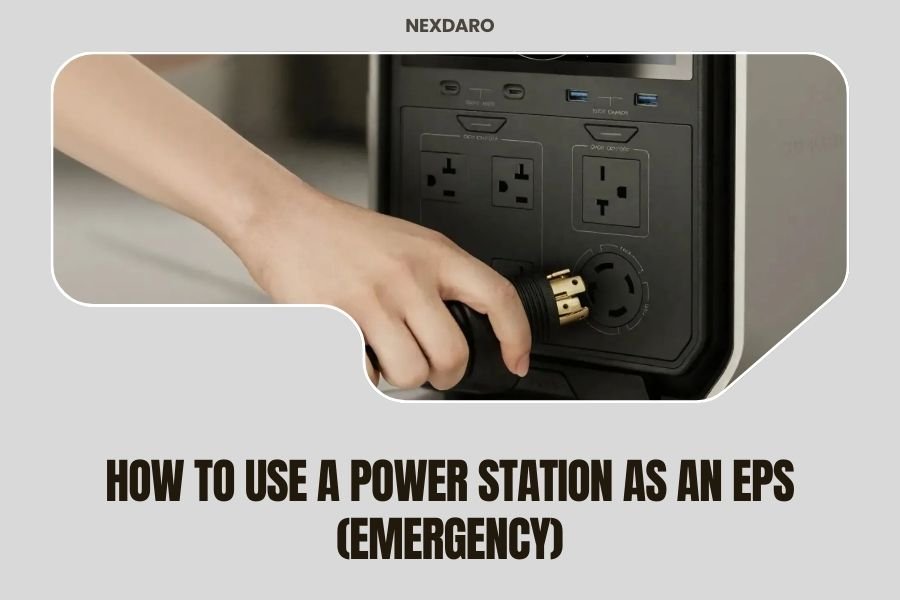
For a broader emergency plan, use our How to Use a Power Station as an EPS (Emergency) guide. EPS means emergency power supply mode, which is often how people use a station during an outage.
It helps you set priorities before power fails.
Is the Anker SOLIX C1000 better than a smaller power station?
It is better for home backup, but worse for light travel. The C1000 has 1,056Wh, which is far more than a small unit.
That extra capacity helps with a fridge and several rooms at once.
The trade-off is weight and size.
A smaller station suits camping, a CPAP, or charging phones on the go. It won't run a fridge for long.
The C1000 suits home use where weight matters less and runtime matters more.
The Jackery Explorer 300 has 292Wh capacity and 300W rated output with 600W peak surge. It has 2 AC outlets, a 100W USB-C PD port, 2 USB-A ports, and a 120W car port.
Anker's larger capacity is the main reason to pick the C1000 for home backup.
If you compare brands, you may also see a ecoflow river 3 plus as ups page. That page helps you compare UPS-style use across models.
Compare capacity, output, weight, and transfer behavior before you choose.
What should you plug in first during an outage?
Plug in the fridge first, then lights and comms, then TV and laptop. That order protects food and keeps you in touch with others.
It also keeps the initial load low, so you can add more with control.
Keep a written priority list by the unit. List your fridge watts, router watts, phone charger watts, light watts, and TV watts.
Add them up. If the total is over 1,800W, drop the lowest priority item.
Don't run a space heater on battery backup unless you must. Heaters use 1,000W to 1,500W and will empty the C1000 in about an hour.
A fan uses far less and is a safer choice for comfort.
For a stairlift or medical device, don't rely on a general power station without expert advice. Our page on Battery Backup for Stairlifts: Power Stations explains why those loads need special planning.
Safety comes first for medical and mobility devices.
How do you protect appliances from bad power?
Use a surge protector between the station and sensitive appliances. An outage can bring voltage swings when power returns.
A protector helps guard a fridge, TV, or computer from spikes and brownouts.
The BSEED unit interrupts current for voltage spikes, brownouts, and high or low voltage. It has a 3-minute delay function so voltage can stabilize before power returns to the appliance.
It suits air conditioners, freezers, ice makers, washing machines, and refrigerators, per BSEED.
If you need a different backup approach for a car battery, see our Best Power Inverter For Car Battery Backup guide. That option suits vehicle-based backup, not a portable station at home.
Choose based on where you will use the power.
How do you charge and care for the C1000?
Charge it with AC for speed, or with solar up to 600W. Anker says UltraFast recharging reaches 80% in 43 minutes and a full charge in under an hour with AC input.
That speed needs the Anker app and an ambient range of 68 to 122 degrees Fahrenheit.
Solar charging is up to 600W, with a full charge in 1.8 hours under ideal sun. Anker recommends an 11 to 60V solar charger with XT-60 connector.
For 11 to 32V, current is 10A max. For 32 to 60V, current is 12.5A max.
Anker says AC and DC inputs cannot be used at the same time. If both are connected, AC input takes priority.
Keep that rule in mind if you plan solar during an outage.
Store the unit at a moderate charge if you won't use it for months. Check the manual for the exact storage charge and temperature range.
Keep vents clear and the unit dry. LiFePO4 chemistry helps with cycle life, but heat and long storage still age any battery.
Should you buy the Anker SOLIX C1000 for battery backup?
Buy it if you want more than 1,000Wh for home essentials and you can lift 27.6 pounds. It suits a fridge, lights, router, TV, laptop, and phones during a short outage.
It does not suit a whole house, a large HVAC load, or a heavy electric stove.
Pick a smaller station if you mainly need light travel power. Pick a dedicated UPS if you need instant protection for a desktop PC or server.
Pick the C1000 if home backup runtime matters most.
Our score weighs specs, features and buyer feedback against what you're shopping for. For this post, the C1000 scores well on capacity, output, and charge speed.
The Jackery Explorer 300 scores well for portability. The BSEED protector scores well as a low-cost guard for appliances.
Final check for your Anker SOLIX C1000 battery backup plan: write down your load list, run a test, and keep the unit charged. That simple routine turns a spec sheet into a plan you can trust.
Frequently asked questions
Can the Anker SOLIX C1000 run a refrigerator during an outage?
It can run many refrigerators, but runtime depends on compressor draw. Use the formula 1,056Wh x 0.9 / device watts for a rough estimate, then cut that estimate if the fridge cycles hard.
A smaller unit works better for a fridge alone, while the C1000 suits mixed household loads.
Is the Anker SOLIX C1000 a true UPS for a PC?
Anker lists UPS use, but a power station is not the same as a dedicated computer UPS. Transfer time, outlet layout, and load limits matter for sensitive electronics.
For a PC, read our guide on how to use a power station as a UPS for PC before you rely on it for a workday.
How long will the C1000 power my devices?
Runtime is about 1,056Wh x 0.9 / total watts. A 100W load gives about 9.5 hours in theory, a 300W load gives about 3.2 hours, and an 1,800W load will drain it in under 30 minutes.
Real runtime is often lower because motors and compressors draw more at start.