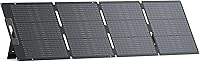
How to Choose a 200W Solar Panel for Anker SOLIX C1000
A 200W solar panel can be a useful match for the Anker SOLIX C1000, but check the station’s solar input limits and connector requirements first. A panel’s wattage alone does not confirm compatibility.
On this page (7 sections)
- Can you use a 200W solar panel with an Anker SOLIX C1000?
- What should you check before choosing a 200W panel?
- Which cable options help connect or place a panel?
- Is a 200W solar bundle a good choice for the C1000?
- How much charging should you expect from a 200W panel?
- What should you confirm before connecting the panel?
- Which 200W solar panel setup makes sense for your C1000?
A 200W solar panel can be a useful match for the Anker SOLIX C1000, but check the station’s solar input limits and connector requirements first. A panel’s wattage alone does not confirm compatibility.
Before buying, compare the panel’s electrical specifications with the C1000 manual, then confirm whether you need an adapter or extension. For a wider model-specific comparison, see our best solar panels for Anker SOLIX C1000.
Can you use a 200W solar panel with an Anker SOLIX C1000?
A 200W panel can be considered for the C1000 if its voltage, current and connector suit the station’s solar input. Use the C1000 manual and the panel specifications to verify the match, since wattage by itself does not tell you whether the electrical connection is safe or supported.
Check these details before you connect anything:
- The C1000’s permitted solar input voltage and current
- The panel’s operating voltage and current
- The connector type on the panel cable
- Any adapter required to reach the station’s input
- Whether the panel’s wiring configuration changes its output
Do not assume that a panel advertised for another power station will work with the C1000. If a specification is unclear, contact the station or panel manufacturer before connecting it.
What should you check before choosing a 200W panel?
Choose by electrical compatibility, connector fit and how you’ll place the panel. Those checks matter more than the 200W label when deciding whether a particular panel will suit the C1000.
Do the panel’s electrical limits fit the C1000?
Compare the panel’s voltage and current with the C1000’s supported solar input range. The panel’s rated output can vary with sunlight and conditions, but its electrical specifications still need to fall within the station’s limits.
If you plan to connect more than one panel, check the combined voltage and current for the wiring method you intend to use. Series and parallel connections affect those values differently, so follow manufacturer instructions instead of estimating from the panel wattage.
Does the connector fit without an unsuitable adapter?
Confirm the connector on the panel cable and the C1000 input. If they differ, choose an adapter made for those exact connector types and the relevant electrical limits.
A cable that physically plugs in is not automatically the right cable. Our guide to the best Anker SOLIX C1000 solar cable covers what to check when you need an adapter or extension.
Can you place the panel where it gets sun?
A 200W panel needs a usable, sunny spot to contribute meaningful charging. Think about shade, panel angle, available ground or roof space, and how far the panel will sit from the power station.
A longer cable can make placement easier, but keep the run as short as practical. Check the cable’s ratings and connectors before adding an extension.
Which cable options help connect or place a panel?
Choose a cable based on the connection you need: an adapter for a connector mismatch, or an extension when the panel needs to sit farther away. Verify the cable’s ends and ratings against the actual panel and C1000 setup.
This COMeap cable has MC4 connectors at one end and an XT60 plug at the other, with 10AWG wire. Its stated compatibility includes the C1000, but check that those are the exact connector types your panel and station require.
The cable is short, so it may work better when the panel can sit close to the station. Its listed current and voltage ratings do not replace checking the limits for your full setup.
The Bateria Power cable has male-to-female solar connectors and a 30 ft length. Its specifications identify it as an outdoor extension for solar panels, inverters, charge controllers and battery systems, but you still need to confirm the connector and electrical match for your setup.
A long run can add resistance, so use the shortest length that lets you place the panel safely in sun. Don’t connect it based only on the cable’s general compatibility wording.
For cable alternatives and connector guidance, compare the options in our Anker SOLIX C1000 solar cable guide.
Is a 200W solar bundle a good choice for the C1000?
A bundle is a good fit when you need the included station and panel together, but a bundle’s panel should not be assumed to work with the C1000. Check which power station the bundle includes and verify the panel’s output and connectors for any station you already own.
This bundle includes a Jackery Explorer 1000 v2 and a 200W solar panel, so it is a separate power-station setup rather than a C1000 panel recommendation. For more solar-equipped options from that brand, see Jackery power stations with solar panels.
Jackery says the panel can charge the Explorer 1000 v2 to 80% in 6 hours, but that claim is for the Jackery station and its stated conditions.
Consider this option if you want a matched Jackery system. For the panel side of that setup, see Explorer 1000 V2 solar panels.
If you already have an Anker SOLIX C1000, verify compatibility for any panel you plan to use with it instead of relying on the bundle’s wattage.
If you are comparing complete systems, our best portable power station with solar panel guide can help you weigh bundled setups. For a different Anker model, see how to choose solar panels for an Anker SOLIX F3800.
How much charging should you expect from a 200W panel?
Treat 200W as a panel rating, not a guaranteed charging rate. Actual solar input changes with sunlight, shade, angle, temperature and the station’s limits.
A panel pointed toward strong, direct sun may produce more than one placed in partial shade or at a poor angle. Clouds, dirt and nearby objects can reduce output as well.
Plan charging around the conditions where you’ll use the panel. If you need a predictable charge window, avoid basing that plan on the rated wattage alone.
What should you confirm before connecting the panel?
Read the C1000 manual and panel instructions before connecting them. Confirm the electrical limits, cable path and connector fit as a complete system, including any adapter or extension.
Use this checklist:
- Find the C1000’s supported solar input voltage and current.
- Compare those limits with the panel’s output specifications.
- Confirm the panel connector and C1000 input connector.
- Check each adapter and extension cable’s connector type and ratings.
- Keep the panel and cable positioned as their instructions require.
- Stop if a rating is missing or unclear, and ask the manufacturer.
Do not connect panels in series or parallel unless the manufacturers’ instructions support that arrangement. A wiring change can affect the combined voltage or current.
Which 200W solar panel setup makes sense for your C1000?
Pick a panel only after confirming its electrical output and connector match the C1000. Choose a short adapter cable for a connector mismatch, an extension for a longer panel placement, and a bundle only if you also want its included station.
For a broader model-specific panel comparison, start with our best solar panels for Anker SOLIX C1000. If you are considering a smaller Anker station instead, compare solar panels for the Anker SOLIX C300.
Frequently asked questions
Can you use a 200W solar panel with an Anker SOLIX C1000?
A 200W panel may be suitable if its electrical output and connector match the C1000’s solar input requirements. Check the station manual for permitted voltage, current and connection details, then compare them with the panel’s specifications before connecting it.
Does a 200W panel charge the C1000 at 200W?
A panel’s 200W rating is not a promise of 200W charging. Sun angle, shade, temperature, panel orientation and the station’s input limits can affect the power reaching the battery, so plan around variable conditions.
Do you need a special cable for the Anker SOLIX C1000?
You need a cable with the right connector at both ends and electrical ratings that suit the panel and station. Check the C1000 manual and the panel instructions before choosing an adapter or extension cable.
Is a solar generator bundle better than buying a panel for the C1000?
A bundle can be convenient when you need both a power station and a panel, but it may pair a different station with the panel. Confirm that the bundle’s panel is compatible with the Anker SOLIX C1000 before treating it as a C1000 charging option.
Can you connect a 30 ft extension cable to a 200W panel?
A 30 ft extension may help place a panel in better sun, but cable length and electrical ratings matter. Confirm connector fit and system limits, and account for possible power loss through a longer cable.