Which Expansion Battery Fits the Anker SOLIX C1000?
The Anker SOLIX BP1000 Expansion Battery is the compatible expansion option for the original SOLIX C1000. Confirm your station’s exact model and follow both units’ setup instructions before connecting it.
On this page (10 sections)
- Which Anker SOLIX C1000 expansion battery fits?
- How do you decide whether to add an expansion battery?
- Who should choose the BP1000, and who should skip it?
- How can you check compatibility before buying?
- How do you set up an expansion battery safely?
- What mistakes should you avoid with a C1000 expansion battery?
- Are these other batteries and chargers C1000 accessories?
- How should you care for the expanded setup?
- How much does an expansion battery change runtime?
- What should you buy for a C1000?
The Anker SOLIX BP1000 Expansion Battery is the compatible expansion option for the original SOLIX C1000. If you’re comparing anker solix c1000 expansion battery options, start by checking the exact model on your power station and matching it to the battery’s compatibility guidance.
An expansion battery gives a compatible power station more stored energy for longer use between charges. For another model-specific option, see EcoFlow DELTA 3 extra battery choices.
It does not automatically make the station able to run higher-wattage devices, and it cannot be replaced by any battery that happens to share a voltage or connector shape.
This guide explains how to decide whether the BP1000 suits your needs, what to check before buying, and how to plan a practical setup. It also separates true expansion batteries from unrelated batteries and chargers, so you can avoid buying an accessory that won’t serve your C1000.
If you’re still weighing the basic concept, read our guide to how an expandable power station works. For a wider look at compatible add-on packs, see our guide to power station expansion batteries.
Which Anker SOLIX C1000 expansion battery fits?
Choose the Anker SOLIX BP1000 Expansion Battery for the original SOLIX C1000. Confirm that your station is the original model and check the compatibility and connection instructions before ordering.
That model check matters because “C1000” may appear alongside other model names or variants in product searches. Read the label on your station, not just the name in an old receipt or the color of the casing.
If the model name differs, confirm compatibility for that precise version before buying.
An expansion pack is a system accessory, not a generic battery. The station and battery need a supported connection and charging method, and the instructions explain how to use them together.
A connector that seems to fit, or a battery with a similar voltage, is not enough to establish compatibility.
The BP1000 is the right direction if your goal is more stored energy for a compatible original C1000. If your goal is higher output, more outlets, or a different power station, an expansion battery may not address the problem.
Check the station’s output ratings separately.
How do you decide whether to add an expansion battery?
Add an expansion battery when your main limit is runtime and you want to keep using the C1000. If the station already runs your devices long enough, or its output limits are the issue, the extra battery may not solve the problem.
Start with the devices you expect to power. Write down each device’s typical wattage and the number of hours you need it to run.
For items that cycle on and off, such as a fridge, estimate the average use over the full period rather than assuming the compressor draws its startup wattage continuously.
Add the energy needs together to estimate the capacity you want. Watt-hours are a useful way to compare stored energy with the energy your devices use over time.
This estimate is a planning tool, not a guarantee of runtime, since actual use depends on device behavior, conversion losses, and conditions.
If your current station runs out of energy before your planned use ends, an expansion battery may be a sensible next step. If the station shuts off because a device exceeds its output limit, more stored energy alone will not fix that.
Check both the watt-hours you need and the watts your devices draw.
For a more detailed sizing process, use our guide to calculating watt-hours for appliances. To see how added storage differs from output capability, read continuous and surge watt ratings explained.
Who should choose the BP1000, and who should skip it?
Choose the BP1000 if you own the original SOLIX C1000, need longer runtime, and want to keep that station as the center of your setup. Skip it if you have a different model, don’t need more runtime, or need a change to output rather than capacity.
It can make sense for planned backup use where the C1000 already runs the devices you need but does not last as long as you want. The same logic applies to a campsite, workshop, or mobile setup: first confirm that the station’s output supports the devices, then decide whether more stored energy would help.
You may want to skip an expansion battery if your power needs are occasional and already fit within the station’s capacity. An extra battery takes up room and adds another item to store, move, charge, and care for.
If you rarely reach the station’s low-battery warning, the added capacity may sit unused.
Skip the BP1000 if your station is not the original C1000 until you verify the exact model match. Also skip generic 12V batteries and expansion packs intended for other power stations.
They are not safe substitutes simply because they are rechargeable or share the Anker name.
If you need more output, compare power stations with the required ratings instead of assuming an add-on battery changes what the C1000 can deliver. Our Anker SOLIX C1000 review can help you revisit the station itself before you add capacity.
How can you check compatibility before buying?
Match the exact power station and expansion battery models, then confirm the supported connection method. This simple check prevents confusion between an expansion pack, a replacement battery, and an unrelated charger.
Use this pre-buy checklist:
- Find the model name printed on your power station.
- Confirm that the expansion battery is identified as compatible with that model.
- Check which cable or connection method the setup requires.
- Read the startup, charging, and safety instructions for both units.
- Confirm that the battery will fit where you plan to keep the station.
- Make sure the combined setup will still meet your portability and storage needs.
If the model name is unclear, stop before buying and ask Anker to confirm the match. Don’t decide based on a familiar product family, voltage number, or connector appearance.
Those details don’t show whether the battery and station communicate and operate as intended.
Check where you’ll place the battery, too. A home backup setup may have a stable spot beside the station, while a car-camping kit may need to be packed and moved often.
Consider cable routing, access to the station’s controls, and room to keep the units on a stable, dry surface.
For a second model-specific example, see our guide to Anker SOLIX F3800 Plus expansion battery compatibility. Its main lesson applies here: a battery for one station should not be treated as interchangeable with a battery for another.
How do you set up an expansion battery safely?
Set up the BP1000 by following the connection sequence and operating limits in the instructions for both devices. Use a stable, dry location, keep ventilation areas clear, and avoid improvising adapters or wiring.
Before connecting anything, inspect the battery, station, and cable for visible damage. Put the station and expansion battery on a level surface where they are protected from rain, spills, and direct heat.
Leave the space around ventilation openings clear, and route the cable so people won’t trip over it or pull it loose.
Read the instructions before powering on or connecting the units. Follow the specified order, use only the intended cable and ports, and confirm that the station recognizes the expansion battery as described.
If the station shows an error or the connection does not behave as expected, stop and consult the troubleshooting guidance instead of repeatedly reconnecting it.
Once connected, check the displayed capacity and charging status before relying on the setup. A short, supervised check with a modest load can help you understand the controls and confirm that the station reports the added energy.
Keep critical loads on the setup only after you know how the station behaves during ordinary use.
An expansion battery adds stored energy, but total usable energy will be lower than the battery’s nominal capacity after system losses. Devices with motors or compressors may also have startup demands that differ from their steady draw.
Plan with margin rather than treating a screen estimate as a guaranteed number of hours.
Avoid placing the battery where it blocks an exit, sits in standing water, or is exposed to extreme heat or cold. Don’t carry the setup by its cables, and don’t open the case or alter the connector.
For safe storage habits, see our guide to maintaining a portable power station battery.
What mistakes should you avoid with a C1000 expansion battery?
The biggest mistake is buying a battery based on a partial match instead of the full model compatibility. Voltage, brand, and connector shape can look persuasive, but each one on its own is an incomplete check.
Avoid these common errors:
- Assuming every Anker expansion battery fits every Anker station. Confirm the exact station and battery names.
- Treating a 12V battery as a plug-in expansion pack. A standalone battery is designed for its own compatible equipment and connection method.
- Buying a charger when you need more capacity. A charger restores energy; an expansion battery stores additional energy for supported use.
- Expecting more watt-hours to raise output watts. Capacity affects how long a supported load may run, while output limits determine whether the station can power that load.
- Ignoring the cable and setup sequence. Use the intended connection and the steps in the device instructions.
- Planning with best-case runtime. Device cycling, conversion losses, and changing power draw affect how long stored energy lasts.
- Leaving the setup exposed to water or blocked ventilation. Choose a dry location with clear airflow and stable support.
The last two points are easy to overlook when planning an outage setup. A station may have enough stored energy on paper, yet your real runtime can be shorter if an appliance draws more than expected or if you leave outputs enabled when they aren’t needed.
To plan more carefully, estimate appliance consumption before deciding how much extra storage you need. Our guides to power station runtime calculations and avoiding parasitic battery drain cover those two parts of the decision.
Are these other batteries and chargers C1000 accessories?
No. The products below serve separate battery or charging roles and are not C1000 expansion accessories.
Buy them only for the equipment and battery types they are designed to support.
The ExpertPower EXP1270 is a standalone 12V, 7Ah sealed lead-acid battery with F1 terminals. Its stated uses include alarms, emergency lighting, and UPS systems, so it suits someone replacing a compatible battery in that type of equipment.
The T Power adapter is a 16V charger for compatible Goal Zero devices. Its 8mm connector and compatibility details are specific to that equipment, so it does not become a C1000 accessory because it charges a portable power station.
The Battery Tender Junior is a 12V charger and maintainer for compatible lead-acid batteries and LiFePO4 batteries. It is useful for maintaining those battery types, but it is not an expansion battery and its compatibility does not mean it charges the C1000.
Use a device only for the battery types and equipment it supports. If the aim is more stored capacity on a C1000, choose the model-specific expansion option and follow its instructions rather than adapting a separate battery or charger.
How should you care for the expanded setup?
Keep the station and expansion battery clean, dry, ventilated, and within the operating conditions in their instructions. Routine checks help you catch cable or storage issues before you need backup power.
Inspect the connection cable and ports periodically for dust, moisture, looseness, or visible damage. Disconnect the system before cleaning, and use the cleaning method in the instructions.
Don’t pour liquid into the ports or insert metal objects to remove debris.
Keep the battery away from rain, damp floors, direct sunlight, and heat sources. Don’t cover the ventilation openings with fabric or store other items against them.
When the setup is not in use, follow the manufacturer’s charging and storage guidance rather than assuming that every battery should stay full or empty.
If you store the station for a long period, check its state of charge on the schedule recommended by the manufacturer. A stored battery can lose charge over time, and a quick check helps you prepare before a storm or trip.
Our long-term power station storage guide covers general storage planning.
Keep the setup accessible. In an outage, you should be able to see the display, reach the controls, and disconnect devices without shifting heavy equipment or pulling on cables.
Labeling the cable and writing down the basic startup steps can also help other household members use the system correctly.
How much does an expansion battery change runtime?
An expansion battery can extend runtime by adding stored energy, but the exact hours depend on the devices and the way you use them. Use watt-hours and average device draw to estimate the result, then leave a margin for losses and changing loads.
A simple estimate is:
Estimated hours = usable watt-hours ÷ average watts
For example, if a device averages 100 watts, each 1,000 usable watt-hours would represent about 10 hours before accounting for conversion losses and other factors. Treat this as a rough planning estimate, especially for appliances that cycle, surge, or change their power draw.
Add the energy needs of the devices you expect to run together. A router and lights may have a different daily total from a refrigerator, fan, and laptop.
Prioritize essential loads and decide how long each needs to run, rather than connecting every device and hoping the extra battery covers the full outage.
If your concern is a specific appliance, estimate its use separately. A refrigerator’s compressor cycles, a coffee maker runs in short high-power bursts, and a sump pump may cycle depending on water conditions.
Those patterns affect energy use and can make a simple wattage-times-hours calculation misleading.
For a practical home-backup plan, read our guide to using a portable power station for home backup. If your main load is a refrigerator, our guide to powering a fridge during an outage can help you plan around its changing draw.
What should you buy for a C1000?
Choose the Anker SOLIX BP1000 Expansion Battery if you have the original SOLIX C1000 and need more runtime from that station. Confirm the exact model, connection method, and instructions before ordering or setting it up.
Skip the BP1000 if your station is a different model until you verify compatibility. Skip a generic 12V battery or another station’s expansion pack as a substitute.
If you need higher output instead of more stored energy, compare stations with suitable output ratings.
Before you decide, estimate the runtime you need and consider where you’ll store and use the extra battery. If the added capacity fits your plan and the model match is confirmed, the BP1000 is the clear expansion choice for the original C1000.
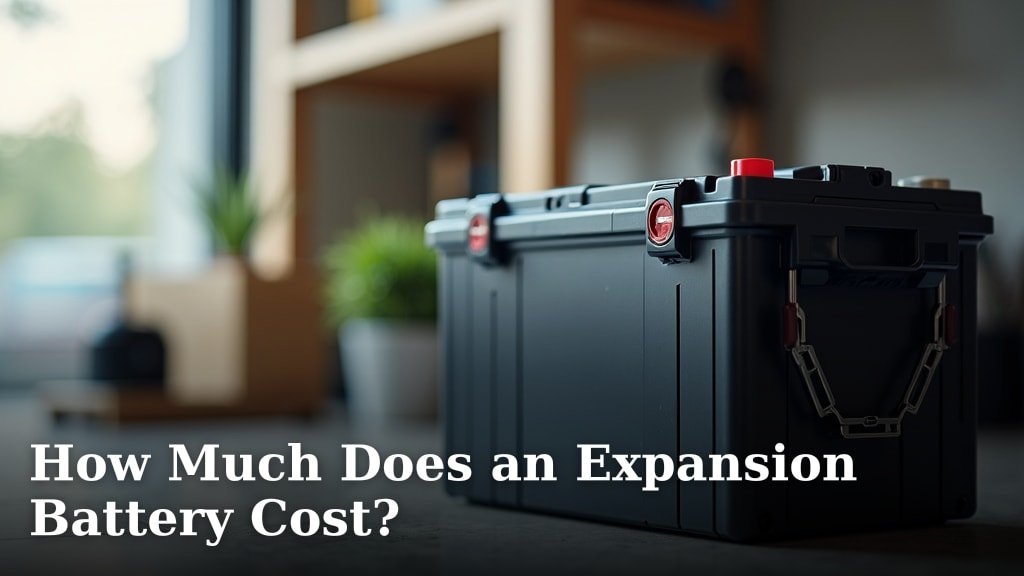
For more context on expansion battery costs, compare that expense with the value of extending your existing station’s runtime.
Frequently asked questions
Which expansion battery fits the Anker SOLIX C1000?
The Anker SOLIX BP1000 Expansion Battery is the compatible expansion option for the original SOLIX C1000. Check the model name on your station, then follow the setup instructions for both units before connecting them.
A battery intended for another power station is not automatically compatible.
Can I use an Anker SOLIX F3800 expansion battery with the C1000?
Don’t assume an expansion battery made for the SOLIX F3800 fits the C1000. Expansion batteries are designed for specific power station models, so confirm compatibility for the exact station and battery before connecting them.
A shared brand name or similar-looking connector does not guarantee a match.
Can a regular 12V battery expand a SOLIX C1000?
A standalone 12V battery is not the same as a compatible expansion battery. The ExpertPower EXP1270 is a 12V, 7Ah sealed lead-acid battery intended for devices such as alarms and UPS systems, not a C1000 expansion pack.
Don’t connect it to the station as a substitute.
Does adding an expansion battery increase the C1000’s output?
An expansion battery adds stored energy when the power station supports it; it does not automatically raise the station’s output limits. Check the C1000’s specifications and manual for its output ratings, and use the added capacity when planning how long your devices can run.
What should I check before connecting an expansion battery?
Check the exact power station and expansion battery model names, the required connection method, and the setup instructions for both units. Place the units where their vents and cables remain clear, then connect them in the order the instructions give.
Don’t rely on voltage or plug shape alone.