6 Best Anker Power Stations for Laptops (November 2026)
The best Anker power stations for laptop charging include the Anker SOLIX C300 DC Portable Power Station for compact USB-C laptop charging, the Anker Prime Charging Station for plugged-in laptop and desk charging, and the Anker SOLIX C1000 Gen 2 Portable Power for larger laptop work setups.
On this page (6 sections)
The Anker SOLIX C300 DC is the best Anker laptop power station for compact USB-C charging, with 288Wh capacity and two 140W two-way USB-C ports. Choose the C300 if you need AC outlets, the C1000 Gen 2 for substantially more capacity, or a Prime Charging Station for a desk that stays near a wall outlet.
Laptop wattage and battery capacity answer different questions. Output tells you whether a port can supply power to your laptop, while watt-hours help compare how much stored energy is available.
For a wider look at laptop charging options, see our Best Portable Power Station For Laptop Charging. If a phone will share the setup, compare the Best Portable Power Station For Laptop And Phone.
Our picks at a glance
-
1
 Best for compact USB-C laptop charging
Anker SOLIX C300 DC Portable Power Station
9.5/10 our score
See it on Amazon -
2
-
3
 Best for larger laptop work setups
Anker SOLIX C1000 Gen 2 Portable Power
9.3/10 our score
See it on Amazon
- 4
 Check it
Anker SOLIX C300 Portable Power Station
Best for laptop charging with AC outlets - 5
 Best for a multi-device deskCheck it
 - 6
 Check it
Anker SOLIX C200 DC Portable Power Station
Best for a lighter laptop power kit
How to choose an Anker laptop power station
The right choice depends on your laptop's charging input, whether it accepts USB-C power, and how long you need to work between recharges. We compared listed output, capacity and port options against those needs.
Anker's compact C300 DC and C200 DC are USB-C focused and have no AC outlets. The C300 adds capacity and a second 140W two-way USB-C port, while the standard C300 includes three AC outlets for laptops that rely on their power adapters.
The C1000 Gen 2 is the high-capacity option here, with 1,024Wh and 2,000W output. See whether that output suits a high-draw appliance in our 2000W hair dryer guide.
The Prime charging stations are desk hubs, not batteries, so they only help when a wall outlet is available.
Our score weighs specs, features and buyer feedback against what you're shopping for.
| Product | Best for | Capacity | Output | USB-C ports | Our score |
|---|---|---|---|---|---|
| Anker SOLIX C300 DC Portable Power Station | compact USB-C laptop charging | 288Wh | 300W | 2 x 140W two-way | 9.5 |
| Anker Prime Charging Station | plugged-in laptop and desk charging | 9.4 | |||
| Anker SOLIX C1000 Gen 2 Portable Power | larger laptop work setups | 1,024Wh | 2,000W, 3,000W peak | 9.3 | |
| Anker SOLIX C300 Portable Power Station | laptop charging with AC outlets | 288Wh | 300W, 600W surge | 9.3 | |
| Anker Prime Charging Station | a multi-device desk | 9.2 | |||
| Anker SOLIX C200 DC Portable Power Station | a lighter laptop power kit | 192Wh | 200W | One 140W two-way | 8.9 |
The best Anker power stations for laptops
The C300 DC is the best fit for many laptop-first portable kits because its two 140W USB-C ports and 288Wh capacity balance output with portability. The alternatives below serve different needs, including AC adapters, higher capacity and stationary desk charging.
Anker SOLIX C300 DC Portable Power Station: Best for compact USB-C laptop charging
- 288Wh capacity
- 300W output
- Two 140W two-way USB-C ports
- 7 device charging ports
Its 288Wh capacity and pair of 140W two-way USB-C ports suit a laptop-first setup that needs portable DC power. It also has USB-C ports at 100W and 15W, plus two USB-A ports.
Pros
- Two 140W two-way USB-C ports
- 288Wh capacity
- Can recharge by USB-C, solar or car
Cons
- No AC outlets
- Solar panel is separate
The Anker SOLIX C300 DC puts 288Wh of stored energy behind a DC-only port layout. Its two 140W two-way USB-C ports can both charge compatible devices and accept power for recharging the station.
That two-port arrangement is useful when a laptop and phone need USB-C at the same time. There are also USB-C ports rated at 100W and 15W, plus two USB-A ports, for a total of seven charging ports.
The unit's stated output is 300W. Before buying, check the laptop's USB-C input requirement and remember that the available runtime depends on the laptop's draw and the energy lost during conversion.
Anker says the C300 DC can recharge to 80% in an hour using its dual PD 3.1 USB-C port. It can also recharge from solar or a car, and the package includes a 140W USB-C to USB-C cable.
Choose it for a compact laptop setup that charges through USB-C. If you need to use a laptop's AC adapter, compare the standard C300 below because it has AC outlets.
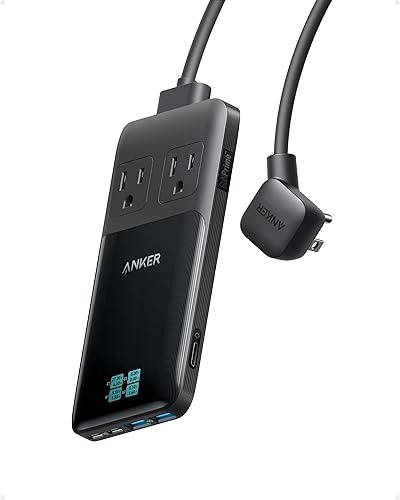
Anker Prime Charging Station: Best for plugged-in laptop and desk charging
- 140W maximum from one USB-C port
- 2 AC outlets
- 2 USB-C and 2 USB-A ports
- Not a portable battery
This AC-powered charging station can charge a laptop from USB-C while keeping other devices connected. It needs a wall outlet and cannot supply power away from the grid.
Pros
- One USB-C port delivers up to 140W
- Six connection points
- Compact 0.7 in thickness
Cons
- Not a battery or power station
- Total connected device wattage must stay within its limit
The Anker Prime Charging Station is the desk option, not a battery backup. It needs a wall outlet, but gives you two AC outlets, two USB-C ports and two USB-A ports for a laptop and other connected gear.
A single USB-C port delivers up to 140W. When multiple ports are in use, power is distributed across them, so check the combined output behavior against the charging needs of your connected devices.
At just 0.7 in thick, the unit is designed to sit on a desk or travel with a setup that has access to AC power. The screen shows real-time charging data when the station is connected to a power supply.
This model is not a portable battery and cannot power a laptop during an outage without another source of backup power. For that desk setup, our best anker power station for desk guide compares the stationary options.
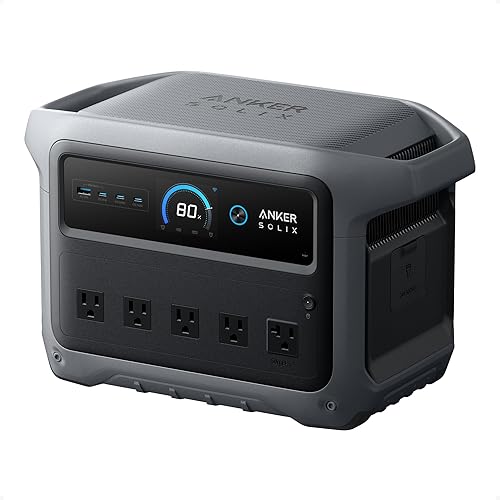
Anker SOLIX C1000 Gen 2 Portable Power: Best for larger laptop work setups
- 1,024Wh capacity
- 2,000W output and 3,000W peak
- 10 ports
- Under 10 ms UPS switchover
The 1,024Wh capacity and 2,000W output offer more headroom for a laptop setup with other equipment. Anker also specifies an under-10 ms UPS switchover for connected equipment.
Pros
- More capacity than the compact picks
- 2,000W output
- Can recharge from AC or solar
Cons
- Larger and heavier than the DC models
- Expansion feature is not included
The Anker SOLIX C1000 Gen 2 is the pick for a laptop setup with more devices or longer time between recharges. Its 1,024Wh capacity and 2,000W output give it much more headroom than the 192Wh and 288Wh compact units here.
Anker lists 10 ports and a 3,000W peak output. It also specifies an under-10 ms UPS switchover, a feature to consider if your setup includes equipment that needs backup during a power interruption.
Anker says the station can recharge fully in 49 minutes at 1,600W when UltraFast charging is enabled. Charging speed depends on battery cell temperature, and the model does not have an expansion feature.
Its size and weight are greater than those of the small DC models, so consider where you'll store and use it. Choose the C1000 Gen 2 when capacity and output matter more than a compact footprint.
Anker SOLIX C300 Portable Power Station: Best for laptop charging with AC outlets
- 288Wh capacity
- 300W output and 600W surge
- Three AC outlets
- Two 140W two-way USB-C ports
This C300 adds three AC outlets to 288Wh capacity, giving you a choice between a laptop's power adapter and direct USB-C charging. Its AC outlets share 300W total.
Pros
- Three AC outlets
- Two 140W two-way USB-C ports
- Can recharge from a wall outlet, solar or car
Cons
- 300W total AC output
- Solar panel is separate
The standard Anker SOLIX C300 shares the 288Wh capacity and 300W output of the C300 DC, but adds three AC outlets. That gives you the option to plug in a laptop's AC adapter rather than relying on USB-C charging.
The AC outlets share 300W total, and the station has a 600W surge rating. It also includes two 140W two-way USB-C ports, one 15W USB-C port, one USB-A port and a car socket.
Anker says the C300 can recharge to 80% in 50 minutes from a wall outlet. Solar and car charging are also supported, with solar panel compatibility limits to check before you choose a panel.
This model is a practical fit when your laptop's adapter needs AC or when you want several outlet options in a compact station. Choose it over the C300 DC if AC charging is part of your laptop routine.
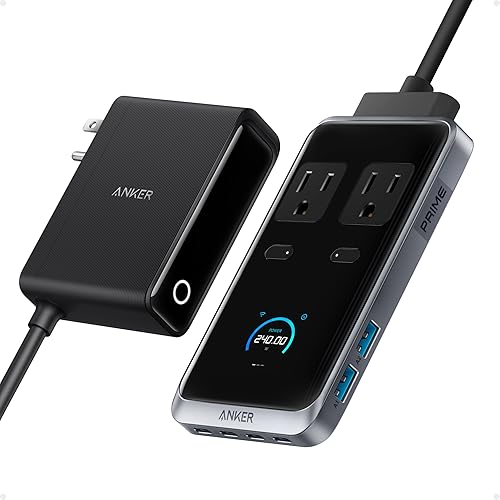
Anker Prime Charging Station: Best for a multi-device desk
- 240W total charging
- Four USB-C and 2 USB-A ports
- 2 AC outlets
- Requires a wall outlet
With four USB-C ports, two USB-A ports and two AC outlets, this station suits a permanent desk with several devices. It must be plugged into a wall outlet and has no built-in battery.
Pros
- Eight connection points
- Up to 140W per USB-C port
- 240W charging
Cons
- Not portable backup power
- Requires AC power
This Anker Prime Charging Station has eight connection points: two AC outlets, four USB-C ports and two USB-A ports. It is suited to a fixed home office where a wall outlet is available and multiple devices need charging.
The total charging capability is 240W, with up to 140W from each USB-C port. The station must be plugged into AC power and does not have a built-in battery.
That makes it a desk accessory rather than a backup source. If you need a laptop to keep running away from the wall, choose one of the SOLIX battery models in this guide.
Pick this option when you want more USB-C connections at a desk and don't need stored energy. For the smaller six-in-one desk hub, see the first Prime Charging Station above.
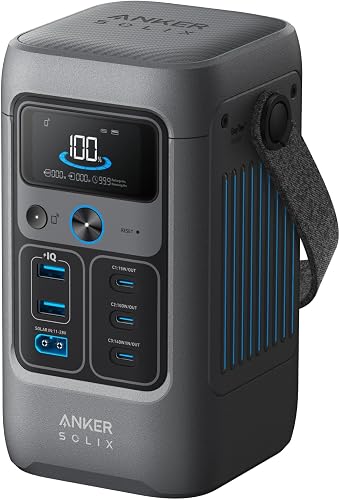
Anker SOLIX C200 DC Portable Power Station: Best for a lighter laptop power kit
- 192Wh capacity
- 200W output
- One 140W two-way USB-C port
- 5 device charging ports
The C200 DC has 192Wh capacity and a 140W two-way USB-C port for a small laptop-focused kit. Its lower capacity than the C300 DC makes it better suited to shorter or lighter charging needs.
Pros
- 192Wh capacity in a compact DC unit
- 140W two-way USB-C port
- Can recharge by USB-C, solar or car
Cons
- No AC outlets
- Solar panel and USB-C wall charger are separate
The Anker SOLIX C200 DC is the smallest-capacity choice in this group, with 192Wh and 200W output. It has one 140W two-way USB-C port, a 100W USB-C port, a 15W USB-C port and two USB-A ports.
This port mix can suit a single laptop and a few smaller devices, provided the laptop accepts USB-C charging and its input requirements fit the available output. It has no AC outlets for a laptop adapter.
Anker says the C200 DC can recharge to 80% in 1.3 hours using its 140W USB-C PD 3.1 port. It can also recharge from solar or a car, though a solar panel is not included.
Choose it for a lighter, lower-capacity laptop kit. Step up to the C300 DC if you want 288Wh and two 140W two-way USB-C ports.
USB-C output or AC outlets: which works for your laptop?
USB-C output works when your laptop accepts USB-C power at a compatible wattage. AC outlets are useful when your laptop depends on its wall adapter.
The C300 DC and C200 DC have USB-C ports but no AC outlets. The standard C300 has both USB-C and AC, while the C1000 Gen 2 offers more output and capacity for a larger setup.
A USB-C port's maximum output does not guarantee that every laptop will charge at that rate. Check the laptop's charger label or manual for its input needs, then compare that figure with the station's port output.
How much capacity is useful for a laptop?
More watt-hours can support longer use or more connected devices, but actual runtime varies with laptop workload and charging losses. The models here range from 192Wh in the C200 DC to 1,024Wh in the C1000 Gen 2.
A simple planning estimate is to divide usable station energy by the laptop's average power draw. Since not all stored energy reaches the laptop, treat that calculation as a rough upper bound rather than a guaranteed runtime.
If you also power a monitor, router or phone, include their draw in your estimate. For satellite internet backup, compare power stations for Starlink.
The C300 DC and standard C300 have 288Wh, while the C1000 Gen 2 has a larger reserve for multiple devices.
Is a Prime Charging Station enough for remote work?
A Prime Charging Station can organize desk charging, but it cannot provide power without a wall outlet. It has no battery, so it is not a substitute for a portable power station during outages or off-grid work.
Choose the six-in-one model for a compact mix of USB ports and AC outlets, or the eight-in-one model for more USB-C connections. For broader planning around location, devices and work time, read our Power Needs for Digital Nomads: Remote Work Guide.
Which Anker model should you choose?
Choose the C300 DC if your laptop charges by USB-C and you want a compact station with two high-output USB-C ports. Choose the standard C300 if you need AC outlets, or the C1000 Gen 2 if you need substantially more capacity and output.
For a desk that remains plugged into the wall, either Prime Charging Station can charge several devices without serving as backup power. To compare Anker's broader portable lineup, see Top 7 Best Anker Portable Power Station and our guide to What Is the Difference Between Bluetti and Anker Power Stations?.
Our top 3 picks at a glance
-
1
Best for compact USB-C laptop charging
Anker SOLIX C300 DC Portable Power Station
9.5/10 our score
See it on Amazon -
2
-
3
Best for larger laptop work setups
Anker SOLIX C1000 Gen 2 Portable Power
9.3/10 our score
See it on Amazon
Frequently asked questions
Which Anker power station is best for a laptop?
The Anker SOLIX C300 DC is the strongest compact pick here, with 288Wh capacity and two 140W two-way USB-C ports. Check your laptop's USB-C charging requirements before choosing it.
For larger setups or longer use between recharges, the C1000 Gen 2 has 1,024Wh capacity.
Can I charge a laptop directly from an Anker power station?
Yes, if the laptop accepts power from the station's available USB-C output or AC outlets. The C300 DC offers USB-C charging, while the C300 also has AC outlets for a laptop adapter.
Match the port's output to your laptop's input needs.
How much battery capacity do I need for laptop charging?
Choose capacity based on how long you need to work and what else you'll power. The C200 DC has 192Wh, the C300 models have 288Wh, and the C1000 Gen 2 has 1,024Wh.
Actual runtime depends on your laptop's power draw and the charging method.
Is an Anker Prime Charging Station a power station?
No. The Anker Prime Charging Station is an AC-powered charging hub that must plug into a wall outlet; it has no built-in battery.
For power away from an outlet, choose a SOLIX portable power station instead.


