Can a Portable Power Station Charge Two Devices at Once?
On this page (9 sections)
- Charging Multiple Devices With Your Power Station
- Understanding Your Power Station’s Output Ports
- How to Safely Charge Two Devices Simultaneously
- When to Use Multiple Ports on Your Power Station
- What If My Power Station Only Has One Port?
- Maximizing Your Charging Efficiency
- Checklist for Charging Two Devices
- Conclusion
- Frequently Asked Questions
Yes, you can absolutely charge two devices at once with most portable power stations! As long as your power station has multiple output ports, like USB-A, USB-C, or AC outlets, it’s designed to handle powering more than one gadget simultaneously. This means you can keep your phone and tablet topped up, or power your laptop and a speaker, all from one portable unit.
The key is to check the number and type of ports your power station offers. Many modern units come equipped with a variety of charging options, making them incredibly versatile for your off-grid adventures or power outages. You’ll want to ensure the total wattage output can support the devices you plan to charge.
- Most portable power stations can charge more than one device.
- Check the number and type of ports on your power station.
- Ensure the station’s total wattage can handle your devices.
- This allows you to power multiple gadgets like phones, laptops, and more.
Let’s walk through exactly how this works and what you need to consider to make sure you’re charging efficiently.
Charging Multiple Devices With Your Power Station
Yes, your portable power station is often designed to be a charging hub. You can absolutely charge two devices at once. It’s like having a mini power grid you can take anywhere. Most modern units come with several ports, ready to juice up your gadgets simultaneously. This capability makes them incredibly handy for camping trips, emergency preparedness, or even just managing your devices at a park. For a larger battery, see our guide to charging an e-bike battery from a power station.
Understanding Your Power Station’s Output Ports
The magic behind charging multiple devices lies in the variety of output ports your power station provides. These ports determine what you can plug in and how many things you can charge at the same time.
Common Port Types and Their Uses
You’ll typically find a few standard port types on most portable power stations. Each serves a specific purpose for your charging needs.
USB-A Ports
These are the familiar, rectangular USB ports. They are great for charging smartphones, tablets, and other smaller electronics. Most power stations have at least two USB-A ports, often labeled with a specific amperage or wattage. You can usually charge two devices from these ports at the same time, provided the total power draw doesn’t exceed the station’s capacity.
USB-C Ports
USB-C ports are becoming increasingly common and are known for their versatility and faster charging speeds. Many newer laptops, tablets, and even some phones use USB-C for charging. Some USB-C ports also support Power Delivery (PD), which allows for much higher wattage output, capable of charging larger devices like laptops.
AC Outlets
These look like the outlets you have in your home walls. They are perfect for powering devices that use standard AC plugs, such as small appliances, lamps, or even certain tools. A power station might have one or more AC outlets. If you need to charge a laptop using its original AC adapter, this is the port you’ll use.
12V DC Ports (Car Lighter Socket)
Some power stations include a 12V DC port, similar to what you find in your car. These are useful for charging devices that are designed to run off a car’s power, like portable car vacuums, small fans, or GPS devices. You can often use these alongside other ports.
How to Safely Charge Two Devices Simultaneously
Charging more than one device is generally safe and straightforward. However, there are a few key considerations to ensure you’re doing it correctly and efficiently.
Checking the Total Wattage and Amperage
This is probably the most important factor. Every portable power station has a maximum power output it can supply. This is usually measured in watts (W). Your devices also have power requirements, typically listed in watts or amps (A). You need to make sure the combined wattage of the devices you’re charging doesn’t exceed the power station’s limit.
Understanding Wattage Limits
Think of wattage like the flow rate of a water pipe. If you try to run too many faucets at once, the pressure drops, and nothing flows well. Your power station has a maximum “flow rate” (wattage). If your devices collectively require more watts than your station can provide, they will either charge very slowly, not charge at all, or the power station might even shut down to protect itself.
For example, if your power station has a 300W output, and you want to charge a laptop that uses 60W and a phone that uses 15W, the total is 75W. This is well within the 300W limit. But if you try to power a small coffee maker (around 600W) and a laptop (60W) simultaneously, you’ll exceed the 300W limit.
The Role of Amperage
Amperage (A) is closely related to wattage. You can often find the power requirement in amps on your device’s charger or manual. If you know the voltage (V) of the port (e.g., 5V for standard USB), you can calculate wattage: Watts = Volts x Amps. Many USB ports are rated for a certain number of amps (e.g., 2.4A). A 5V USB port providing 2.4A would deliver 12W (5V x 2.4A = 12W).
Port Compatibility Matters
You can’t just plug anything into any port and expect it to work. Make sure the device’s charging cable and your power station’s port are compatible. For instance, you can’t plug a USB-C cable into a standard USB-A port and expect it to charge.
Matching Devices to Ports
Generally, it’s best to use the specific port recommended for your device. Use USB-A ports for standard USB-A devices, USB-C for USB-C devices, and AC outlets for devices with AC plugs. Some power stations will intelligently deliver the correct power, but it’s always good practice to be mindful of these pairings.
Potential for Slower Charging Speeds
While your power station can charge two devices, you might notice that each device charges a bit slower than if it were plugged into its own dedicated, high-power charger. This is normal when sharing a power source. For a compact charging option, learn about GaN chargers for portable power.
Distributing Available Power
When you connect multiple devices, the total available power from the station is distributed among them. If you have a high-demand device and a low-demand device, the high-demand one might still charge reasonably well, but the low-demand one might charge extremely slowly. Many power stations have smart charging technology that attempts to balance the load, but physics still apply!
We’ve found that pairing a power-hungry laptop with a small, simple device like wireless earbuds on the same power station often works fine. However, trying to charge two laptops simultaneously might strain even a moderately sized power station.
When to Use Multiple Ports on Your Power Station
Having the ability to charge two devices at once opens up a world of convenience. Here are some common scenarios where this feature shines.
For the Tech-Savvy Traveler
If you’re on a road trip or camping, you likely have several devices that need power. Your smartphone, a tablet for entertainment, maybe a portable speaker, or even a camera. Being able to charge your phone and tablet at the same time means you’re always ready to capture memories or stay connected. Being able to charge your phone and tablet at the same time is a key benefit for road trips.
During Power Outages
When the power goes out, your power station becomes your lifeline. You can keep your phone charged to communicate with loved ones, power a small fan for comfort, or keep a tablet going for news updates. Charging your phone and a portable light source simultaneously is a practical use during an outage.
For Remote Work or Study
Need to work or study away from an outlet? A power station can keep your laptop running while also charging your phone for important calls or quick research. This setup is perfect for coffee shops without ample plugs, outdoor workspaces, or even RV living.
What If My Power Station Only Has One Port?
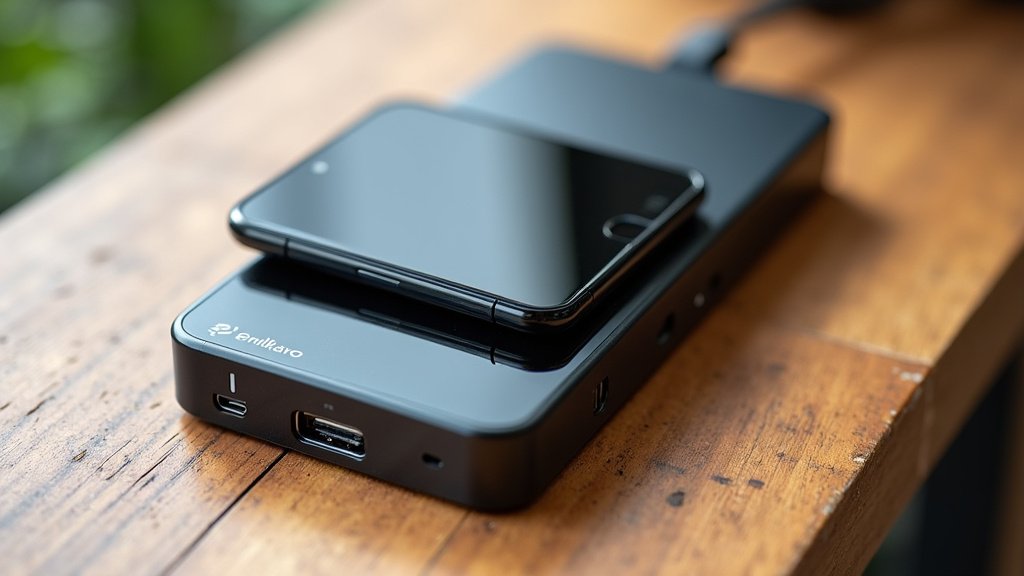
Some very basic or older portable power stations might only have a single output port. In this case, you would indeed be limited to charging only one device at a time. However, most contemporary models are designed with multi-device charging in mind. If you find yourself needing to charge multiple items and your current station is limited, it might be time to consider an upgrade to a model with more diverse and numerous output options.
It’s always a good idea to check the product specifications carefully before purchasing. Look for details on the number and types of ports, as well as the total wattage output. This information will tell you exactly what your power station is capable of.
Maximizing Your Charging Efficiency
To get the most out of your power station when charging multiple devices, consider these tips. They can help ensure your devices power up as quickly as possible.
Prioritize High-Demand Devices
If you have limited power capacity, it makes sense to let your most essential or power-hungry device charge first or have primary access to the higher wattage ports. For instance, if your laptop is at 10%, charge that first before topping off your smartwatch.
Use Compatible Cables and Chargers
Always use the cables that came with your devices or reputable, high-quality replacements. Using a low-quality or incompatible cable can significantly slow down charging speeds or, in rare cases, even cause damage. Many experts recommend using cables that are rated for the wattage you intend to deliver (e.g., a 60W USB-C PD cable for a laptop).
Avoid Overloading AC Outlets
When using AC outlets, be mindful of the continuous and surge wattage ratings. Some appliances, like those with motors (refrigerators, blenders), draw a much higher surge of power when they first start up. Ensure your power station can handle this initial surge to avoid tripping its internal protection circuits.
Checklist for Charging Two Devices
Before you start charging multiple devices, quickly run through this checklist:
- Confirm your power station has multiple output ports.
- Identify the type of each port (USB-A, USB-C, AC).
- Note the total wattage output of your power station.
- Check the wattage requirement for each device you want to charge.
- Ensure the combined wattage of your devices is less than the station’s maximum.
- Verify that the cables and ports are compatible for each connection.
Conclusion
You’ve learned that your portable power station is quite capable of charging two devices at once. It’s all about understanding your station’s output ports and its total wattage capacity. By matching your devices to the right ports and ensuring their combined power needs are within your station’s limits, you can keep multiple gadgets powered up. This flexibility makes your power station an essential tool for travel, emergencies, and remote work.
Before your next adventure or power outage, take a moment to review your power station’s specifications and the power needs of your devices. This simple step ensures you’ll have the reliable power you need, when you need it most.
Frequently Asked Questions
Can I charge my laptop and phone at the same time?
Yes, most portable power stations can handle charging both your laptop and phone simultaneously. You’ll want to check that the power station has both an AC outlet (for the laptop’s adapter) or a high-wattage USB-C PD port, and at least one USB-A or USB-C port for your phone. Ensure the total wattage required doesn’t exceed your power station’s output.
Will charging two devices make them charge slower?
It’s possible. When you charge multiple devices, the power station distributes its available wattage among them. If both devices require significant power, or if one is much more power-hungry than the other, you might notice slower charging speeds compared to charging them individually. Prioritize your most needed device if speed is critical.
What happens if I plug in devices that exceed the power station’s wattage?
If the combined wattage of your devices is too high, your power station will likely enter protection mode. This means it might shut down completely to prevent damage, or the devices might charge very slowly or not at all. Always check the total wattage requirements against your power station’s maximum output.
Can I use a USB splitter to charge more devices?
While a USB splitter can allow you to plug multiple cables into a single port, it’s not recommended for charging demanding devices. A splitter simply divides the power from one port among connected devices, often resulting in very slow charging for all. It’s best to use the distinct ports available on your power station for better performance.
Do I need special cables to charge two devices at once?
You’ll need the correct cables for the ports you’re using (e.g., USB-C to USB-C, USB-A to Lightning). For high-power devices like laptops, using a cable rated for that specific wattage (like a 60W or 100W USB-C PD cable) is important. Using quality cables ensures efficient and safe charging for all your connected gadgets.