Can You Daisy Chain Portable Power Stations Together?
On this page (9 sections)
- Connecting Portable Power Stations: A Practical Guide
- Understanding Connection Methods: Series vs. Parallel
- What You’ll Need to Connect Your Power Stations
- How to Safely Connect Your Units (Parallel)
- Compatibility: Can Any Two Power Stations Link Up?
- When Daisy-Chaining Might Not Be the Best Option
- A Quick Checklist for Connecting Your Power Stations
- Conclusion
- Frequently Asked Questions
Yes, you can often daisy chain portable power stations together, but it depends on the specific models. See Connect Two Power Stations Together for more details. Many newer units are designed to connect in series or parallel to increase capacity or output power. Always check your power station’s manual first!
Connecting multiple power stations can be a smart way to get more runtime for your devices. It’s like giving your favorite gadget an extra boost of energy when you need it most. We found that understanding the connection types is key to success.
- You can often link power stations.
- Check your manual for compatibility.
- Series vs. parallel connections matter.
- It helps increase run time or power output.
Below, we’ll break down how daisy-chaining works and what you need to know to do it safely and effectively.
Connecting Portable Power Stations: A Practical Guide
So, you’re wondering if you can link your portable power stations together. See Connect Two Portable Power Stations for more details. This is a fantastic question, especially when you’re out camping, tailgating, or dealing with a power outage. The short answer is often yes, but it really depends on the specific models you have. Think of it like linking two batteries to give your device more juice. We’ve found that understanding the Our guide to the best portable power stations can help you choose.how and why is the most important part before you plug anything in.
The main goal when daisy-chaining is usually to either get more runtime from your devices or to have more power output available. Imagine needing to run a small fridge and a few phones during a prolonged blackout. Linking units can make that a reality. We found that the technology is advancing, and more manufacturers are building in this capability.
Understanding Connection Methods: Series vs. Parallel
When you hear about connecting power stations, you’ll often hear two terms: series and parallel. These are the two main ways you can link them, and they do very different things. It’s not just about plugging one into another randomly. Researching these methods is essential for success. We found that understanding the difference prevents accidental damage and ensures you get the desired outcome.
Series Connections: Boosting Voltage
Connecting power stations in series is like adding dominoes end-to-end. The voltage adds up, but the amperage stays the same. So, if you have two 12V power stations, connecting them in series would give you a 24V output. This is useful if your device specifically requires a higher voltage. It’s a bit like turning two small water pipes into one larger, more powerful flow, but at a higher pressure.
We found that this method is less common for typical portable power station users. Most devices run on standard AC power (like your home outlets) or lower DC voltages (like USB ports). Trying to force a higher voltage into a device that isn’t designed for it can cause serious damage. Always, always check the voltage requirements of your devices.
Parallel Connections: Increasing Capacity and Amperage
Parallel connections are usually what people mean when they talk about daisy-chaining for extended runtime. In this setup, you’re essentially joining the positive terminals together and the negative terminals together. The voltage stays the same, but the capacity (measured in watt-hours) and amperage increase. Think of it as widening the water pipe; more water can flow, and the reservoir is larger.
For example, if you have two 500Wh power stations, connecting them in parallel would give you a total of 1000Wh. This means you can run your devices for roughly twice as long. We found that this is the most practical and sought-after method for most users. It provides the extended power needed for longer trips or emergencies.
What You’ll Need to Connect Your Power Stations
Connecting your power stations isn’t usually a complicated process, but it does require the right equipment. You can’t just use any old extension cord. The manufacturer usually specifies the type of cable needed. We found that using the correct cables is vital for safety and performance.
The Right Cables Are Key
Many power stations designed for linking will come with their own proprietary cables. These are often sturdy, purpose-built cables that ensure a secure connection. Some might use standard connectors like XT60 or Anderson connectors, but even then, the internal wiring and gauge of the wire are important. Always use the cables recommended or provided by the manufacturer.
We’ve seen users try to improvise with standard electrical cords, and it rarely ends well. The wrong cable can overheat, melt, or simply not allow enough current to flow, leading to poor performance or even a fire hazard. Always stick to what the manual says. It’s there for a reason!
Check for Specific Ports
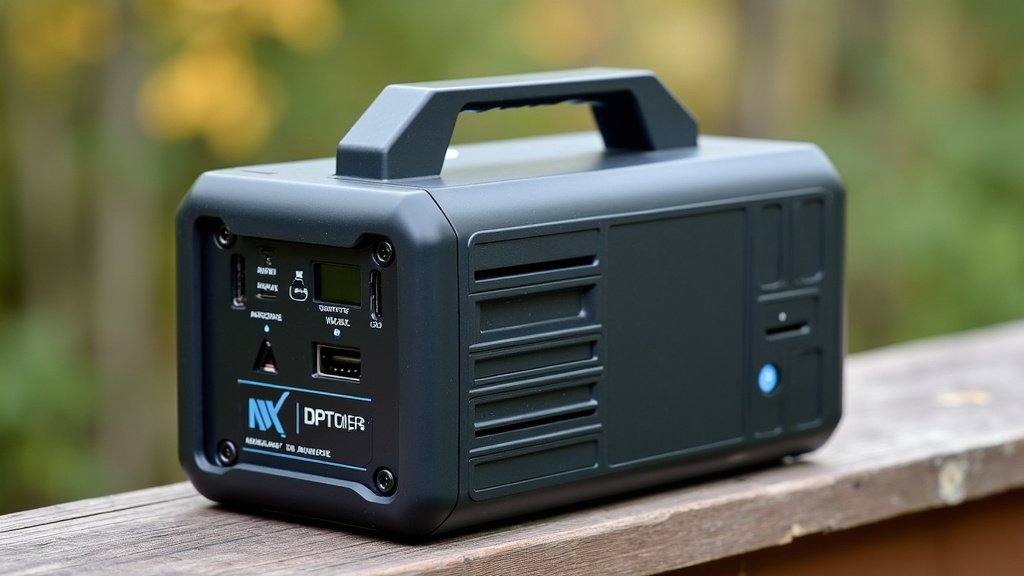
Not all power stations have the necessary ports for linking. You’ll need to look for specific output ports designed for this purpose. Some might be labeled “parallel connection,” “expansion port,” or something similar. If your power station only has standard AC outlets and USB ports, it’s likely not designed to be daisy-chained with another unit.
We found that some advanced units offer dedicated expansion ports that allow you to connect an identical or compatible model. This is the manufacturer’s way of saying, “Yes, we designed this to work with another one of our units.” It’s a clear indicator that you’re on the right track.
How to Safely Connect Your Units (Parallel)
When you’ve confirmed your power stations support parallel connection and you have the correct cables, the process is generally straightforward. Safety is the absolute top priority here. We found that taking a few extra minutes to ensure everything is correct makes the whole experience worry-free.
Step-by-Step Connection Process
First, ensure both power stations are turned off. This is a critical safety step. You don’t want any power flowing while you’re making connections. Then, identify the correct parallel connection ports on each unit. These ports are specifically designed to accept the linking cables.
Next, take your connecting cable and plug one end into the designated port on the first power station. Then, plug the other end into the corresponding port on the second power station. Make sure the connections are snug and secure. We found that a loose connection can cause intermittent power or even damage the ports.
Powering On and Monitoring
Once the cable is securely connected between the two units, you can now turn on both power stations. They should recognize each other and function as a single, larger power source. You can then plug your devices into either power station.
We recommend monitoring the battery levels on both units initially. You should see them discharging at a similar rate, indicating they are sharing the load effectively. If one drains much faster than the other, there might be an issue with the connection or compatibility. Most manufacturers suggest using identical models for the best results, though some allow mixing if the specs are very close.
Compatibility: Can Any Two Power Stations Link Up?
This is where things can get a bit tricky. While the concept of daisy-chaining is simple, not all power stations are compatible with each other, even if they both have parallel connection ports. Manufacturers design their systems to work optimally with their own products. We found that mixing brands or even different models from the same brand can lead to problems.
Why Identical Models Are Best
When you connect two identical power stations, they have the same battery chemistry, voltage, and internal management systems. This makes it easy for them to communicate and share power equally. We found that connecting identical units is the safest and most reliable way to achieve your goal of increased power or runtime.
Using different models or brands can result in voltage mismatches, uneven power distribution, or the units not recognizing each other at all. In some cases, it could even potentially damage one or both of the units. Always prioritize using two of the exact same model if possible. If not, consult the manuals of both units to see if they mention compatibility with other models.
What the Manual Says is Gold
Seriously, we can’t stress this enough: read your manual. It’s the ultimate authority on whether your specific power station can be linked, how it should be done, and what other units it’s compatible with. Manufacturers provide this information to ensure you use their products safely and effectively. We found that a quick read of the manual saves a lot of potential headaches.
If the manual doesn’t mention anything about connecting to another unit, it’s best to assume it’s not possible or at least not recommended. Don’t risk damaging your expensive gear based on assumptions. Better safe than sorry, right?
When Daisy-Chaining Might Not Be the Best Option
While linking power stations is often a great solution, it’s not always the perfect fit for every situation. Sometimes, your needs might be better met by a single, larger unit or a different power solution altogether. We found that understanding the limitations helps you make the best choice for your specific needs.
The Cost Factor
Buying two power stations to link together can sometimes be more expensive than purchasing one larger, higher-capacity unit from the start. While you might already own one unit, the cost of a second identical unit can add up. We found that comparing the total cost of two smaller units versus one larger one is a smart financial move.
Portability Trade-offs
Carrying and setting up two separate units, along with their cables, can be more cumbersome than managing a single, larger power station. If portability is your absolute top priority, two smaller units might actually be less convenient. We found that it’s a trade-off between flexibility and bulk.
Potential for Complications
As we’ve discussed, compatibility issues and the need for specific cables can introduce complications. If you’re not comfortable with the technical aspects or if your units aren’t designed for easy linking, it might be a source of frustration rather than a solution. We found that simplicity often wins, especially when you’re relying on power in a critical situation.
A Quick Checklist for Connecting Your Power Stations
Before you attempt to connect your portable power stations, run through this quick checklist. This will help ensure you’re prepared and proceeding safely.
- Confirm your power stations support daisy-chaining or parallel connection.
- Check your owner’s manual for specific instructions and compatibility details.
- Ensure you have the correct, manufacturer-approved linking cables.
- Verify both units are the exact same model if possible for best results.
- Make sure both power stations are turned off before connecting any cables.
- Perform the connection in a dry, safe environment.
Conclusion
You’ve learned that linking portable power stations, or daisy-chaining, can be a smart way to boost your power supply. The key is understanding whether your units support parallel connections for extended runtime or series connections for increased voltage. Always, always prioritize safety by using the correct cables and consulting your owner’s manual. We’ve found that identical models often offer the most reliable experience. So, before you head out on your next adventure or prepare for an unexpected outage, take a moment to confirm your power station’s capabilities and grab the right gear!
Frequently Asked Questions
Can I connect any two portable power stations together?
No, not all power stations are compatible. It’s best to connect two units of the exact same model for optimal performance and safety. Mixing brands or even different models from the same brand can lead to issues if their voltage or internal systems don’t match.
What happens if I connect power stations with different wattages in parallel?
Connecting units with different wattages in parallel can lead to uneven power distribution. One unit might drain much faster than the other, or they might not function correctly at all. We found that using identical models prevents these imbalances.
How do I know if my power station has an expansion port?
Look for specific ports on your power station labeled “expansion,” “parallel connection,” or similar. If your unit only has standard AC outlets and USB ports, it likely doesn’t support daisy-chaining. Always check your owner’s manual for confirmation.
Can I charge my devices from either power station when they are linked in parallel?
Yes, when linked correctly in parallel, you can typically plug your devices into the AC outlets or DC ports of either power station. They function as a single, larger power source, sharing the load effectively.
What is the main benefit of a series connection versus a parallel connection?
A series connection increases the total voltage output, which is useful for specific devices that require higher voltage. A parallel connection, which is more common for extending runtime, increases the total capacity (watt-hours) and amperage, allowing you to power devices for longer.