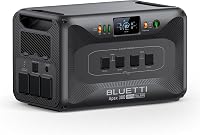
6 Best Jackery Home Power Stations (November 2026)
The best Jackery home power stations for backup include the Jackery Explorer 300 Portable Power Station for phones and small electronics, the Jackery Explorer 1000 v2 Portable Power Station for a light essential-device kit, and the Jackery HomePower 3600 Plus Power Station for rolling backup capacity.
On this page (7 sections)
- Which Jackery home power stations suit different backup needs?
- Jackery power station reviews for home backup
- How should you compare Jackery capacity and output?
- Which Jackery size fits a typical outage plan?
- Can a Jackery station power household circuits?
- How should you prepare a Jackery station for an outage?
- Which Jackery home power station should you choose?
The best Jackery home power station for many short outages is the Explorer 1000 v2, with 1,070Wh capacity and 1,500W AC output in a 23.8 lb unit. For a longer essential-load window, consider the Explorer 2000 v2; choose a HomePower 3600 Plus or Explorer 5000 Plus when your loads need more capacity or output.
A power station backs up the devices you connect, not automatically every circuit in your home. First list the devices you need during an outage, their watts, and how many hours you want to run them.
For sizing a generator around a refrigerator and home dialysis, see the fridge and dialysis generator guide.
For a broader comparison beyond Jackery, see our Best Portable Power Station For Home Backup guide. If you are planning for whole-home needs, start with Best Solar Generator For Whole House Backup.
Our picks at a glance
-
1
 Best for phones and small electronics
Jackery Explorer 300 Portable Power Station
9.7/10 our score
See it on Amazon -
2
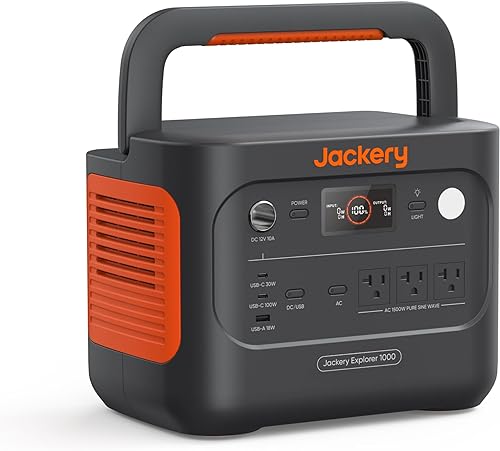 Best for a light essential-device kit
Jackery Explorer 1000 v2 Portable Power Station
9.6/10 our score
See it on Amazon -
3
 Best for rolling backup capacity
Jackery HomePower 3600 Plus Power Station
9.6/10 our score
See it on Amazon
- 4
 Check it
Jackery Explorer 500 v2 Power Station
Best for a small backup with UPS - 5
 Check it
Jackery Explorer 5000 Plus Power Station
Best for large home backup loads - 6
 Check it
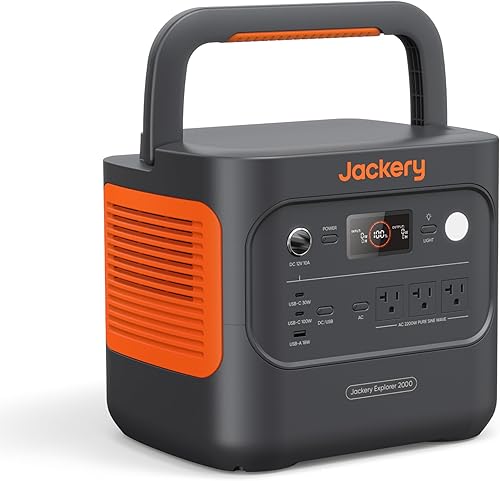
Jackery Explorer 2000 v2 Portable Power Station
Best for a longer essential-load window
Which Jackery home power stations suit different backup needs?
The Explorer 1000 v2 is a balanced pick for selected devices, while the larger Explorer 2000 v2 and home-focused Plus models offer more stored energy or output. For a comparison of two larger backup systems, see F3800 Plus and DELTA Pro 3.
Your load list and target outage duration should decide which size makes sense.
We compared capacity, rated output, weight, charging details and backup features. Our score weighs specs, features and buyer feedback against what you're shopping for.
| Product | Best for | Capacity | Rated output | Weight | Our score |
|---|---|---|---|---|---|
| Jackery Explorer 300 Portable Power Station | phones and small electronics | 292Wh | 300W | 7.5 lb | 9.7 |
| Jackery Explorer 1000 v2 Portable Power Station | a light essential-device kit | 1,070Wh | 1,500W | 23.8 lb | 9.6 |
| Jackery HomePower 3600 Plus Power Station | rolling backup capacity | 3,584Wh | 3,600W | 77.2 lb | 9.6 |
| Jackery Explorer 500 v2 Power Station | a small backup with UPS | 512Wh | 500W | 13.3 lb | 9.5 |
| Jackery Explorer 5000 Plus Power Station | large home backup loads | 5,040Wh | 7,200W | 134.5 lb | 9.4 |
| Jackery Explorer 2000 v2 Portable Power Station | a longer essential-load window | 2,042Wh | 2,200W | 39.5 lb | 9.2 |
Jackery power station reviews for home backup
The right Jackery power station depends on which loads you need to keep running and how long you expect to rely on stored energy. These six options range from a compact device charger to a high-output station designed for a larger backup plan.
Jackery Explorer 300 Portable Power Station: Best for phones and small electronics
- 292Wh capacity
- 300W rated output
- Two AC outlets
- 7.5 lb weight
A compact option for charging smaller devices during brief outages. Its 300W rated output and 292Wh capacity make it a poor match for long runtimes or high-draw appliances.
Pros
- Light at 7.5 lb
- Two AC outlets
- USB-C and USB-A ports
Cons
- Smallest capacity here
- 300W rated output limits appliance choices
The Jackery Explorer 300 is the easiest pick here to carry between rooms, at 7.5 lb. Its 292Wh capacity and 300W rated output suit phones, routers, lights and other small devices whose combined draw stays within that limit.
It has two AC outlets, a 100W USB-C PD port, two USB-A ports and a 120W car port. That mix can help you keep a small set of electronics charged, but the modest capacity means you should prioritize them instead of expecting long runtimes.
Jackery says the LiFePO4 battery is rated for over 4,000 charge cycles before reaching 70% capacity. Solar panels are optional, and Jackery's stated solar charging times depend on the panel used.
Choose it for a light, short-outage kit where carrying ease matters more than running appliances. Don't choose it for a refrigerator or other high-draw equipment without checking its power requirements first.
Jackery Explorer 1000 v2 Portable Power Station: Best for a light essential-device kit
- 1,070Wh capacity
- 1,500W AC output
- Three pure sine wave AC ports
- 23.8 lb weight
Its balance of capacity, output and weight suits a backup kit for selected household devices. The three AC ports and USB options allow several smaller loads to connect at once.
Pros
- 1,500W AC output
- Three AC ports
- 23.8 lb weight
Cons
- Less stored energy than the larger models
- One-hour charging requires app setup
The Explorer 1000 v2 is the best fit for many households that want more than device charging but do not need a large wheeled station. It provides 1,070Wh capacity, 1,500W AC output and three pure sine wave AC ports, at 23.8 lb.
You can connect several essentials, such as a router, lights and selected small appliances, provided their combined load stays within the station's output. Check startup draw as well as running watts for devices with motors.
The station has two USB-C ports, one USB-A port and a DC car port. Jackery says it can charge from 0% to full in one hour with emergency charging enabled in its app; its default full-charge time is 1.7 hours.
Choose it when portability and a useful reserve for selected loads matter together. Jackery says solar charging works only with its own solar panels, so check that compatibility before building a solar kit.
Jackery HomePower 3600 Plus Power Station: Best for rolling backup capacity
- 3,584Wh capacity
- 3,600W output
- Expandable capacity
- Wheels and telescopic handle
This wheeled station offers more stored energy and output for household backup than the Explorer models below it. Its 77.2 lb weight makes the wheels and telescopic handle useful for moving it.
Pros
- 3,600W output
- Expandable capacity
- Wheels and telescopic handle
Cons
- 77.2 lb before any added units
- 240V operation requires parallel setup
The HomePower 3600 Plus brings 3,584Wh capacity and 3,600W output to a larger home backup plan. Its wheels and telescopic handle help move the 77.2 lb unit between storage and the area where you need power.
Jackery says capacity can expand to 21kWh per unit or 43kWh with multiple units. The station supports 120V and 240V in parallel, so confirm the setup you need before counting on it for particular household equipment.
Its stated charging options include AC, solar, gas generator and hybrid AC plus DC charging. Jackery says hybrid charging can fill it in two hours, while solar charging takes four hours under its stated conditions.
Choose this model when the Explorer 1000 v2 or 2000 v2 cannot cover your planned capacity needs. For a model with even higher rated output and greater stated expansion, compare the Anker SOLIX F3000 whole home backup.
Jackery Explorer 500 v2 Power Station: Best for a small backup with UPS
- 512Wh capacity
- 500W rated power
- 10ms UPS switching
- 13.3 lb weight
A middle step between the Explorer 300 and 1000 v2, with a stated 10ms UPS feature for connected essentials. Its 500W rated output still calls for careful load selection.
Pros
- 10ms UPS switching
- 512Wh capacity
- 13.3 lb weight
Cons
- 500W rated output
- Less capacity than the Explorer 1000 v2
The Explorer 500 v2 is a compact backup option for a few modest loads, with 512Wh capacity and 500W rated power. It weighs 13.3 lb and has two pure sine wave AC outlets.
Its stated 10ms UPS feature may suit a compatible device that needs power to keep flowing during an outage. Confirm the connected device's needs and the station's instructions, since UPS switching time alone does not guarantee every device will stay on.
The unit also supports solar panels sold separately and 12V car charging. Jackery says AC charging can bring the battery from 0% to 80% in 52 minutes.
Choose the Explorer 500 v2 when you want more reserve than the Explorer 300 and value a stated UPS feature. Its 500W output still rules out many appliances, so check the wattage of every planned load.
Jackery Explorer 5000 Plus Power Station: Best for large home backup loads
- 5,040Wh capacity
- 7,200W rated output
- 120V and 240V support
- Expandable to 60kWh
The highest-output pick here supports 120V and 240V and can expand to 60kWh. Pairing it with a transfer switch is a more involved home backup setup than plugging in a few devices.
Pros
- 7,200W rated output
- 120V and 240V support
- Expandable to 60kWh
Cons
- 134.5 lb
- A transfer switch may be needed for circuit backup
The Explorer 5000 Plus is the largest-capacity option in this group, with 5,040Wh and 7,200W rated output. It supports 120V and 240V, and Jackery says capacity can expand up to 60kWh.
This model is aimed at larger loads and longer outages, but it weighs 134.5 lb. Plan where it will sit and how it will connect before you buy, especially if you intend to power household circuits.
Jackery says the station can pair with its 60A Smart Transfer Switch to power up to 12 circuits at 120V or 6 circuits at 240V. For connection steps with a Generac transfer switch, read our transfer switch guide.
A transfer-switch setup is different from plugging small devices directly into a portable station, so have the connection plan checked by a qualified professional.
Choose this unit when your load plan calls for higher output, 240V support or substantial expandable capacity. If your needs are limited to a refrigerator, internet equipment and lights, a smaller station may be easier to move and manage.
Jackery Explorer 2000 v2 Portable Power Station: Best for a longer essential-load window
- 2,042Wh capacity
- 2,200W AC output
- Three AC ports
- 39.5 lb weight
More capacity than the 1000 v2 gives you a larger energy reserve for selected devices. Its 2,200W output and three AC ports suit a planned essential-load setup.
Pros
- 2,042Wh capacity
- 2,200W output
- 20ms UPS switching
Cons
- 39.5 lb
- Does not charge electric vehicles
The Explorer 2000 v2 offers 2,042Wh capacity and 2,200W AC output, giving it a larger reserve than the 1000 v2 while remaining a portable station. It weighs 39.5 lb and has three AC ports.
Jackery says it can charge from 0% to 80% in 66 minutes with AC fast charging, or reach a full charge in 102 minutes in emergency super charging mode through its app. It also has a silent charging mode that Jackery says operates at less than 30 dB.
The station's stated 20ms UPS switching may help with compatible essentials that need a rapid switchover. As with any backup plan, verify the device's power needs and whether it can tolerate that changeover time.
Choose the 2000 v2 if you want a larger reserve for selected household loads and can manage its weight. It is not designed to charge electric vehicles.
How should you compare Jackery capacity and output?
Capacity estimates how much energy a station stores, while output limits how much power connected devices can draw at one time. A high-capacity unit can still shut down if the combined load exceeds its rated output.
Write down each device's running watts and any startup watts, then add the loads you plan to run together. Next, estimate desired runtime by dividing watt-hours by the combined average watts, allowing room for conversion losses and changes in device use.
As a simple example, a 60W device running from a 1,070Wh station has a theoretical runtime of about 17.8 hours before losses. Real runtime will be lower, and the device may not draw a steady 60W throughout the outage.
For more on capacity and household load planning, use our whole-house backup power guide. It helps separate a few essential devices from a circuit-level backup plan.
Which Jackery size fits a typical outage plan?
The Explorer 300 and 500 v2 suit small electronics and short backup windows, while the 1000 v2 and 2000 v2 give you more capacity for a broader essential-load list. The HomePower 3600 Plus and Explorer 5000 Plus are for larger loads and longer plans.
A router, phone and LED lights may need modest power, while a refrigerator, sump pump or heater can change the size of station you need. Confirm both the operating draw and the startup surge for motor-driven equipment.
The best Anker home power station guide offers another brand comparison if you are still deciding between portable backup options. Choose by the devices you need, not by capacity alone.
Can a Jackery station power household circuits?
Some Jackery stations can be part of a circuit backup setup, but connecting household wiring requires compatible transfer equipment and a safe installation plan. For a comparison of other large home backup systems, see Anker E10 vs DELTA Pro Ultra.
The Explorer 5000 Plus is described for use with a 60A Smart Transfer Switch, while the HomePower 3600 Plus supports 240V in parallel.
A portable station with AC outlets is not automatically a whole-house system. For that larger goal, compare the best solar generator for whole-house backup and make a circuit list before buying equipment.
How should you prepare a Jackery station for an outage?
A Jackery station is most useful when it is charged, accessible and paired with a short list of priority devices before an outage starts. Keep its cables and instructions nearby, and make sure the planned loads stay within both the capacity and output limits.
Test your plan by checking device labels and calculating the combined draw, rather than waiting for an outage to discover that an appliance needs more power than expected. For a step-by-step home setup, read how to use a portable power station for home backup.
Which Jackery home power station should you choose?
Pick the Explorer 1000 v2 for a portable station that balances capacity and output for selected essentials. Choose the Explorer 2000 v2 if your load plan needs a larger energy reserve, the HomePower 3600 Plus for wheeled expandable capacity, or the Explorer 5000 Plus for higher output and circuit-level planning.
Choose the Explorer 300 or 500 v2 when your backup list is limited to smaller devices. The best fit is the smallest model that can safely power your planned loads for the outage window you want.
Our top 3 picks at a glance
-
1
Best for phones and small electronics
Jackery Explorer 300 Portable Power Station
9.7/10 our score
See it on Amazon -
2
Best for a light essential-device kit
Jackery Explorer 1000 v2 Portable Power Station
9.6/10 our score
See it on Amazon -
3
Best for rolling backup capacity
Jackery HomePower 3600 Plus Power Station
9.6/10 our score
See it on Amazon
Frequently asked questions
Which Jackery power station is best for home backup?
The Explorer 1000 v2 is a practical starting point for selected household devices, with 1,070Wh capacity and 1,500W AC output. For a longer essential-load window, compare the Explorer 2000 v2 at 2,042Wh.
Choose a larger HomePower or Explorer Plus model when your planned loads need more output or stored energy.
How do I estimate how long a Jackery station will run my devices?
Add the watts of the devices you plan to run, then compare their combined draw with the station's rated output. To make a rough runtime estimate, divide capacity in watt-hours by device watts, then allow for conversion losses and changing power use.
A refrigerator or pump may cycle, so its average draw can differ from its running wattage.
Can a portable power station run a whole house?
A portable station can support selected loads, but whole-home backup depends on your circuits, appliance draw, transfer equipment and outage duration. The Explorer 5000 Plus offers 7,200W output and 120V and 240V support, but circuit backup requires a suitable setup.
Read our whole-house backup power station guide before planning that system.
Can I recharge these Jackery stations with solar panels?
Several models support solar charging, but panel compatibility and input limits differ. The Explorer 1000 v2 is compatible only with Jackery solar panels, while the Explorer 5000 Plus supports high- and low-voltage solar panels.
Check the model's connection and charging requirements before choosing panels.
Should I leave a power station connected to appliances?
Use the station's UPS feature only for devices and loads within its stated limits, and follow the model instructions. The Explorer 500 v2 specifies 10ms UPS switching, while the Explorer 2000 v2 specifies 20ms switching.
For a home backup plan, see how to use a portable power station at home.