How to Reset a Portable Power Station?
On this page (8 sections)
- Getting Your Portable Power Station Back Online
- Why Would You Need to Reset Your Power Station?
- The Simple Power Cycle: Your First Line of Defense
- When to Consider a Factory Reset (Use with Caution!)
- When to Seek Professional Help
- Quick Checklist: Is Your Power Station Reset?
- Conclusion
- Frequently Asked Questions
Your portable power station can often be reset by simply Your portable power station can often be reset by following a simple process; learn how to reset a portable power station.unplugging all connected devices and then unplugging the power station from its charging source. Wait a minute, then plug everything back in. This simple process can resolve many common issues and get your power station back to working order.
Sometimes, your trusty power station might act a little quirky. It could be a minor glitch or a protective shutdown. A reset is usually the first step many tech experts recommend. We’ve found that this basic troubleshooting often fixes problems like unresponsive ports or when the unit seems frozen.
TL;DR:
- Unplug all devices from the power station.
- Unplug the power station from its charger.
- Wait for about 60 seconds.
- Plug the charger back into the power station.
- Reconnect your devices.
Let’s walk through exactly how to reset your portable power station step by step, ensuring you can get back to enjoying reliable power on the go.
Getting Your Portable Power Station Back Online
Your portable power station is a lifesaver when you’re off the grid or during a power outage. But what happens when it stops working as expected? Don’t panic! Often, a simple reset is all it needs. We’ll guide you through the process so you can get your power flowing again.
Why Would You Need to Reset Your Power Station?
Think of a reset like restarting your computer when it freezes. Your power station has a sophisticated internal system. Sometimes, this system can encounter a temporary glitch. This might happen after a sudden power surge or if a connected device draws too much power. The unit might go into a protective mode. You might notice that some ports aren’t working. Or perhaps the display screen is blank or frozen. These are common signs that a reset could help.
We found that many users experience issues like unresponsive outlets or charging problems. These are often resolved with a quick power cycle. It’s the first troubleshooting step recommended by most manufacturers. It’s a safe way to clear temporary errors without risking damage to the unit.
Common Scenarios Requiring a Reset
- An inverter shuts down unexpectedly.
- A specific port is not providing power.
- The LCD screen is frozen or unresponsive.
- The power station isn’t charging properly.
- You’ve just connected a new, unfamiliar device.
The Simple Power Cycle: Your First Line of Defense
This is the most common and easiest reset method. It’s often referred to as a “hard reset” or “power cycle.” You’re essentially cutting all power to the unit and then restoring it. This forces the internal components to reboot.
Step-by-Step Power Cycle Guide
Follow these steps carefully. Safety first, always!
1. Disconnect All Attached Devices
This is a critical first step. Unplug every single cable from the power station’s output ports. This includes AC outlets, USB ports, and any DC connections. You want to ensure there’s no load on the system. This prevents any connected device from interfering with the reset process.
2. Unplug the Charging Source
Next, you need to disconnect the power station from whatever is charging it. If it’s plugged into a wall outlet via its AC adapter, unplug the adapter from the wall. If you’re charging it via solar panels, disconnect the panels. If it’s plugged into a car charger, unplug that. Essentially, you’re removing all power input and output.
3. Wait Patiently
This is where a little patience pays off. We recommend waiting for at least 60 seconds. This allows any residual power within the unit to dissipate completely. Think of it like letting a computer fully shut down before turning it back on. This ensures a clean restart.
4. Reconnect the Charging Source
Now, plug the charging source back into the power station. If you’re using the AC adapter, plug it into the wall outlet and then into the power station’s input port. If you were using solar, reconnect your solar panels. This step begins the reboot sequence. This step begins the reboot sequence; learn if you can use a power station while charging.
5. Power On and Test
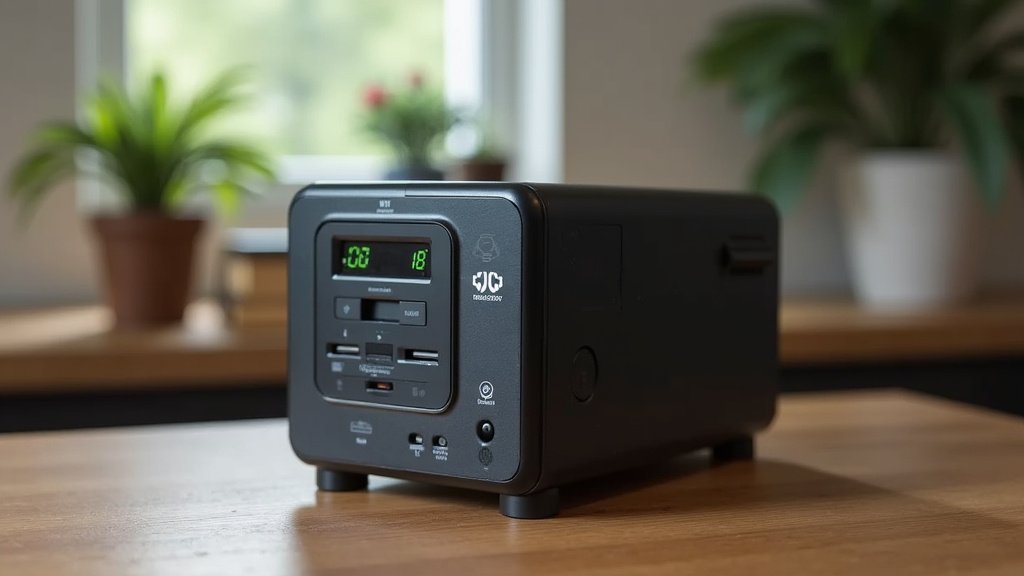
Turn the power station back on. The power station display should light up normally. Now, try plugging in one of your devices to test. Start with a low-power item, like charging your phone. See if the port is working correctly and if the charging indicator appears. If this basic reset works, you’re good to go!
What If the Basic Reset Doesn’t Work?
If you’ve gone through the simple power cycle and are still facing issues, don’t worry. There are a few other things to check. Sometimes, the problem isn’t with the power station itself but with the accessories you’re using.
Checking Your Cables and Adapters
Damaged or faulty cables can cause all sorts of problems. Try using a different charging cable or AC adapter if you have a spare. Ensure all connections are snug and secure. A loose connection is a common culprit for charging failures.
Testing Different Ports and Devices
If one specific port is acting up, try plugging a known working device into a different port. This helps determine if the issue is with the port or the device. Likewise, try plugging a different device into the problematic port. This is a simple but effective way to isolate the problem.
When to Consider a Factory Reset (Use with Caution!)
Some advanced power stations might have a “factory reset” option. This is a more drastic measure. It returns the device’s settings to their original, out-of-the-box state. This can resolve deeper software glitches that a simple power cycle can’t fix.
Important Note: A factory reset will erase any custom settings you may have programmed. Always consult your power station’s user manual before attempting a factory reset. The procedure varies significantly between brands and models.
Finding the Factory Reset Option
The method for initiating a factory reset is usually found in the user manual. It might involve holding down a specific button or combination of buttons for a certain period. Some models might have this option buried within a settings menu on the device’s screen.
Typical Factory Reset Procedure (Refer to Your Manual!)
While we can’t give exact instructions for every model, here’s a general idea of what you might encounter:
- Locate the “Reset” or “Factory Reset” option in your manual.
- You might need to power off the unit first.
- Press and hold a specific button (often the power button or a dedicated reset button) for 10-15 seconds.
- Some models might require holding down two buttons simultaneously.
- Watch for the display to change, indicating the reset is in progress.
- The unit will likely power off and then back on automatically.
Remember, this is a last resort if other troubleshooting fails. We found that most issues are resolved with the basic power cycle.
When to Seek Professional Help
If you’ve tried all the reset methods and are still experiencing problems, it might be time to contact the manufacturer. Persistent issues could indicate a hardware problem. Many power stations come with a warranty. Reaching out to customer support is the next logical step.
Checking Your Warranty
Most reputable brands offer a warranty on their portable power stations. This can range from one to five years. If your unit is still under warranty, don’t hesitate to contact them. They can offer further troubleshooting steps or arrange for a repair or replacement.
What to Have Ready When Contacting Support
- Your power station’s model number and serial number.
- A clear description of the problem you’re experiencing.
- What troubleshooting steps you’ve already taken (mentioning the resets!).
- Proof of purchase (receipt or order confirmation).
Quick Checklist: Is Your Power Station Reset?
Here’s a quick rundown to ensure you’ve covered the basics:
- All devices unplugged? Check.
- Charging source disconnected? Check.
- Waited the full minute? Check.
- Reconnected charger first? Check.
- Powered back on successfully? Check.
- Tested with a simple device? Check.
Following these steps should get your portable power station back to its optimal working condition. Happy powering!
Conclusion
You’ve learned that resetting your portable power station is often the simplest fix for common issues. Remember, the basic power cycle—unplugging everything, waiting a minute, and reconnecting—resolves most problems. If that doesn’t work, check your accessories and try different ports. Only consider a factory reset as a last resort, and always consult your manual. If problems persist, it’s time to contact the manufacturer. Your portable power station is designed to be reliable, and a quick reset can get it back to peak performance.
Frequently Asked Questions
How long should I wait before reconnecting power after unplugging?
We recommend waiting for at least 60 seconds. This allows any residual charge within the power station to dissipate completely. This full minute ensures a clean reboot of the internal systems.
What if my power station still won’t turn on after a reset?
If the basic reset didn’t revive your power station, check that the charging cable is firmly connected and the power source is active. If it still won’t power on, there might be a deeper issue requiring professional assistance or a warranty claim.
Can resetting my power station delete my settings?
The simple power cycle, which involves unplugging and replugging, typically does not delete any settings. However, a factory reset, which is a more advanced option, will revert your device to its original default settings.
Is it safe to reset my portable power station while it’s charging?
No, it’s not recommended to reset your power station while it’s actively charging or powering devices. Always disconnect all connected devices and the charging source first for a safe and effective reset.
What should I do if a specific port on my power station isn’t working after a reset?
If a particular port remains unresponsive after a reset, try plugging a different, known-working device into that port. If it still fails, the port itself might be damaged and you should contact the manufacturer for support.