Why Is My Mighty Mule Solar Panel Charging Slowly?
A Mighty Mule solar panel usually charges very slowly because sunlight is weak, the panel is shaded or dirty, the wiring has a poor connection, or the battery is aging. Check the panel position, cable path, controller indicators, and battery before replacing parts.
On this page (9 sections)
- Is weak sunlight making the Mighty Mule solar panel charge slowly?
- Could the panel angle or location be wrong?
- Could a loose connection cause slow solar charging?
- Is the battery the real cause of slow charging?
- Can a charge controller limit the charging speed?
- Which replacement panel features matter?
- Would a larger portable panel solve the problem?
- What should you check when charging stays slow?
- When should you stop troubleshooting?
A Mighty Mule solar panel charging very slowly usually has a sunlight, panel, wiring, controller, or battery problem. Start with the simple checks: clear shade and dirt, point the panel toward the strongest sun, inspect every connection, and confirm the battery is still able to hold a charge.
A gate opener uses stored energy between sunny periods. Slow charging becomes more likely after cloudy weather, new shade from growing plants, a dirty panel surface, or a battery that has lost capacity.
Is weak sunlight making the Mighty Mule solar panel charge slowly?
Weak sunlight is the first thing to check when a Mighty Mule solar panel charges very slowly. The panel needs a clear view of the sky, especially during the hours when the sun is strongest.
Look for shade from trees, fences, gate posts, buildings, and leaves. A panel can appear sunny while a narrow shadow crosses part of its surface.
Check the area at different times of day because the sun moves across the site.
Clouds also reduce available solar energy. Several overcast days can leave the gate battery low even when the system has no wiring fault.
Clean the panel with a soft, damp cloth if dust, pollen, bird mess, or leaves cover the surface. Avoid scratching the glass and keep water away from connectors and controller openings.
If you are comparing panel designs, our guide to which solar panel is best explains how panel type, position, and intended use affect a charging setup.
Could the panel angle or location be wrong?
A poor panel angle can reduce charging because the surface receives less direct sunlight. Adjust the panel so it faces the strongest available sun without being blocked by the gate structure.
Do not judge the position only at installation time. A panel that worked well in summer may receive more shade in another season as the sun follows a different path.
Keep the cable route as short and protected as practical. A long, damaged, pinched, or poorly joined cable can make the system appear weak even when the panel itself receives sun.
Check the panel bracket and mounting points after storms. Movement can turn the panel away from the useful sun or place strain on the cable.
Could a loose connection cause slow solar charging?
A loose, corroded, reversed, or damaged connection can interrupt charging or reduce the current reaching the battery. Switch off the gate opener system as directed by the manual before inspecting connections.
Check both ends of the solar cable, the controller terminals, battery terminals, and any inline connector. Look for moisture, corrosion, cracked insulation, loose screws, bent contacts, and cable damage near the gate.
Do not guess at polarity. Match the positive and negative connections to the Mighty Mule instructions, and do not connect a replacement panel until its voltage and connector arrangement match the opener's requirements.
If you find a damaged cable, use a suitable replacement rather than twisting bare wires together outdoors. Keep all connections protected from rain and standing water.
Is the battery the real cause of slow charging?
An aging or deeply discharged battery can make the solar system seem slow even when the panel works. The battery may accept energy poorly, lose charge soon after sunset, or fail to provide enough power for repeated gate cycles.
Think about what happens after a full sunny day. If the gate still struggles, the battery may not be storing enough energy.
Frequent gate use, cold weather, and long periods without strong sun can also leave the battery low.
Do not replace the battery before checking the panel and wiring. A new battery will not solve a shaded panel, damaged cable, or incorrect connection.
Follow the Mighty Mule manual for battery testing and replacement. Keep the battery terminals clean and secure, and use the specified battery type and voltage.
Can a charge controller limit the charging speed?
The charge controller manages the energy moving from the panel to the battery, so a fault or unsuitable controller can slow charging. Check its indicator lights and wiring against the instructions for your opener.
Some solar kits include a controller with charging stages and status lights. The SOLPERK Solar Panel Kit 20W 12V Solar includes a 10A MPPT controller, an adjustable bracket, an SAE connector, an O-ring, and mounting hardware.
This kit is designed for 12V rechargeable batteries and lists gate openers among its intended uses. Confirm the Mighty Mule system's required input, connector, and polarity before considering it.
The controller should stay dry and ventilated as directed by its instructions. If its lights show an error or do not respond in expected sunlight, stop changing connections at random and consult the opener or controller guidance.
Which replacement panel features matter?
A replacement panel must match the gate opener's electrical requirements before its wattage or size matters. Check voltage, connector type, polarity, controller needs, and mounting location first.
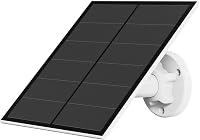
A small USB panel for a security camera is not a direct substitute for a gate opener battery charger. The YCTechCam 5W Solar Panel for Security Camera outputs 5V and includes Micro USB and USB-C connections.
YCTechCam states that this panel is not compatible with plug-in cameras without batteries and cannot charge cell phones. Those limits also show why a panel designed for another device should not be connected to a Mighty Mule system without confirmed compatibility.
For more on panels intended for low-power maintenance, see best dashboard solar panels for trickle charging.
Would a larger portable panel solve the problem?
A larger panel is not automatically a safer or faster solution for a gate opener. Its output must fit the opener's charging system, and extra wattage cannot correct a wrong connector, damaged cable, or failing battery.
The ZOUPW 100W Portable Solar Panel for Power is a foldable panel for compatible portable power stations. It has a 5-in-1 connector cable and a stated maximum power of 100W.
ZOUPW notes that charging speed depends on the connected generator's maximum input. That same principle applies here: the gate opener's charging limit and required input determine whether a panel is suitable.
Do not connect a portable panel to the gate battery simply because it has a higher wattage. Check the Mighty Mule instructions or ask qualified support about compatibility first.
What should you check when charging stays slow?
Use a simple check order so you do not replace working parts.
- Check for shade during the strongest sun.
- Clean the panel surface with a soft damp cloth.
- Confirm the bracket has not shifted.
- Inspect the full cable route and every connector.
- Check controller indicators and terminal security.
- Consider battery condition after the panel and wiring pass inspection.
- Confirm replacement parts match the Mighty Mule requirements.
Write down when the panel receives direct sun and how the gate behaves afterward. This can help separate a weather problem from a battery or wiring problem.
For a broader troubleshooting checklist, read why is my solar panel charging slowly? 5 fixes.
If the charging source is a power station rather than a gate battery, see why is my power station charging slowly?.
When should you stop troubleshooting?
Stop and get qualified help if the battery is swollen, hot, leaking, cracked, or giving off an unusual smell. Disconnecting the wrong terminal or using an unsuitable charger can create a safety risk.
Also stop if you find melted insulation, burned connectors, exposed conductors, or repeated controller faults. Do not bypass the controller or join unknown wires to make the system charge.
The correct fix is usually clear after checking sunlight, dirt, connections, controller status, and battery condition. Pick the simplest repair that matches the evidence, and verify every replacement panel or battery against the Mighty Mule system before connecting it.
Frequently asked questions
Why is my Mighty Mule solar panel charging very slowly?
A Mighty Mule solar panel may charge slowly because the panel receives weak sunlight, has shade or dirt on its surface, or has a loose connection. A battery that is deeply discharged or aging can also accept charge slowly.
Check the panel, cable, controller, and battery in that order.
Does shade make a Mighty Mule solar panel charge slowly?
Yes, shade can reduce the solar energy reaching the panel and extend charging time. Check for tree branches, walls, posts, leaves, and seasonal changes in the sun path.
Even partial shade during the strongest part of the day can reduce useful output.
Should I replace the battery if solar charging is slow?
Not immediately. First clean the panel, confirm its angle, inspect the cable and connectors, and check the controller indicators.
If the battery still struggles to hold charge after the solar path is clear, it may need testing or replacement according to the Mighty Mule manual.
Can I use any 12V solar panel with a Mighty Mule gate opener?
No. Check the gate opener manual for the required voltage, connector, polarity, controller setup, and panel size before connecting another panel.
A panel with the wrong electrical output can fail to charge the battery or damage the charging system.