Why Does My Portable Power Station Shut Off Randomly?
On this page (9 sections)
- Troubleshooting Unexpected Power Station Shutdowns
- Understanding Overload Protection: When Devices Ask for Too Much
- When the Battery Level is Simply Too Low
- The Role of Connections and Cables
- Environmental Factors: Temperature Extremes
- Software Glitches and Firmware Issues
- Other Potential Causes to Consider
- Conclusion
- Frequently Asked Questions
Your portable power station might be shutting off randomly because of overload protection, low battery levels, or a faulty connection. These built-in safety features are designed to prevent damage. Sometimes, it’s as simple as a device drawing too much power.
We’ve found that these units are pretty smart about keeping themselves safe. Issues like temperature extremes or even a simple software glitch can also cause unexpected shutdowns. Understanding these common reasons helps you troubleshoot quickly.
- Overload Protection: Too much power drawn.
- Low Battery: Needs recharging.
- Faulty Connections: Loose cables.
- Temperature: Too hot or too cold.
- Software Glitches: Rare, but possible.
Let’s walk through exactly why your power station might be acting up and how to get it running smoothly again.
Troubleshooting Unexpected Power Station Shutdowns
It’s certainly frustrating when your portable power station suddenly goes dark. You were relying on it! We’ve found that these unexpected shutdowns usually have a clear reason. Most often, it’s a safety feature doing its job. Let’s figure out what’s happening with yours.
Understanding Overload Protection: When Devices Ask for Too Much
Your power station has built-in safeguards to prevent damage. One of the most common reasons for a sudden shutdown is overload protection. This happens when you plug in devices that collectively draw more power than the station can safely provide. Think of it like trying to pour too much water into a small pitcher; it’s just going to overflow!
What is Wattage and Why Does It Matter?
Every electronic device has a power requirement, measured in watts (W). Your power station also has a maximum output wattage. When the total wattage of the devices you’ve connected exceeds this limit, the power station will shut itself down to prevent damage. This is a smart safety feature, not a malfunction.
Identifying the Wattage of Your Devices
You can usually find the wattage of a device on its power adapter or a label on the device itself. It might be listed as “W” or as “V x A” (volts times amps). For example, a device that uses 120 volts and 2 amps consumes 240 watts (120 x 2 = 240).
Checking Your Power Station’s Output Capacity
Your power station’s manual or specifications sheet will clearly state its continuous output and surge output wattage. The continuous output is the maximum power it can sustain over time. The surge output is a higher burst of power it can handle for a very short period, often needed to start motors (like in a refrigerator). Make sure your connected devices don’t exceed the continuous rating.
Common Culprits for Overloads
Sometimes, it’s not just one big device, but several smaller ones that add up. A laptop, a phone charger, a small fan, and a camping light might seem innocent enough. However, when you add them all up, their combined wattage could push your power station past its limit. We’ve found that appliances with heating elements, like hair dryers or electric kettles, are particularly power-hungry and can easily cause an overload.
The “Surge” vs. “Continuous” Wattage Trap
You might have a power station with a high surge rating, leading you to believe it can handle anything. While it can briefly accommodate a surge, it’s the continuous wattage that matters for sustained use. If your devices consistently draw power near or at the surge limit, you might still trigger the overload protection, as the station might interpret this as a sustained high demand.
How to Prevent Overloads
The simplest way to prevent an overload shutdown is to be mindful of the total power draw. Try connecting devices one by one. If the station shuts off after connecting a specific device or group of devices, you’ve likely found the culprit. Unplug the most recent addition. We recommend keeping a list of the wattage for your frequently used devices. This makes it easy to calculate your total draw before you even plug anything in.
When the Battery Level is Simply Too Low
This might seem obvious, but a power station shutting off could simply be its way of telling you it’s running on fumes. Many units are designed to shut down automatically when the battery reaches a very low percentage, often around 5% or even lower. This is to protect the battery from deep discharge, which can reduce its lifespan.
Understanding Low Battery Indicators
Your power station likely has a display or LED lights that indicate the battery level. Pay close attention to these indicators. When you see the battery percentage dropping significantly, it’s time to think about recharging. Don’t wait for it to shut off unexpectedly; that’s the last-ditch warning.
Recharging Best Practices
To prolong the life of your power station’s battery, it’s generally best to avoid letting it sit at 0% for extended periods. Most manufacturers suggest recharging it once it drops below 20-30% if you’re not actively using it. Many experts agree that keeping the battery between 20% and 80% is ideal for long-term health (Cleantech Council).
The Role of Connections and Cables
Sometimes, the issue isn’t with the power station itself or the devices you’re trying to power. It can be as simple as a loose connection or a faulty cable. A poor connection can interrupt the flow of power, causing the station to think there’s a problem and shut down, or it can create resistance, leading to overheating and a safety shutdown.
Checking Your Cables and Ports
Visually inspect all the cables you’re using. Are there any signs of damage, fraying, or kinks? Are the connectors clean and free of debris? Check the ports on your power station and your devices as well. Dust or lint can sometimes interfere with a good connection.
Using the Right Cables for the Job
Not all cables are created equal. Using a cheap, unrated cable to charge a high-demand device can cause issues. Some cables are designed only for charging, while others are built for data transfer or higher power delivery. Always try to use the original cables that came with your devices or high-quality, reputable replacement cables that match the device’s power requirements.
The Impact of Loose Plugs
A plug that isn’t fully seated in the outlet can cause intermittent power. This flickering power can confuse the power station’s internal monitoring systems. Gently but firmly push all plugs in until they feel secure. This is especially important if you’re using your power station outdoors or in a situation where vibrations might occur.
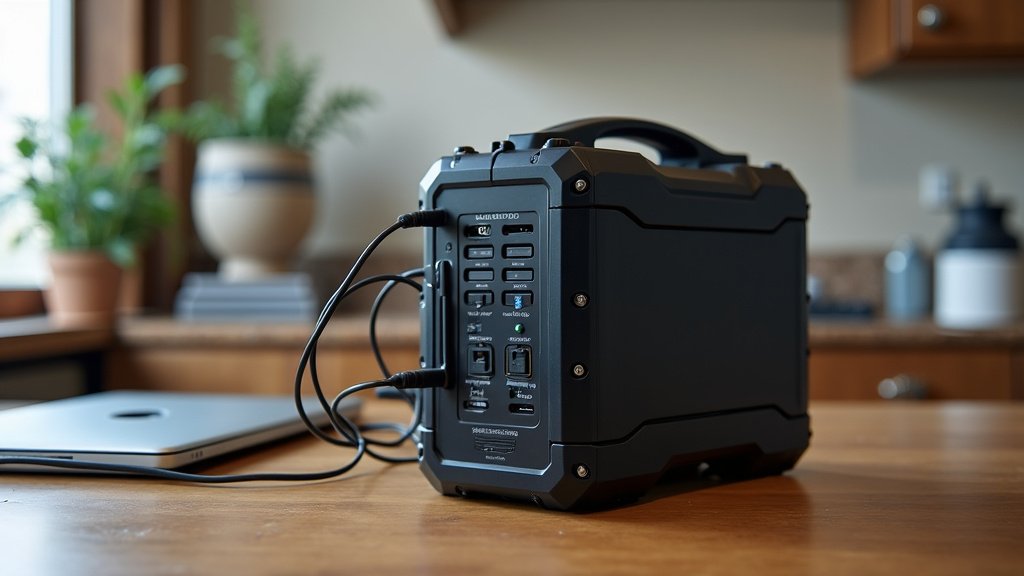
Environmental Factors: Temperature Extremes
Portable power stations, like most electronics, perform best within a specific temperature range. If you’re using your unit in extreme heat or cold, it can trigger a shutdown as a protective measure.
Why Extreme Heat is a Problem
High temperatures can cause internal components to overheat. This is especially true if the unit is in direct sunlight or enclosed in a hot car. Overheating can lead to performance degradation and, in severe cases, automatic shutdowns to prevent permanent damage. We found that operating temperatures above 110°F (43°C) can be problematic for many models (Battery University).
The Effects of Extreme Cold
While less common, extremely cold temperatures can also affect battery performance and potentially cause shutdowns. Batteries in cold conditions simply don’t perform as efficiently. Some units may shut down to protect the battery from damage. Avoid using or storing your power station in temperatures below freezing if possible.
Recommended Operating and Storage Temperatures
Always consult your power station’s manual for its specific temperature recommendations. Generally, most units are designed to operate comfortably between 32°F and 104°F (0°C and 40°C). Storage temperatures are often broader, but it’s still wise to keep them within a moderate range, avoiding extremes.
Software Glitches and Firmware Issues
Though less frequent, sometimes a software glitch or an outdated firmware can cause unexpected behavior, including random shutdowns. Power stations have internal microprocessors that manage their functions. Like any computer, these can sometimes encounter temporary errors.
When to Consider a Firmware Update
If your power station has an app or companion software, check if there are any available firmware updates. Manufacturers periodically release updates to improve performance, fix bugs, and enhance safety features. Following the manufacturer’s instructions for updating firmware is important for the health of your device.
Performing a Reset (If Available)
Some power stations have a reset button or a reset procedure outlined in their manual. If you suspect a software issue and other troubleshooting steps haven’t worked, a reset might clear temporary glitches. Be sure to back up any custom settings if your unit allows for it before performing a reset.
Other Potential Causes to Consider
Beyond the most common reasons, a few other less frequent issues could lead to your power station shutting down unexpectedly.
Internal Component Failure
While power stations are built to be robust, internal components can occasionally fail. This is rare, especially in newer units, but it’s a possibility if all other troubleshooting steps fail. If you suspect this, it’s best to contact the manufacturer for support.
Device Compatibility Issues
Some highly sensitive electronics might not play well with certain power stations. This can sometimes manifest as an unexpected shutdown. If a particular device consistently causes your power station to turn off, try testing it with another power source or consult the manufacturer of both the device and the power station.
Quick Troubleshooting Checklist
Here’s a simple checklist to run through when your power station acts up:
- Is the battery charged sufficiently?
- Are you exceeding the continuous wattage limit?
- Are all connections and cables secure and undamaged?
- Is the unit within its optimal temperature range?
- Have you tried unplugging and reconnecting devices one by one?
- Check for available firmware updates if applicable.
Conclusion
Seeing your portable power station shut off unexpectedly can be a real bummer. Usually, it’s one of its smart safety features working overtime. We’ve learned that overload protection, a depleted battery level, or even a simple loose connection are the usual suspects. Keeping an eye on your device’s wattage limits and maintaining its battery health are key. If you’ve checked these common causes and still have trouble, it might be time to consult your user manual or reach out to the manufacturer.
Frequently Asked Questions
Will using my power station in direct sunlight cause it to shut off?
Yes, prolonged exposure to direct sunlight, especially in warm weather, can cause your power station to overheat. Most units have thermal protection that will shut them down to prevent damage. It’s best to keep your power station in a shaded or cooler area when in use.
How do I know if I’m exceeding my power station’s wattage limit?
You can usually find the continuous and surge wattage limits in your power station’s user manual or on a label on the unit itself. You’ll also find the wattage requirements for your devices on their power adapters or the devices themselves. Add up the wattage of all connected devices and compare it to your power station’s continuous rating.
Can a faulty charging cable cause my power station to shut off?
A damaged or poor-quality charging cable can indeed cause issues. It might not deliver power efficiently, leading to the power station shutting down as a safety measure or to protect the battery. Always use the original or a certified high-quality cable that matches your device’s specifications.
My power station shut off, but the battery isn’t completely empty. Why?
This could be due to a few reasons beyond a simple low battery. It might have tripped its overload protection if you plugged in too many devices, or perhaps it’s overheating. Environmental factors like extreme temperatures can also trigger a shutdown even if there’s still charge left.
Is it safe to leave my power station plugged in to charge constantly?
While many modern power stations have overcharge protection, it’s generally not recommended to leave them plugged in and fully charged for extended periods. For optimal battery health, it’s often advised to keep the battery level between 20% and 80% when not in use. Consult your manual for specific charging recommendations.